Rotate, flip, and manipulate block states effortlessly using mouse gestures and the scroll wheel in Creative Mode.
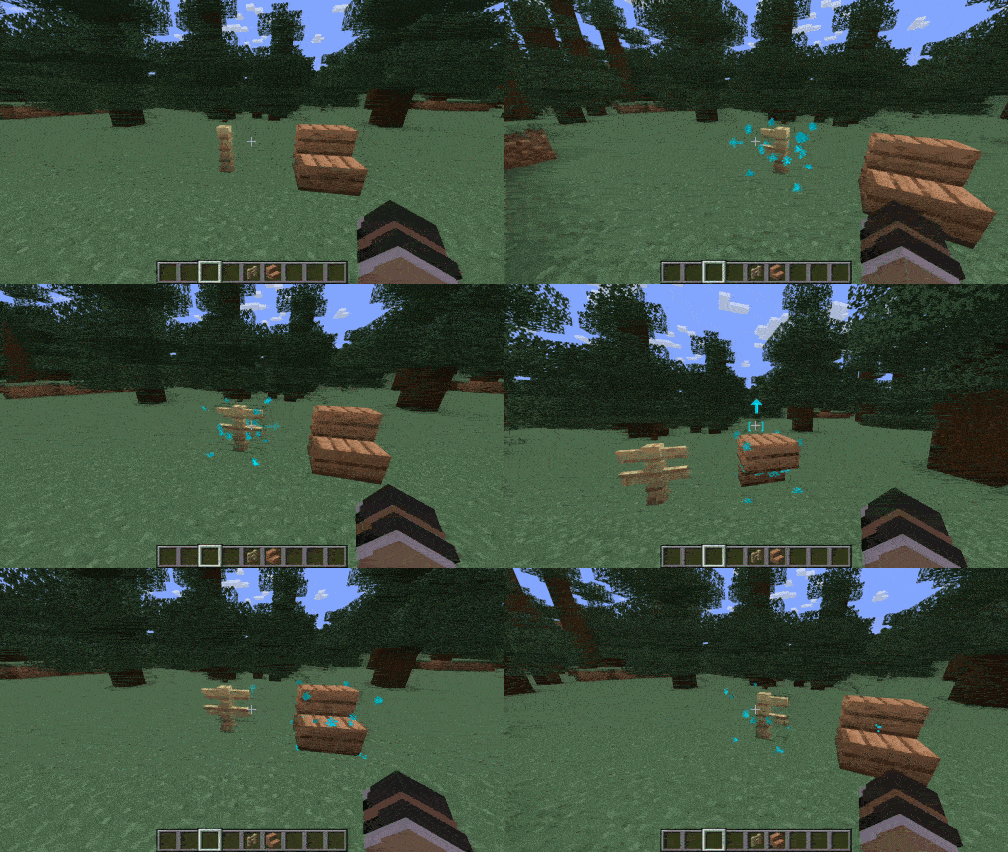
Left Alt and scroll or swipe to rotate blocks horizontally (stairs, pillars, glazed terracotta, repeaters, observers, etc.).Alt to instantly toggle stairs between regular and upside-down, or slabs between bottom and top.Alt + Shift and scroll to cycle pillar and chain axes (X, Y, Z) or cycle connection states for fences, walls, and glass panes.Alt (Cyan for editable blocks, Red for static blocks).| Action | Controls |
|---|---|
| Rotate Horizontally | Hold Left Alt + Scroll Wheel or Swipe Left/Right |
| Flip Vertically (Half / Slabs / Stairs) | Hold Left Alt + Swipe Up / Down |
| Cycle Axis / Connections (Pillars / Chains / Walls) | Hold Left Alt + Shift + Scroll Wheel |
(The activation key Left Alt can be customized in Options ➔ Controls ➔ Key Binds)