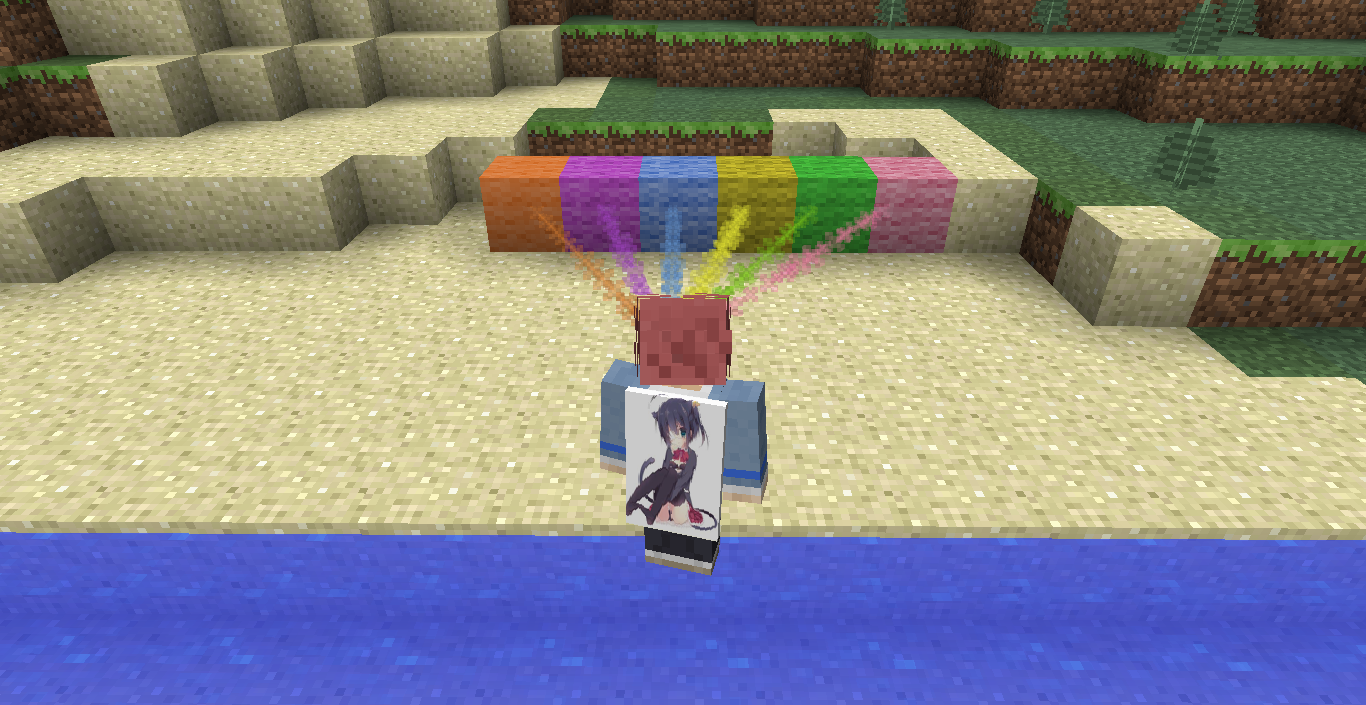
This is a Scenter-like mod. It can show you a way to the target block(s).
| command | function |
|---|---|
/sniffer |
main command, simplify /sf |
/sf g/gamma [0-15] |
get/set Gamma |
/sf reload |
reload config |
|
|
reset target |
/sf setblock look│{<x> <y> <z>} <id│name>
|
set block (client side) |
/sf t/target i/info |
show information of current target |
/sf t/target m/mode [{0│1}] |
get/set work mode |
/sf t/target h/hrange [{0-15}] |
get/set horizon range(chunk) |
/sf t/target v/vrange [{0-255}] |
get/set vertical range(block) |
/sf t/target d/depth [{0-255}] [{0-255}] |
get/set vertical depth range(0-255) |
/sf t/target c/color [{#abcdef}│{&e}│{blue}│map] |
get/set particle color |
/sf t/target rm/remove |
remove current target |
/sf t/target cla/clear |
clear all targets |
/sf t/target add <{name│id}│hold│look> [meta] [{0-15}] |
add a new target |
/sf t/target add {name│id} |
add the block named name or id=id as a new target(ignore meta) |
/sf t/target add hold meta |
add the held block as a new target,using it's meta |
/sf t/target add look meta {0-15} |
add the looking block as a new target with the specific meta(0-15) |
| /sf t/target skip | skip current target block which can not be harvested.(client set block to air) |
/sf sub l/list |
show the sub-blocks of current target |
/sf sub add <{name│id}│hold│look> [meta] [{0-15}] |
add sub block to current target |
/sf sub rm/remove <{uid}> |
remove sub block with the uid uid |
| option | default value |
|---|---|
| work mode | 0 fixed range, usingdepth |
| horizon range | 1chunk |
| vertical range | 16block |
| depth range (y) | 0level-64level |
| particle color | using MapColor |
| default target | minecraft:diamond_ore/0,meta0 |
此Mod是 矿物追踪 (Scenter) 的改进增强版, 主要功能也是探测方块.
| 符号 | 意义 |
|---|---|
x/xx |
相同的指令 |
x│xx |
选择其中一个 |
xxx |
指令(没有{}修饰表示该字段是一个指令, 需要照写) |
<xxx> |
必填项 |
[xxx] |
选填项 |
{xxx} |
参数 |
x-y |
范围 |
[{x│y}] |
选填其中一个参数 |
<{x│y}> |
必填其中一个参数 |
[{x-y}] |
选填范围内参数 |
| 指令 | 功能 |
|---|---|
/sniffer |
总指令, 简写/sf |
/sf g/gamma [0-15] |
查看/设置 Gamma 值 |
/sf reload |
重载配置 |
/sf reset |
复位探测器 |
/sf setblock look│{<x> <y> <z>} <id│name>
|
设置目标位置为指定方块(客户端) |
/sf t/target i/info |
查看当前探测目标信息 |
/sf t/target m/mode [{0│1}] |
查看/设置探测模式 |
/sf t/target h/hrange [{0-15}] |
查看/设置水平探测半径(区块) |
/sf t/target v/vrange [{0-255}] |
查看/设置垂直探测半径(方块) |
/sf t/target d/depth [{0-255}] [{0-255}] |
查看/设置探测深度范围 |
/sf t/target c/color [{#abcdef}│{&e}│{blue}│map] |
查看/设置粒子颜色 |
/sf t/target rm/remove |
移除当前探测目标 |
/sf t/target cla/clear |
清除所有探测目标 |
/sf t/target add <{name│id}│hold│look> [meta] [{0-15}] |
添加探测目标 |
/sf t/target add {name│id} |
添加名为name或id为id的方块到新的探测目标, 将无视元数据 |
/sf t/target add hold meta |
添加手持方块到新的探测目标, 并使用当前元数据 |
/sf t/target add look meta {0-15} |
添加光标处方块到新的探测目标, 并使用指定的元数据 |
/sf t/target skip |
跳过当前探测到得目标位置,以跳过无法挖掘的方块(客户端设置为空气) |
/sf sub l/list |
显示当前目标包含的子目标 |
/sf sub add <{name│id}│hold│look> [meta] [{0-15}] |
添加子目标 |
/sf sub rm/remove <{uid}> |
移除当前目标下id为uid的子目标 |
| 内容 | 默认值 |
|---|---|
| 探测模式 | 0固定深度探测, 使用depth |
| 水平探测半径 | 1区块 |
| 垂直探测半径 | 16方块 |
| 探测深度范围 | 0层-64层 |
| 粒子颜色 | 使用MapColor |
| 默认探测目标 | 钻石原矿,元数据0 |