Mineuniverse
Log in Register
Mods

Biology Dictionary

Discover, highlight, inspect, modify - your vanilla & modded mob encyclopedia
by xienaoban
Download Claim this project
4,157 downloads
0 likes
Updated Jul 6, 2026
0 hypes
Adventure and RPG Armor, Tools, and Weapons Map and Information Mobs Utility & QoL

header

Biology Dictionary

Discover, highlight, inspect, modify - your vanilla & modded mob encyclopedia

Fabric NeoForge Forge MC 1.21.11


Sound familiar?

Problem Solution
Want to explore all mobs Check your discovery progress in the dictionary
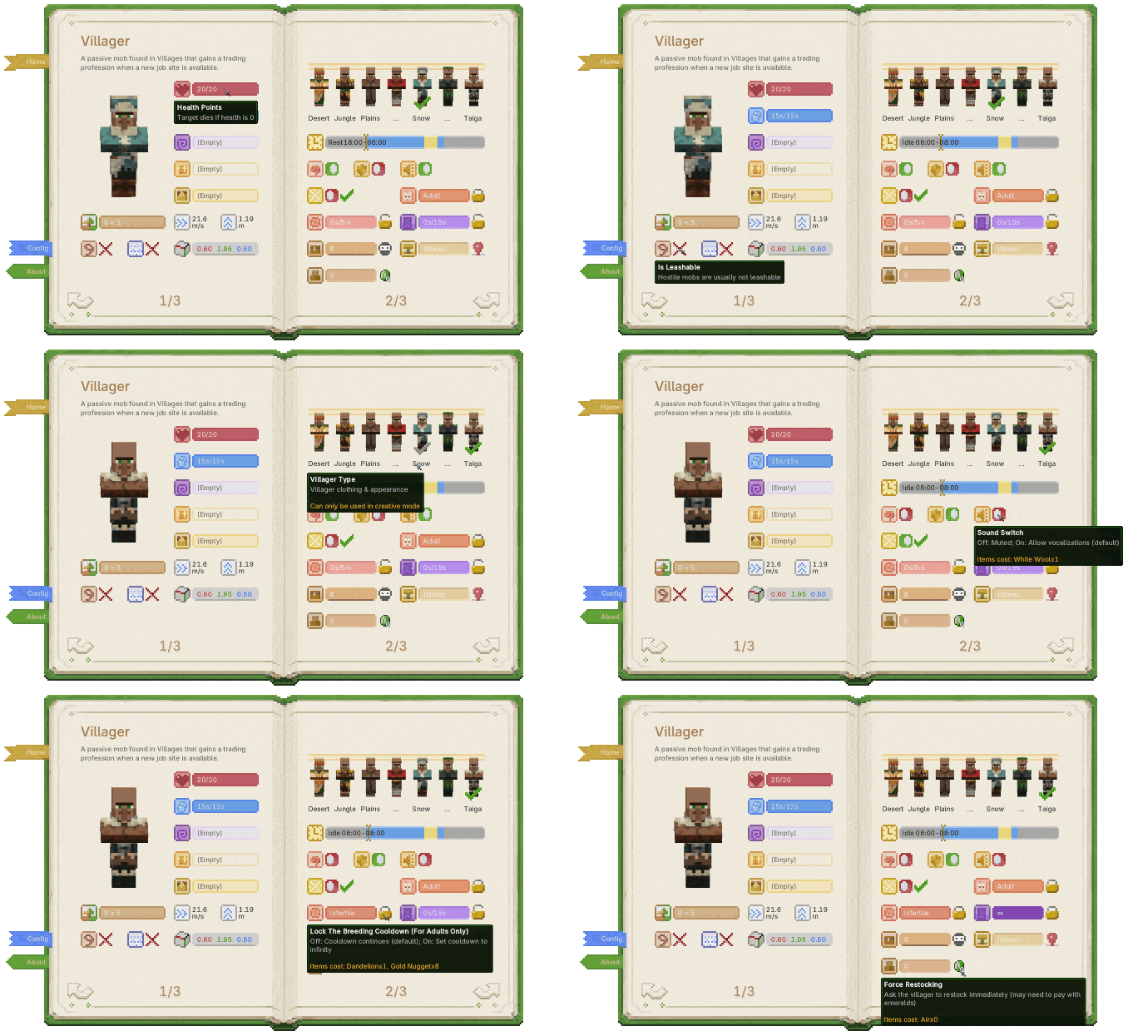
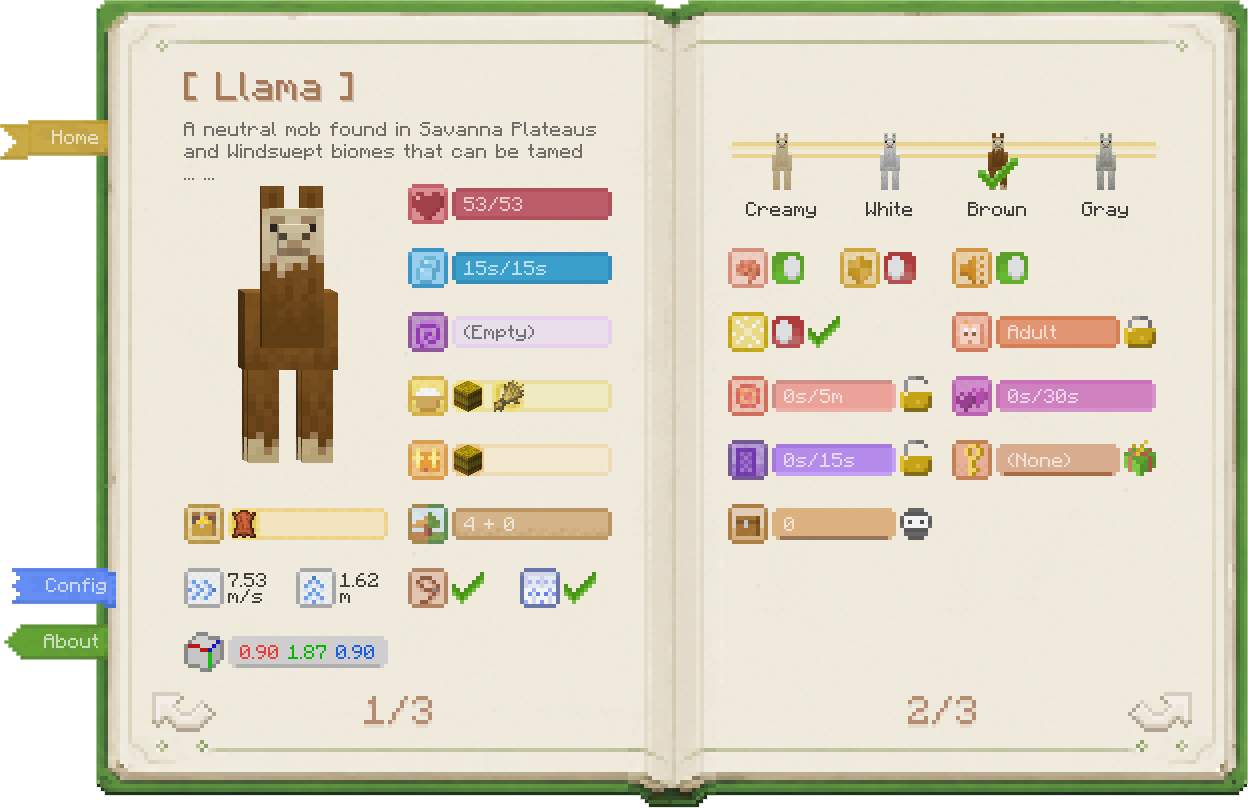
Want spawn biomes, drops, food, speed, hitbox… all at once View all base properties on a single page
Curious about horse, panda, or villager variants Browse all variants (and change them in Creative)
Baby mobs are too adorable to grow up Lock growth, keep them babies forever
Dozens of chickens in a cooker are deafening One-click mute — offspring inherit it too
Can't find the villager's job site in your trading hall One-click locate, no more blind digging
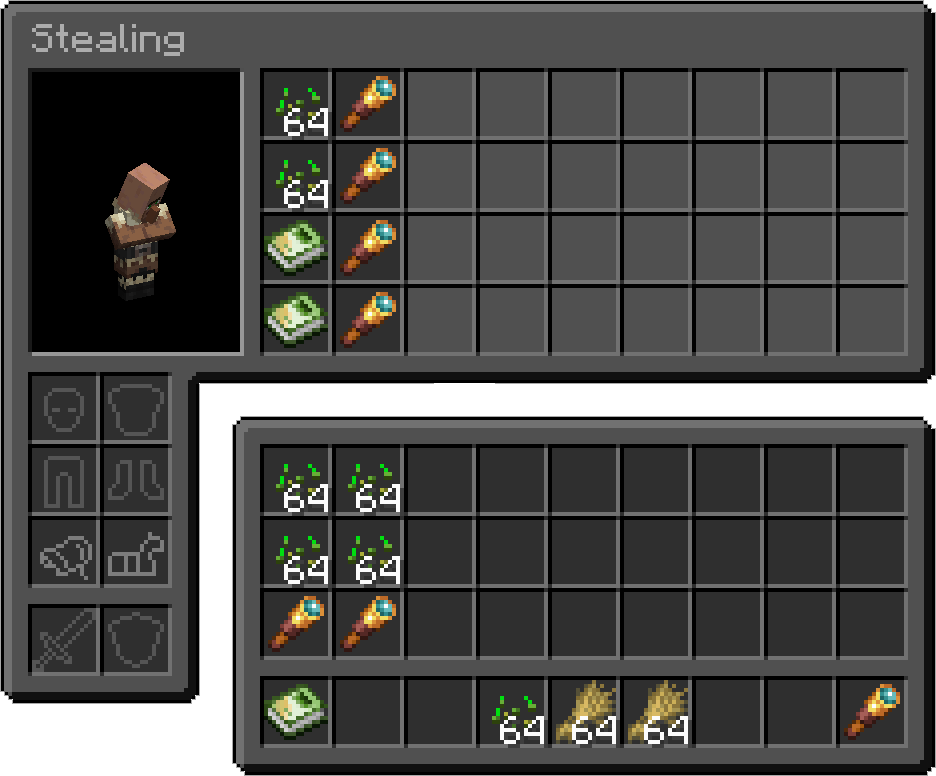
Villagers keep crafting bread, breaking your auto-farm Steal their inventory, fill with junk, stop wheat pickup
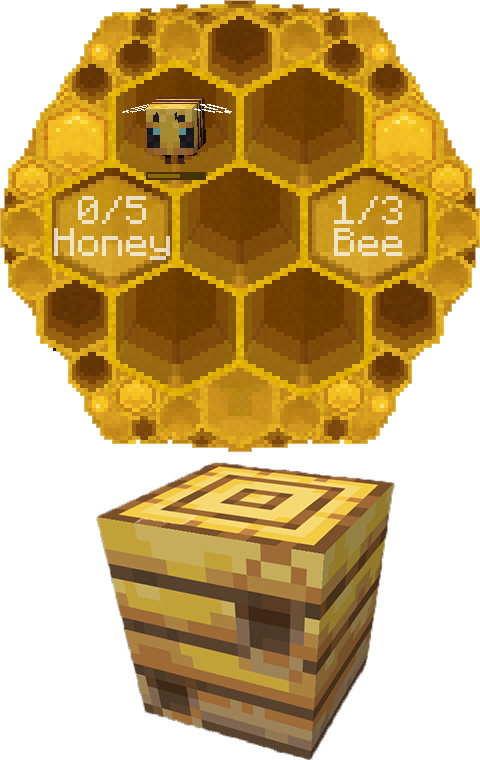
Bees flew off — which hive did they go to? View hive honey levels and bee counts, track them home
Cross-dimension mob transport is a nightmare Lock or force nether portal teleportation
Want static NPCs in your survival builds Disable AI + set invulnerable, done

Animated entity detail screen showing Biology Dictionary widgets

One screen for all of those problems.


Gameplay Preview

  • No new blocks or entities. The book is implemented with NBT and stays vanilla-friendly.
  • Works with vanilla and modded mobs.

Open the Dictionary

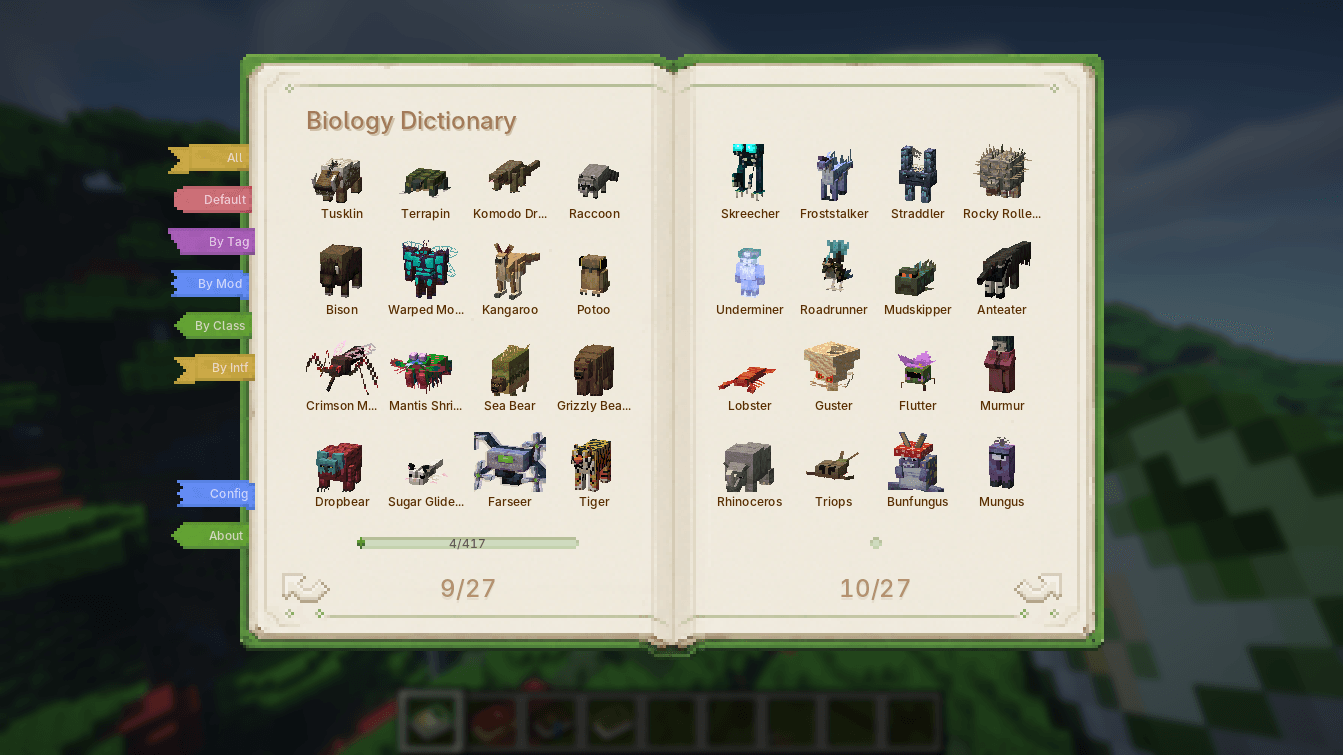
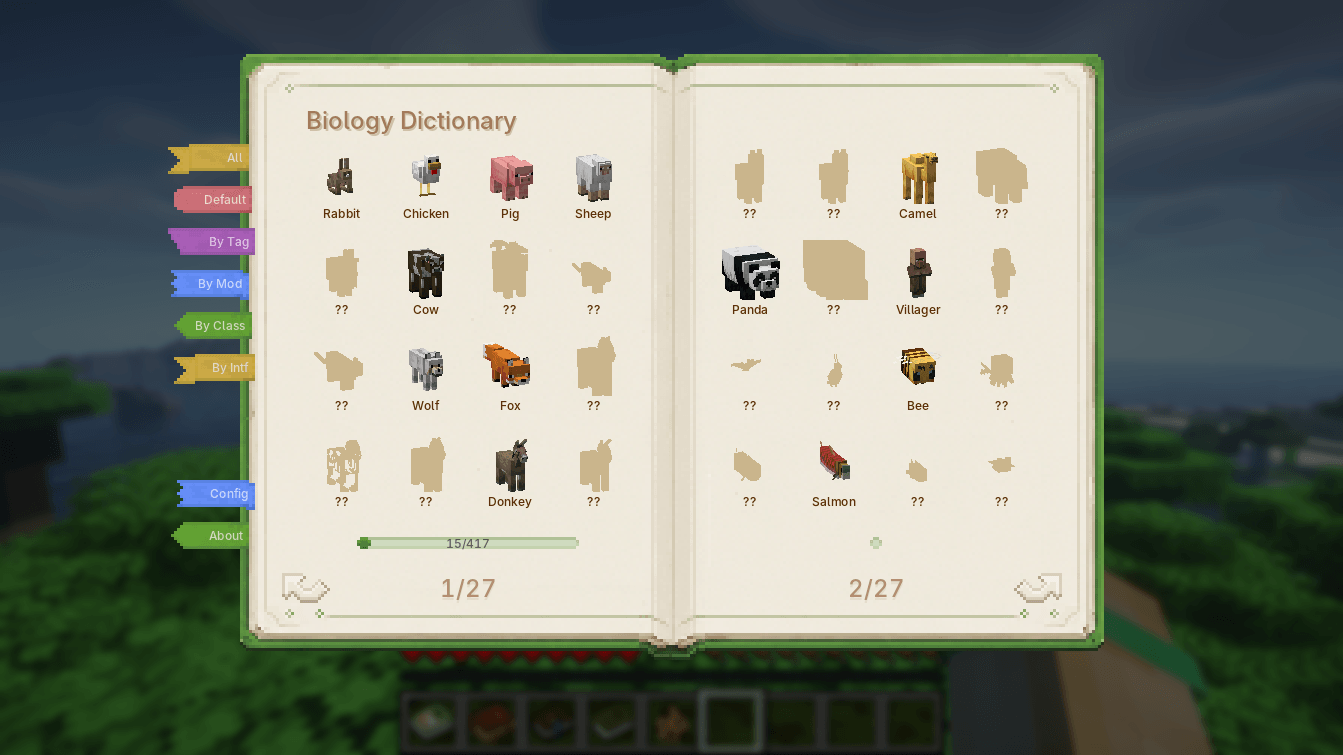
Biology Dictionary Discovery Progress
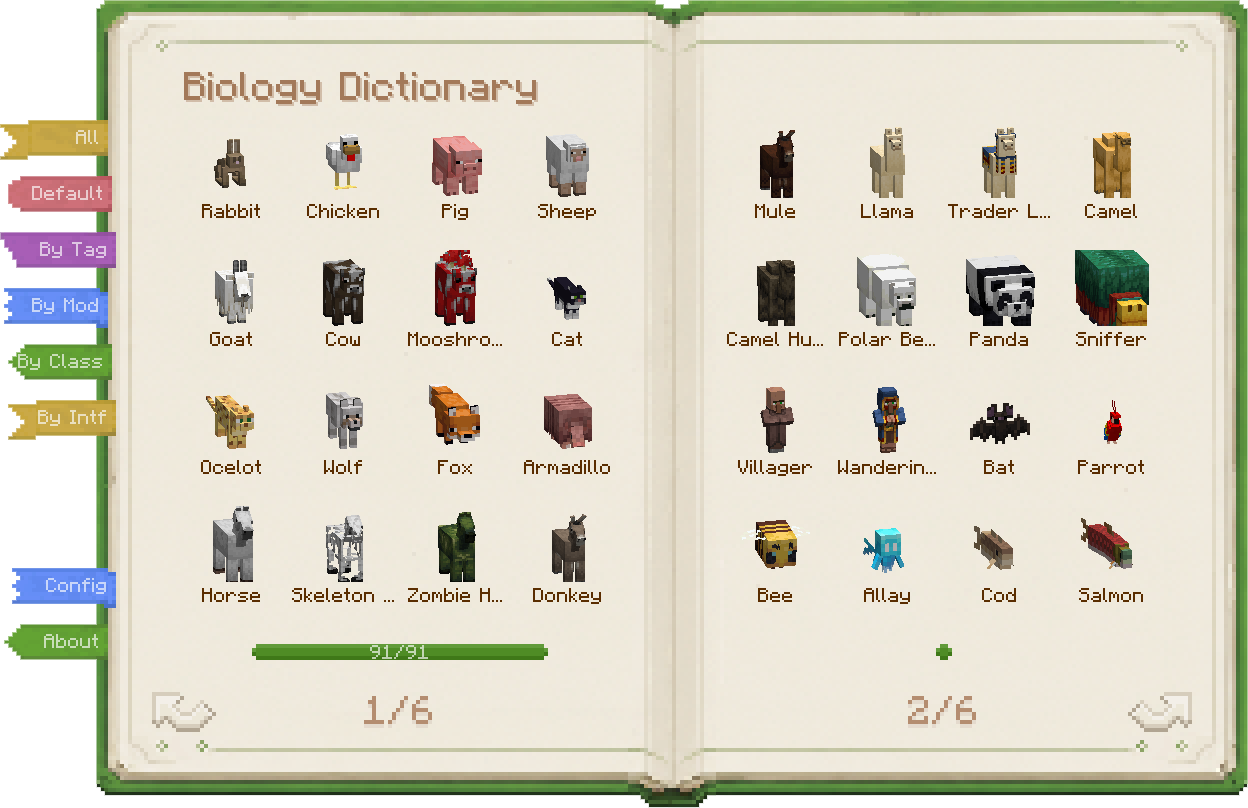
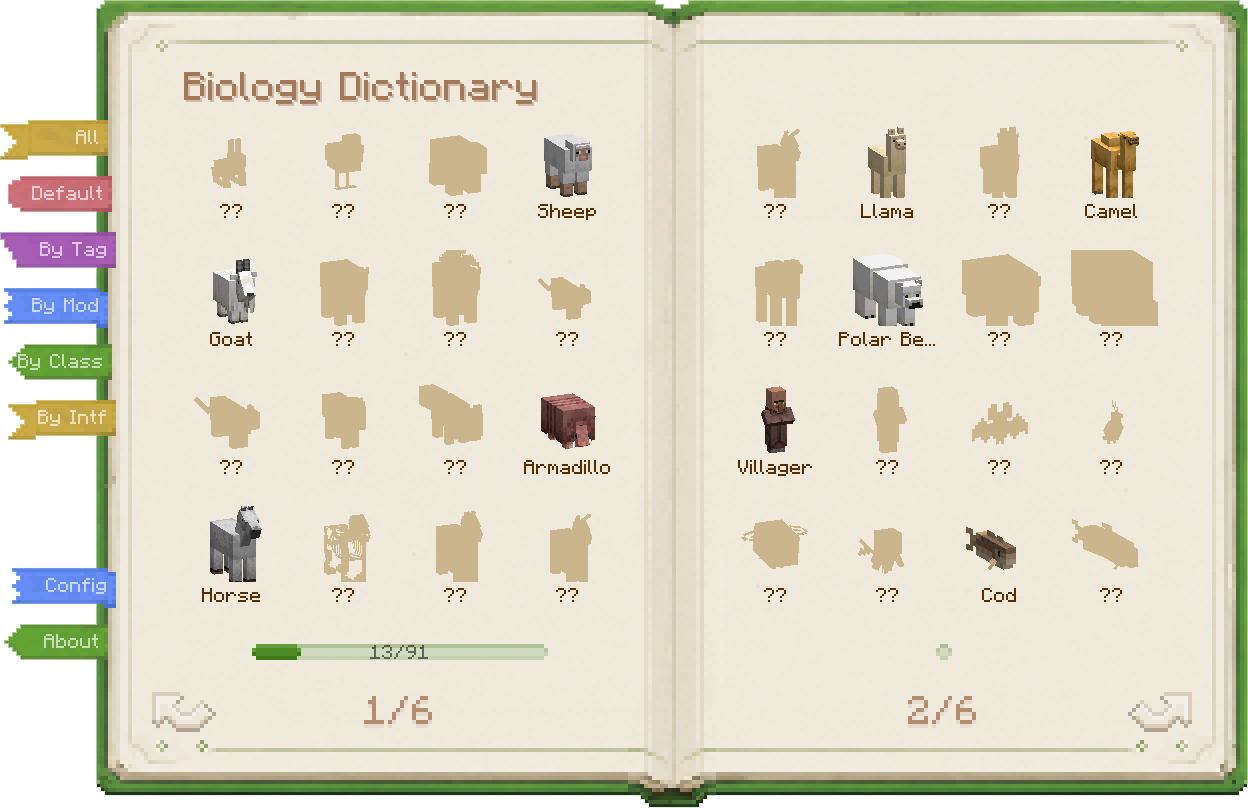
Biology Dictionary listing every mob Biology Dictionary showing discovered and undiscovered mobs
Vanilla mobs, modded mobs, all in one book. Build your encyclopedia one discovery at a time.
  • Full mob catalog — Vanilla and modded mobs are collected automatically, no setup required.
  • Discovery progress — Track which mobs you have found and which ones are still waiting.
  • Multiple discovery rules — Use a simple "all unlocked" mode, vanilla kill statistics, or Biology Dictionary's own discovery system.
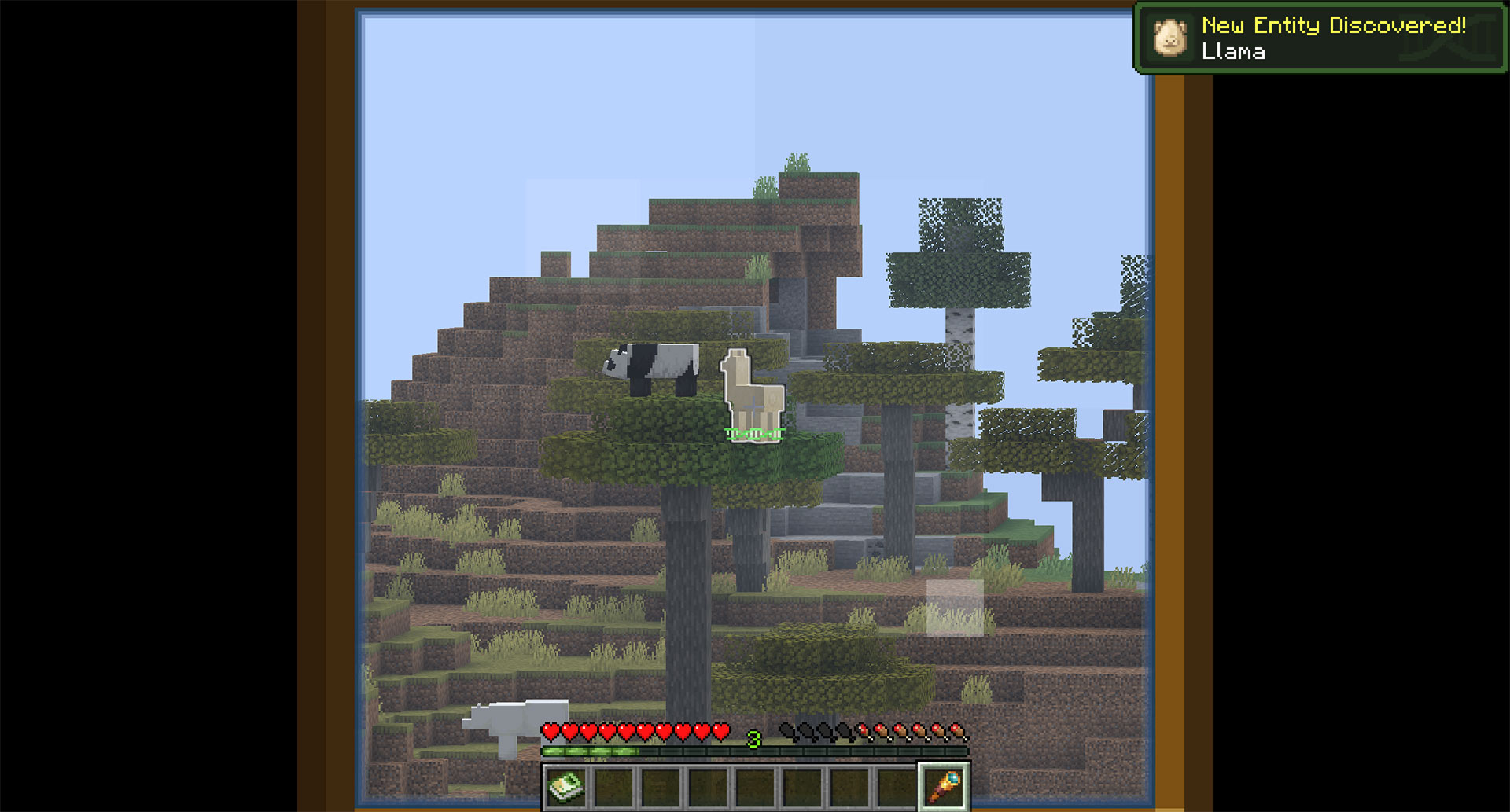
  • Configurable discovery actions — Detail screens, telescope observation, interaction, kills, and more can count as discovery.
  • Discovery records — Biology Dictionary mode can record how, when, and where you first met a mob.
  • Configurable module behavior — By default, undiscovered mobs hide their details; you can also make discovery a pure collection layer.
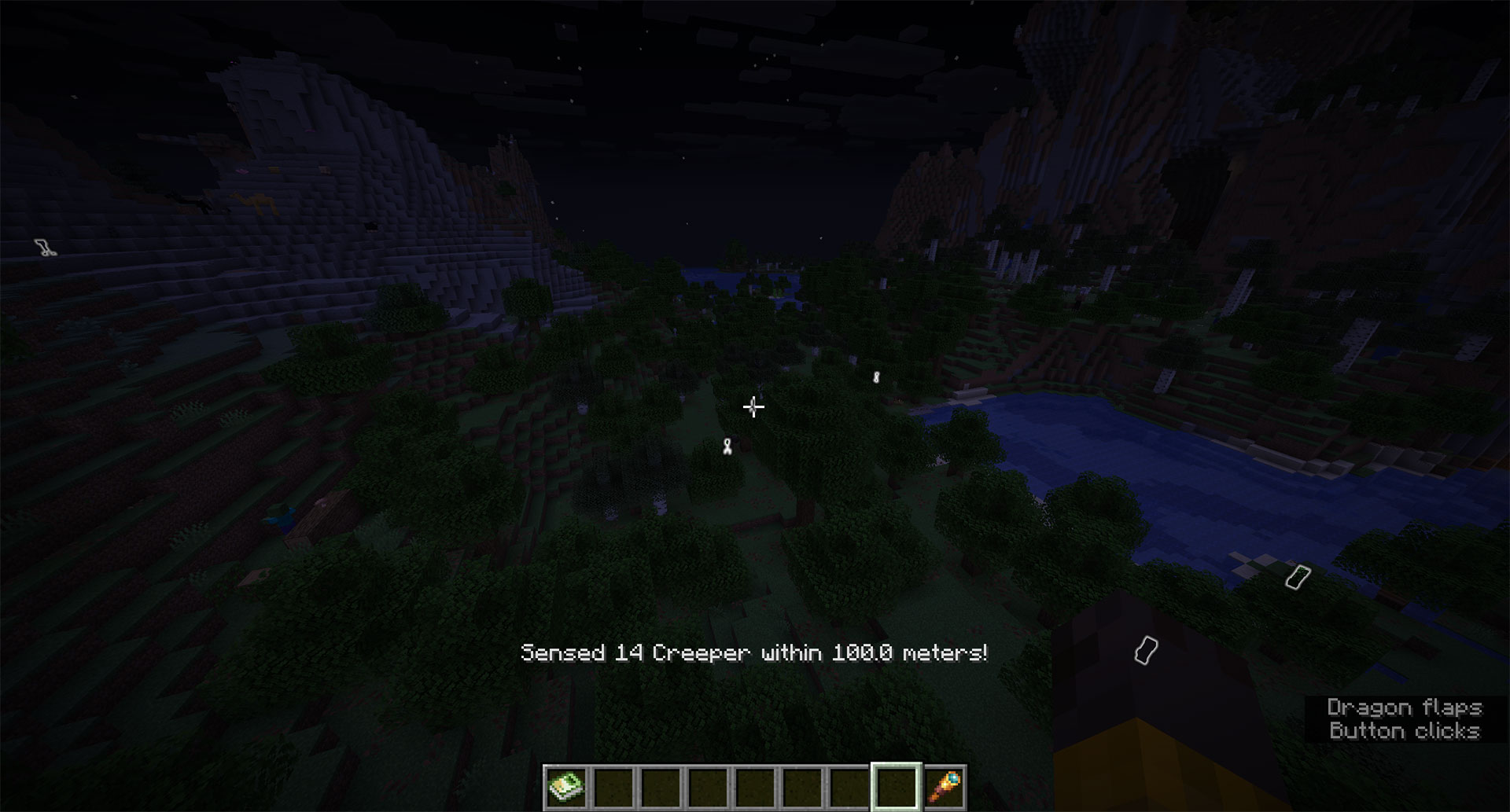
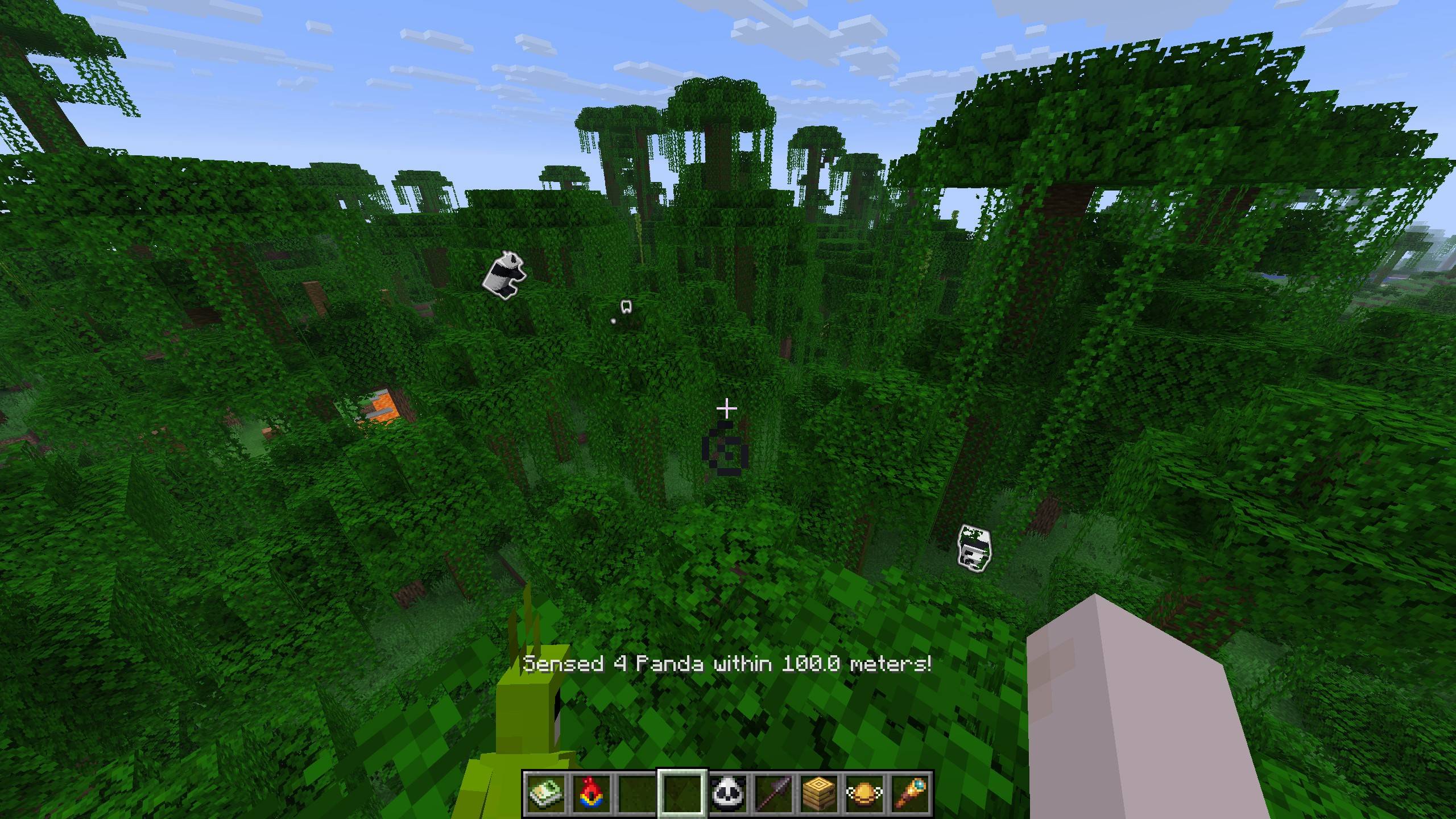
  • Entity highlight — Highlight nearby mobs of the same type, with different ranges and costs.
Telescope Discovery Entity Highlight
Discovering a mob through a telescope Highlighted mobs in the world
A telescope sighting can count as a real discovery. Highlight nearby mobs when rare targets are hard to spot.

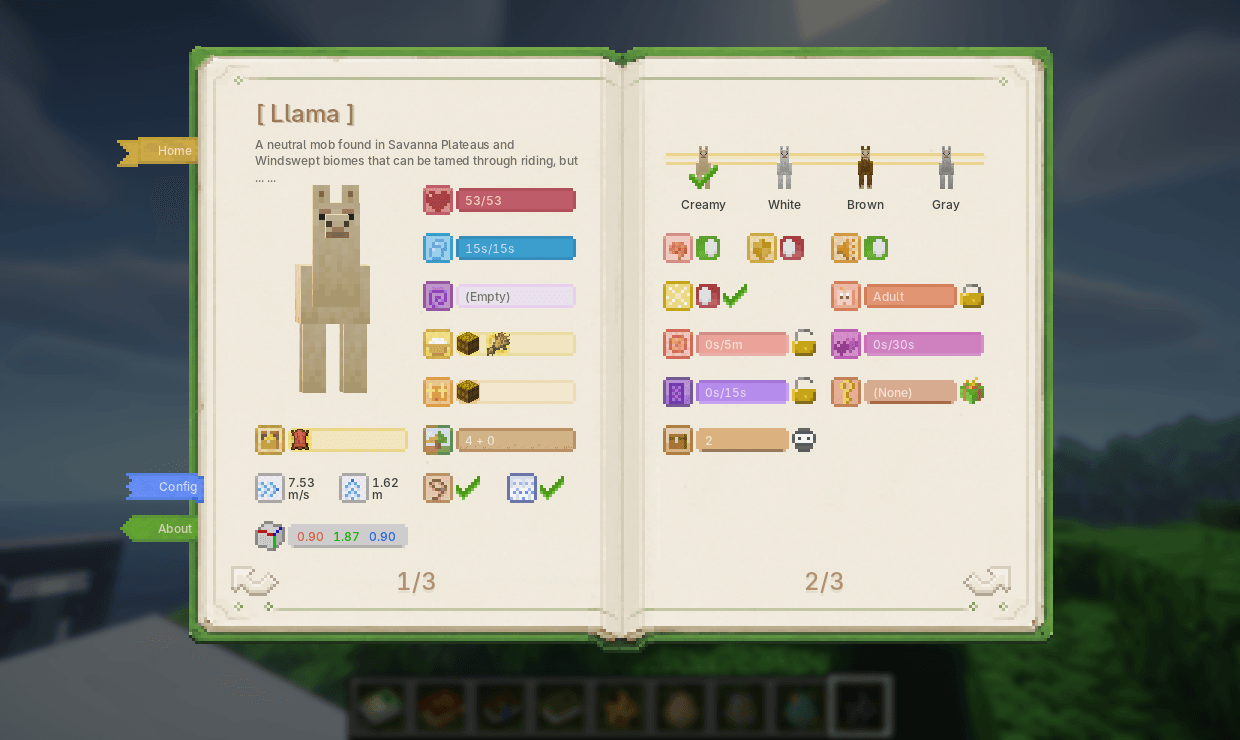
Open a Mob Page

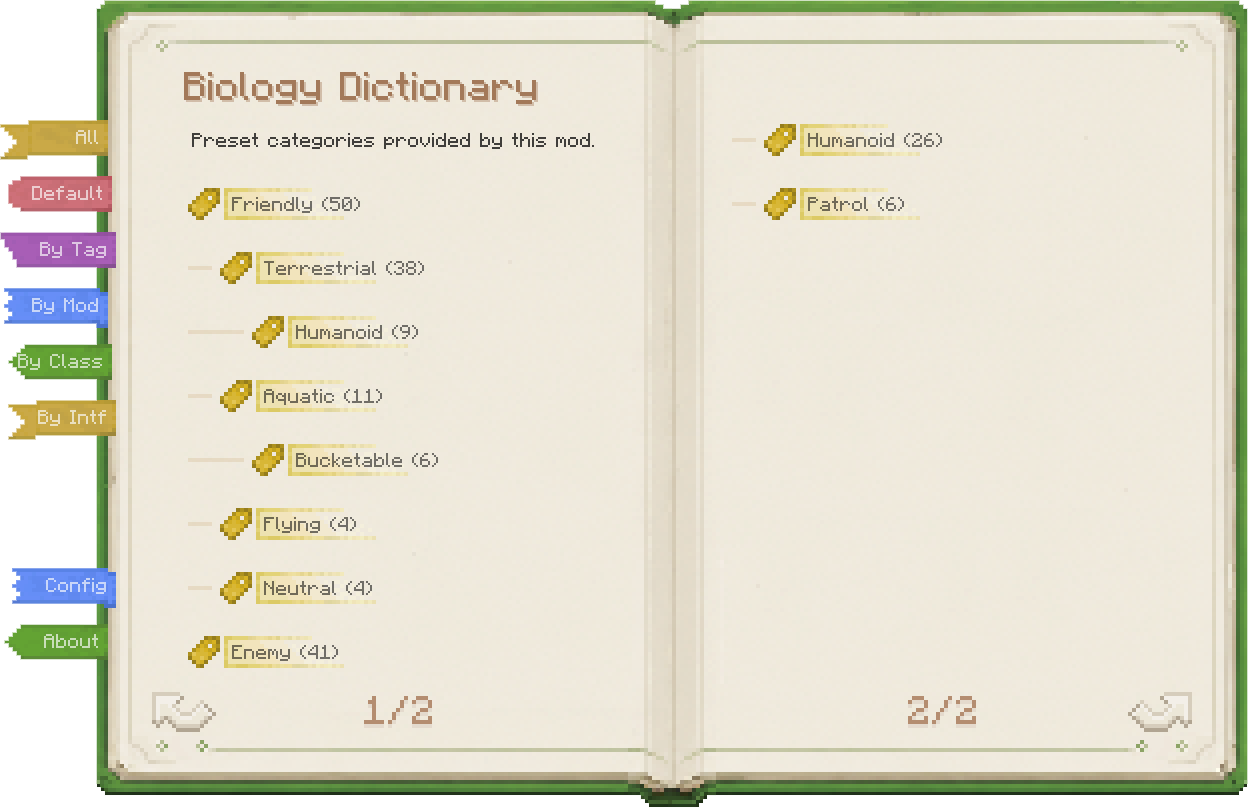
Entity Details Entity Tags
Horse detail page in the Biology Dictionary Biology Dictionary tag page
Inspect properties, use skills, and change behavior. Classify mobs from several angles for faster lookup.
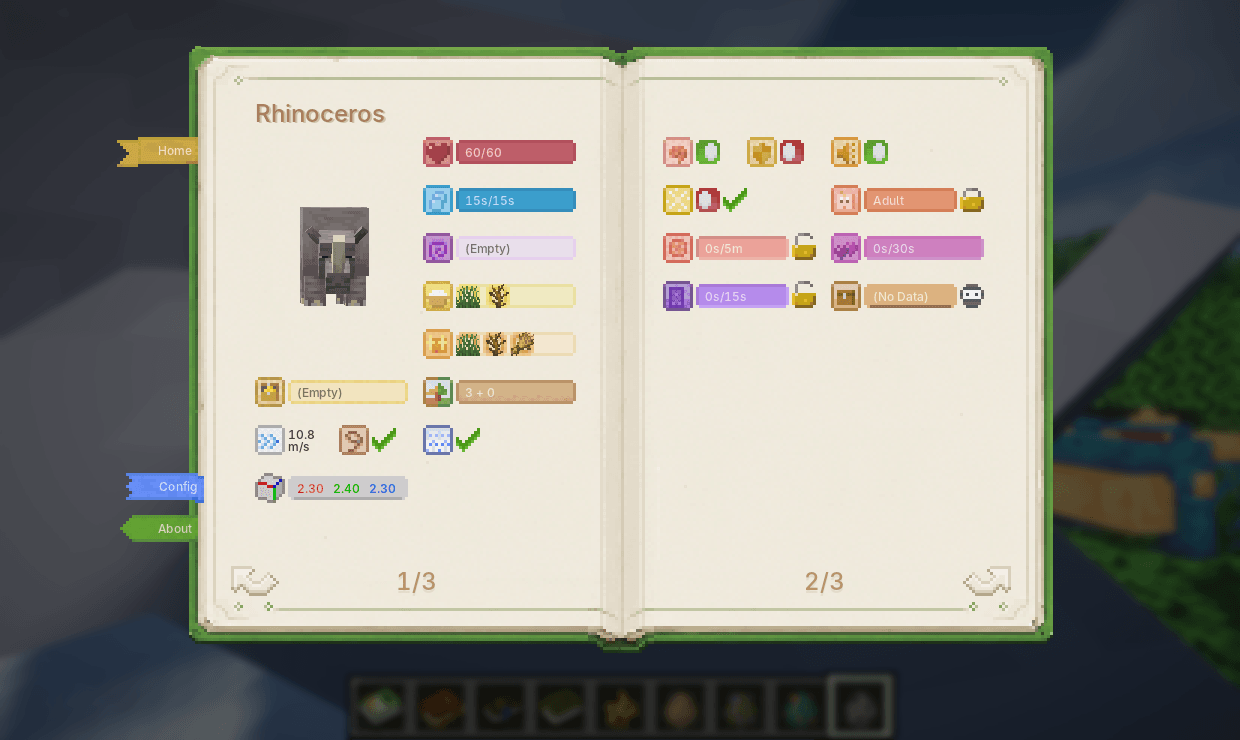
  • Overview / detail pages — Overview pages show default or reference data; detail pages show the live state of the entity you are looking at.
  • Base stats — Health, air, effects, speed, jump strength, hitbox, and whether the mob counts toward spawn caps.
  • Ecology — Habitat, loot table, edible items, tempting items, and leashability.
  • Variants — Standard variants, horse markings, panda genes, villager types, and more.
  • Behavior state — AI, invulnerability, silence, persistence, portal cooldown, growth, breeding cooldown, and love status.
  • Special mob data — Villager schedules, restocks, job sites, bee hives, dolphin moisture, screaming goats, pet owners, wandering trader despawn timers.
  • Entity skills — Lock growth, block breeding, control portals, disable AI, force persistence, mute, force restock, retain traders, gift pets, get spawn eggs, and more.
  • Skill costs — Skills require XP, items, permissions, or Creative mode by default; costs can be configured.

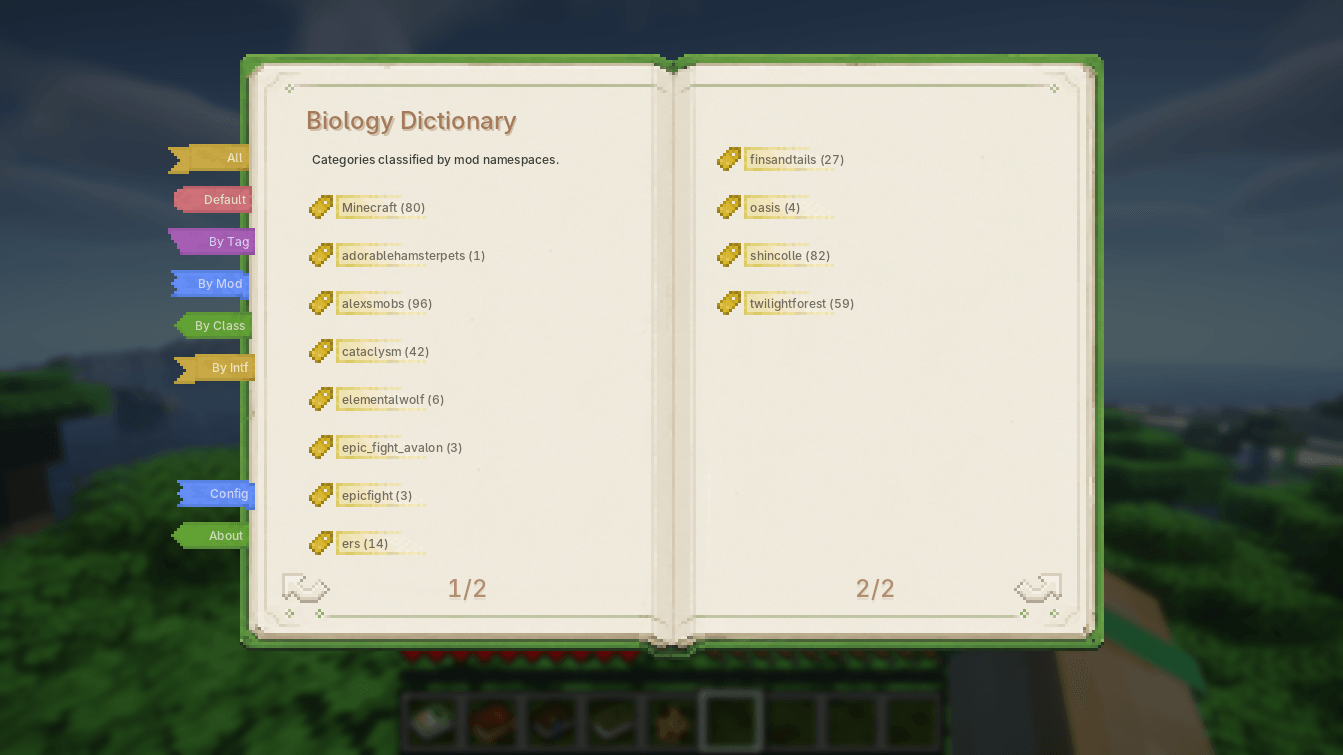
The tag page supports several views: built-in groups, MC tags, mod namespaces, and Java class/interface categories.

Special Screens

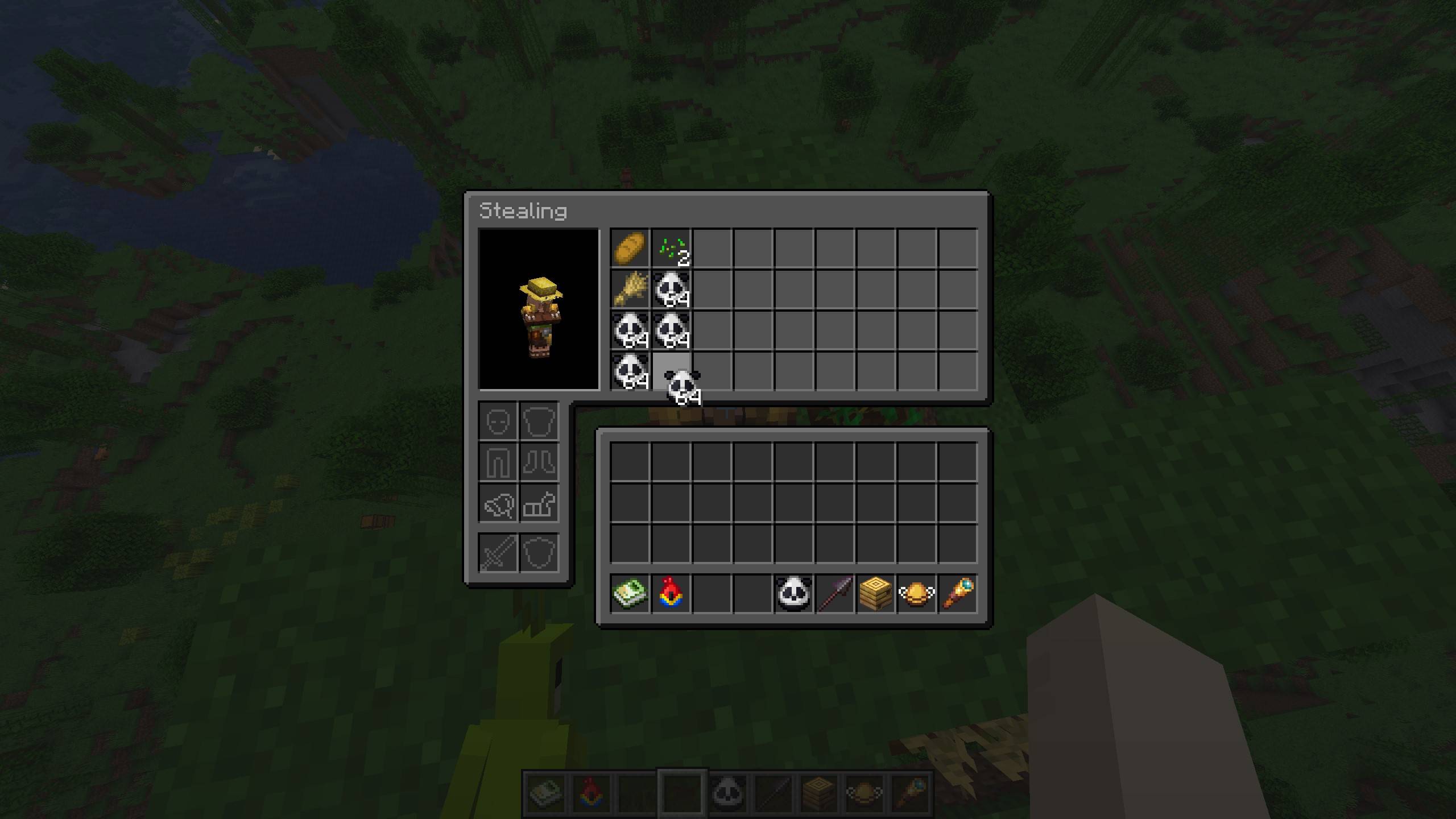
  • Inventory access — View, take from, or fill supported mob inventories. In Survival, this is stealing, so stay out of the target's sight.
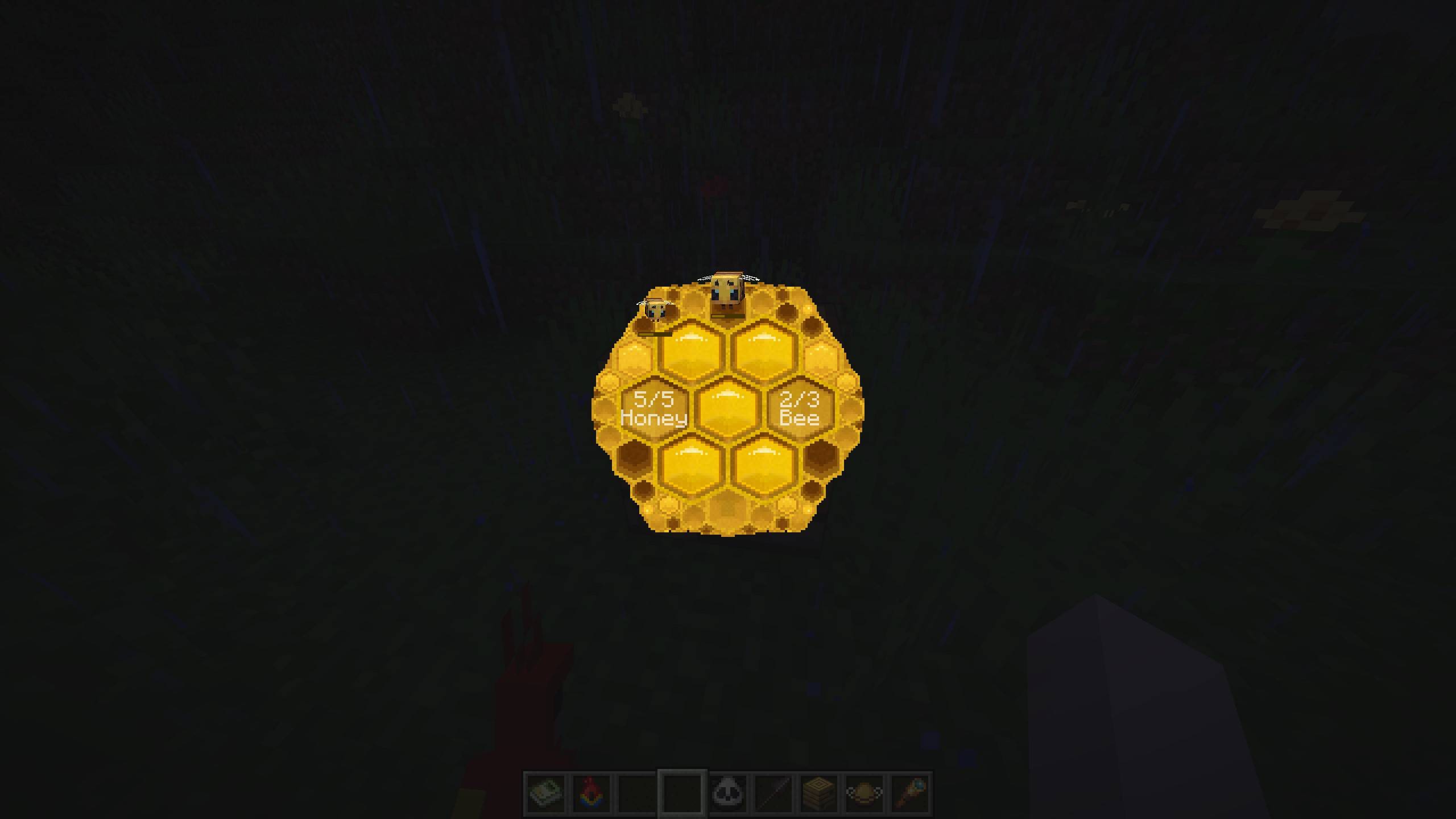
  • Beehive info — Open a dedicated beehive or bee nest screen to inspect honey level, bee count, and bees inside.
Inventory Access Beehive Info
Inventory stealing screen Beehive information screen
Steal or fill inventories so villagers stop picking up wheat. Use the dictionary on a hive to check bees and honey.

Controls

Biology Dictionary is built around screens. Open it by:

  1. Right-clicking while holding the Biology Dictionary book
  2. Pressing the hotkey (default `); Survival needs the book unless configured otherwise, while Creative can always open it

The screen depends on what you are looking at.

Looking at Opens
Block / Air Home screen
Entity That entity's detail screen
Beehive Beehive info screen
Straight up Home screen (forced)
Straight down Your own detail screen

Obtaining

How to get the Biology Dictionary book:

  1. In Creative mode, or when Survival hotkey access is enabled, the physical book is optional.
  2. The book is just minecraft:writable_book + NBT. No custom item is added.
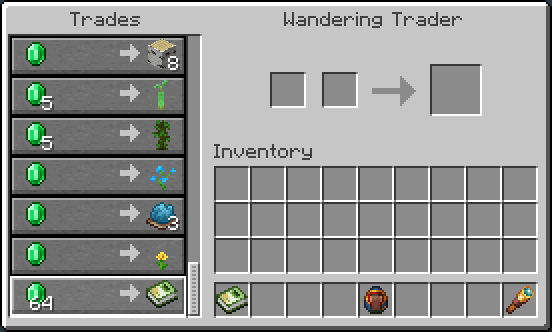
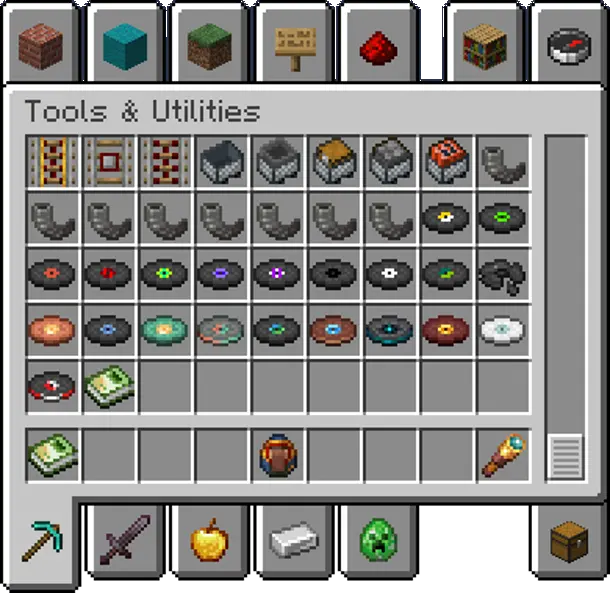
Wandering Trader Creative Inventory
Wandering trader selling the Biology Dictionary Biology Dictionary book in the Creative inventory
In Survival, buy the Biology Dictionary from Wandering Traders. In Creative, find it at the end of Tools & Utilities.

Survival

Buy from Wandering Traders. Sell chance starts at 100% and gradually drops to 20% over time, without taking up any vanilla trade slots.

Easy to find early when you're broke, impossible to find later when you're rich (cue evil laugh)~

Kidding — it takes about 2 real-time days (144 in-game days) to hit 20%. You'll be fine.

Pack authors can disable trader sales in the config and add their own recipes instead.

Creative

Find the Biology Dictionary book at the end of the Tools & Utilities tab.

Mod & Datapack Support

  • Custom Entity Descriptions — Add or override mob descriptions via resource pack (docs)
  • Custom Spawn Descriptions — Manually adjust spawn biome and structure descriptions via datapack (docs)

Dependencies

Loader Required
Fabric Fabric API, Cloth Config
NeoForge / Forge Architectury API, Cloth Config

About

  • Vanilla-Friendly — No new blocks or entities. The book reverts to a normal writable book on uninstall; reinstall to restore it.
  • Mod-Friendly — Compatible with virtually all modded mobs, with extension support for mod developers.
  • Balanced — Every modification has a resource cost to respect game balance.
  • A complete rewrite of Bole.

License

Biology Dictionary v1.0.2-mc26.2-neoforge
MC NeoForge, 26.2
Release 2026-07-05 Get
Biology Dictionary v1.0.2-mc26.2-fabric
MC Fabric, 26.2
Release 2026-07-05 Get
Biology Dictionary v1.0.2-mc1.20.1-forge
MC 1.20.1, Forge
Release 2026-06-30 Get
Biology Dictionary v1.0.0-beta-mc26.2-neoforge
MC NeoForge, 26.2
Beta 2026-06-23 Get
Biology Dictionary v1.0.0-beta-mc26.2-fabric
MC Fabric, 26.2
Beta 2026-06-23 Get
Biology Dictionary v0.7.2-beta-mc1.20.1-forge
MC Client, 1.20.1, Forge, Server
Beta 2026-03-18 Get

More from xienaoban

Bole Handbook
1,353

You Might Also Like

Liberty's Villagers
Quality of Life and AI improvements for Villagers
9,968,428
No More Pop-ups
A Minecraft mod to remove in-game pop-ups
996,708
BetterRandomSourceConcurrencyCrash
Improved logging of crashes caused by mods accessing RandomSources from the wrong thread
99,371
Exit Confirmation
Often accidentally closed Minecraft? This mod might help!
99,067
NoDynamicFps
Adds an option to disable Vanilla's Dynamic FPS implementation
99,004
Immersive Crafting
Adds crafting recipes to immersive portals
9,998