Better Sulfur Cubes adds new custom archetypes to the Sulfur Cube, each triggered by equipping a specific block in its body slot. Each archetype gives the mob a unique behavior that reacts to its surroundings: collisions, surfaces, and the environment.
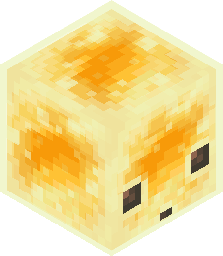
A Sulfur Cube wearing a Honey Block will stick to any wall or ceiling it crashes into.
Unsticks when hit by a player/mob, hooked with a fishing rod, leashed or when the block it was clinging to is broken.
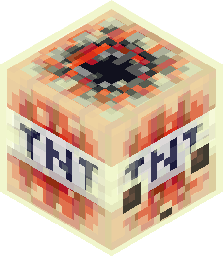
A Sulfur Cube wearing TNT becomes a living bomb. It detonates on hard impact against a wall or the ground, when touching fire or lava, or when struck by a flaming arrow.
On explosion, it splits into two smaller Sulfur Cubes, just like a natural death… but with a bang.
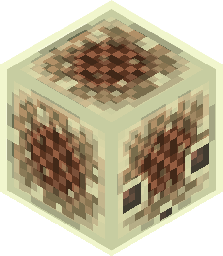
A Sulfur Cube wearing a Note Block turns every collision into music. When it lands on a surface, hits a wall, or bounces off a ceiling, it plays the Note Block instrument of the block it collided with, at a random pitch.
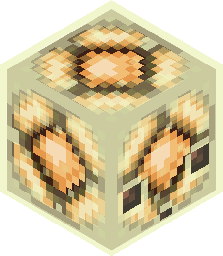
A Sulfur Cube wearing a Redstone Lamp or any Copper Bulb (including oxidized variants) toggles between lit and unlit on every collision. When lit, its texture changes accordingly.
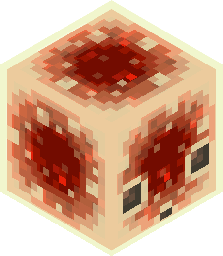
A Sulfur Cube wearing a Redstone Block acts as a mobile power source. It emits a strong Redstone signal to the block it is currently standing on and updates all adjacent neighbors as it moves.
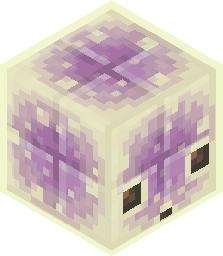
The Sulfur Cube turns completely solid, allowing players to stand and walk on top of it as if it were a real block. The only way to move this Sulfur Cube is by hitting it.
All archetypes can be individually enabled or disabled by editing config/better-sulfur-cubes.json directly.
-> Issues Page