# Navigation System: A Modern Way to Find Your Way Tired of getting lost or constantly checking your coordinates? Navigation System is a clean, client-side mod that adds a professional and intuitive navigation bar to the top of your screen, guiding you to your destination without cluttering your view.
Whether you need to find your way back to spawn, mark a point of interest, or travel to a specific set of coordinates, this mod makes navigation simple and elegant.
Features
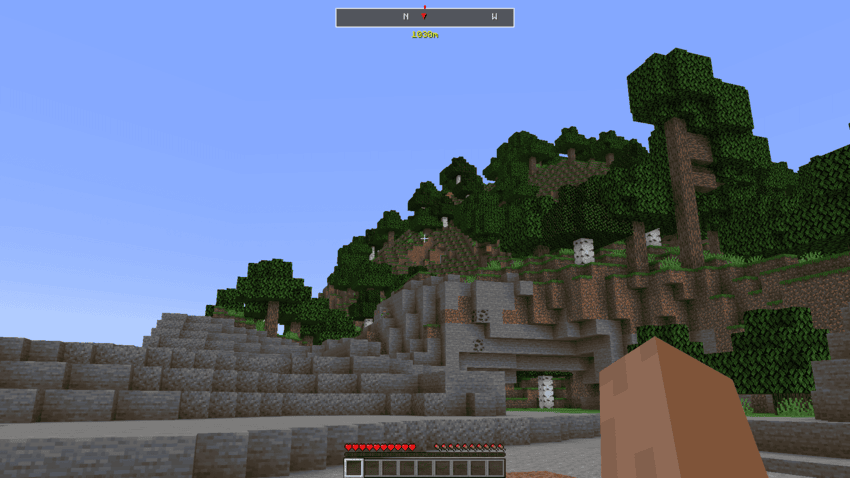
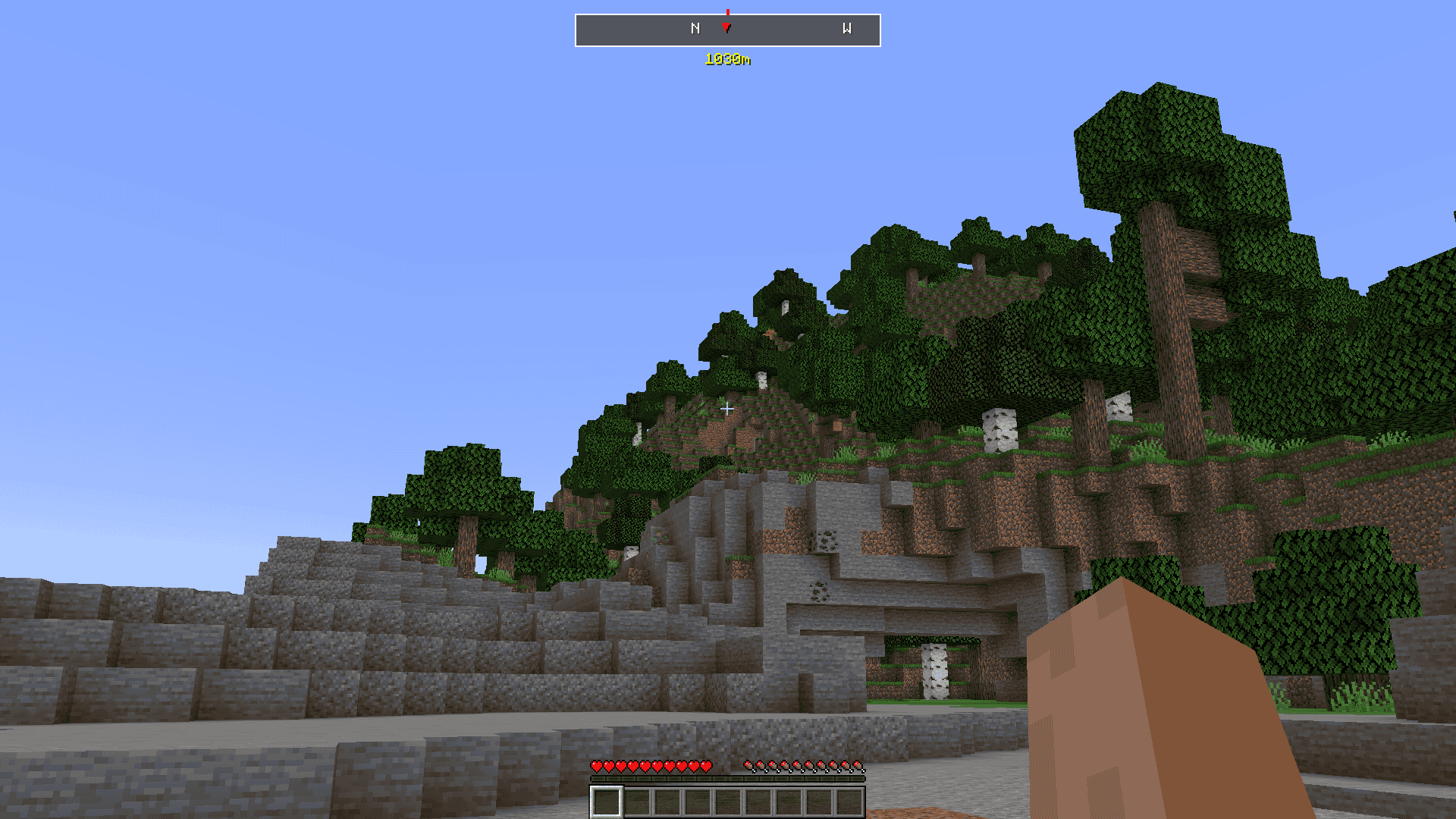
- Sleek Navigation Bar : A minimalist bar at the top of your screen shows you which direction to travel, with a marker pointing to your target and the distance in meters displayed just below.
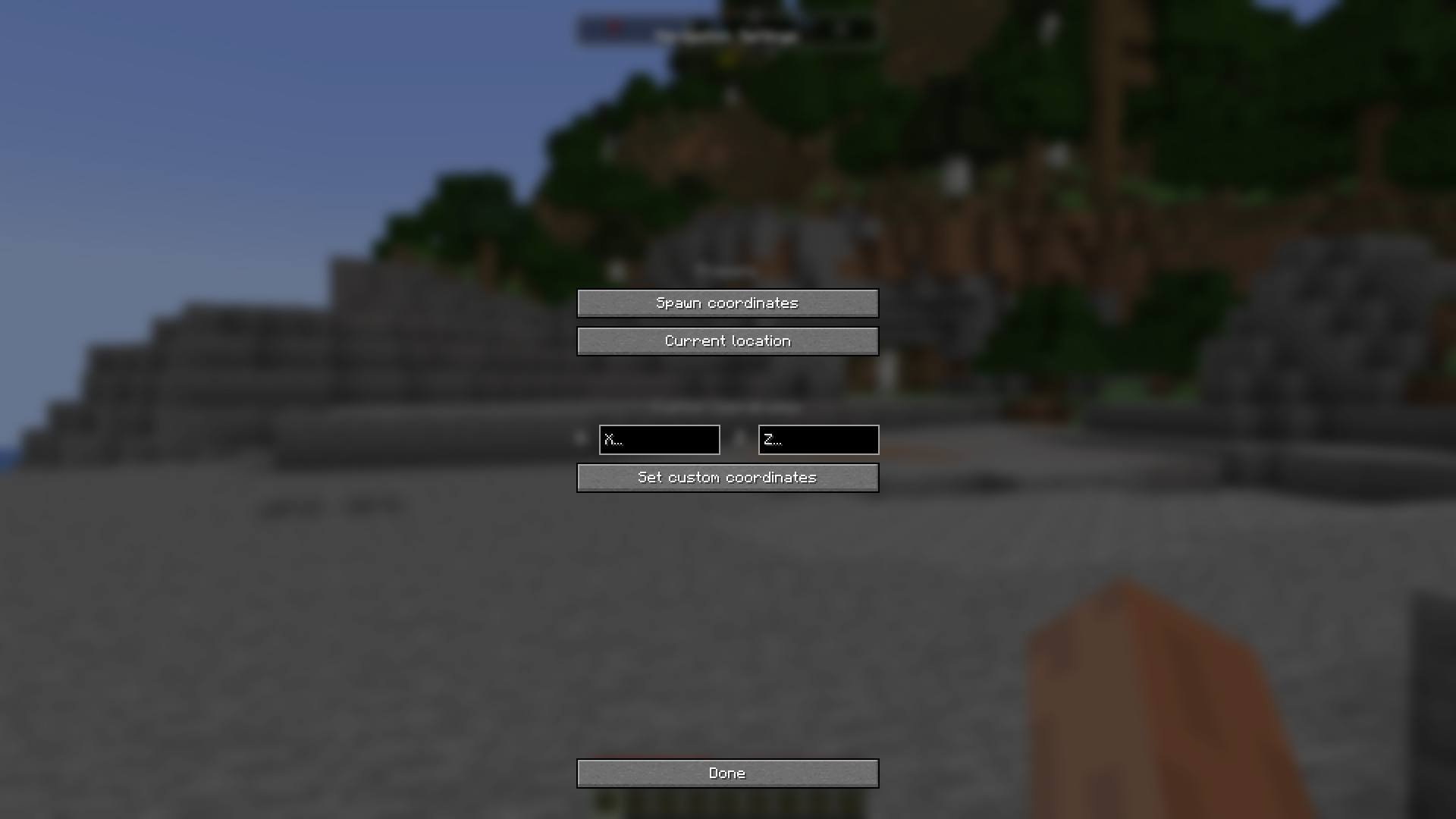
- Intuitive Settings GUI : Press J to open a clean, professional settings window where you can easily manage your destination.
- Multiple Target Options :
- Spawn Coordinates : Instantly set your target to the world's spawn point.
- Custom Coordinates : Manually enter any X and Z coordinates to navigate to a precise location.
- Current Location : Quickly set your current position as a target to return to later.
- Smart Keybindings :
- J Key : Opens the main Navigation Settings window.
- K Key : Acts as a quick-toggle. Press it once to set your current location as the target. Press it again to deactivate navigation.
- Built-in Safeguards : The mod is designed to prevent accidental changes. If you have a target set, the quick-toggle key ( K ) will only deactivate navigation, not reset your coordinates.
- Professional UI : The settings window is designed for ease of use, with clear sections, placeholder text, and visual feedback for invalid inputs.
How to Use
- Open Settings ( J Key) : Press J to open the main settings window. From here, you can:
- Click "Spawn coordinates" to point the navigation bar to your world's spawn.
- Enter coordinates into the X and Z fields and click "Set custom coordinates" .
- Click "Current location" to set the bar to your current position.
- Quick-Set Target ( K Key) :
- If navigation is off, press K to instantly set your current location as the target.
- If navigation is on, press K to deactivate it.
- Follow the Bar : Once a target is set, the navigation bar will appear at the top of your screen. Simply turn until the red marker (▼) is in the center and start walking! With its clean design and simple controls, Navigation System is the perfect tool for any adventurer looking for a better way to navigate their world.