Loading...
Beta Modpages Unclaimed

Better Builder's Wands

An attempt to make a nicer-to-use builder's wand

Likes
96399679 Downloads
Created by

Description

An attempt to make a nicer-to-use builder's wand.

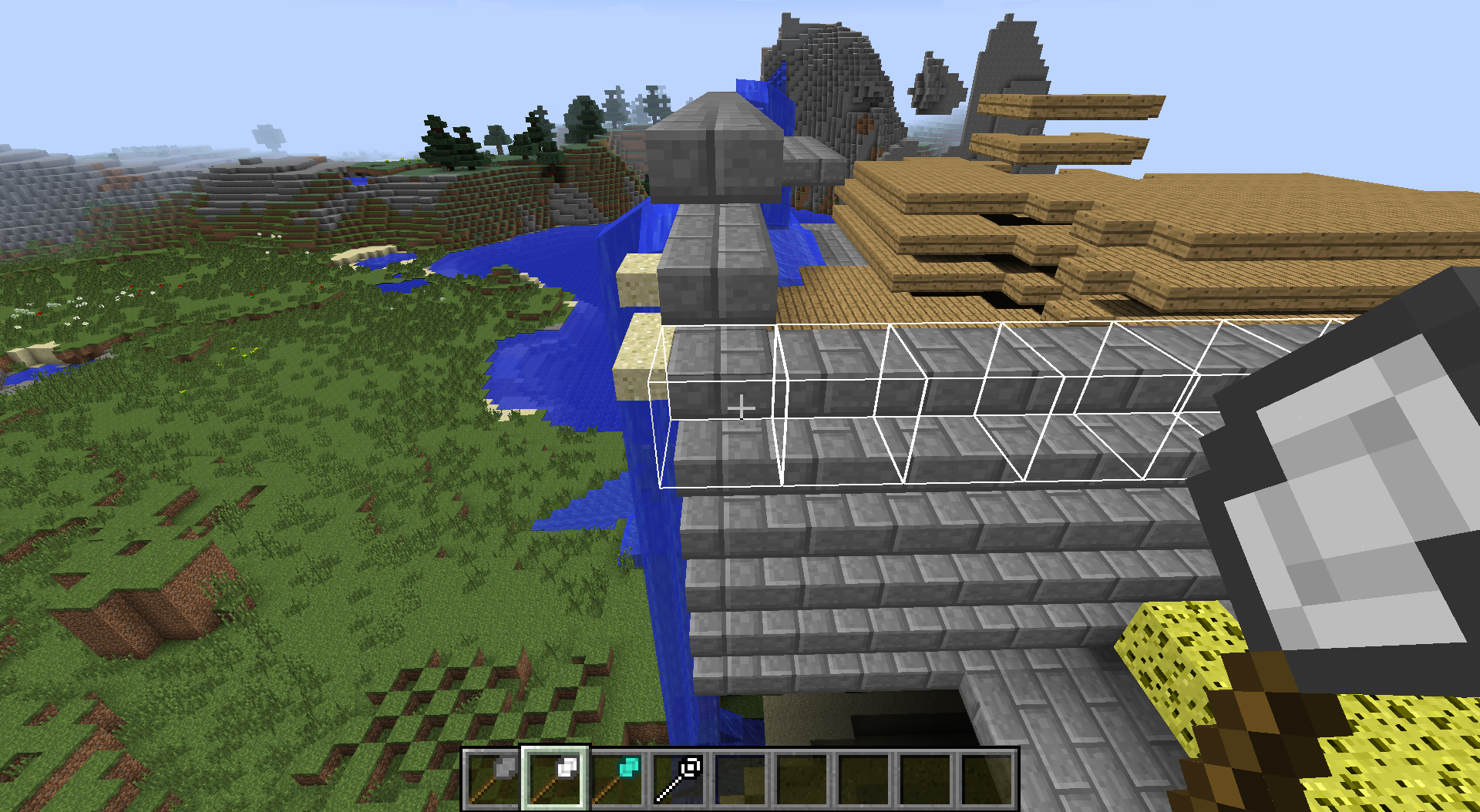
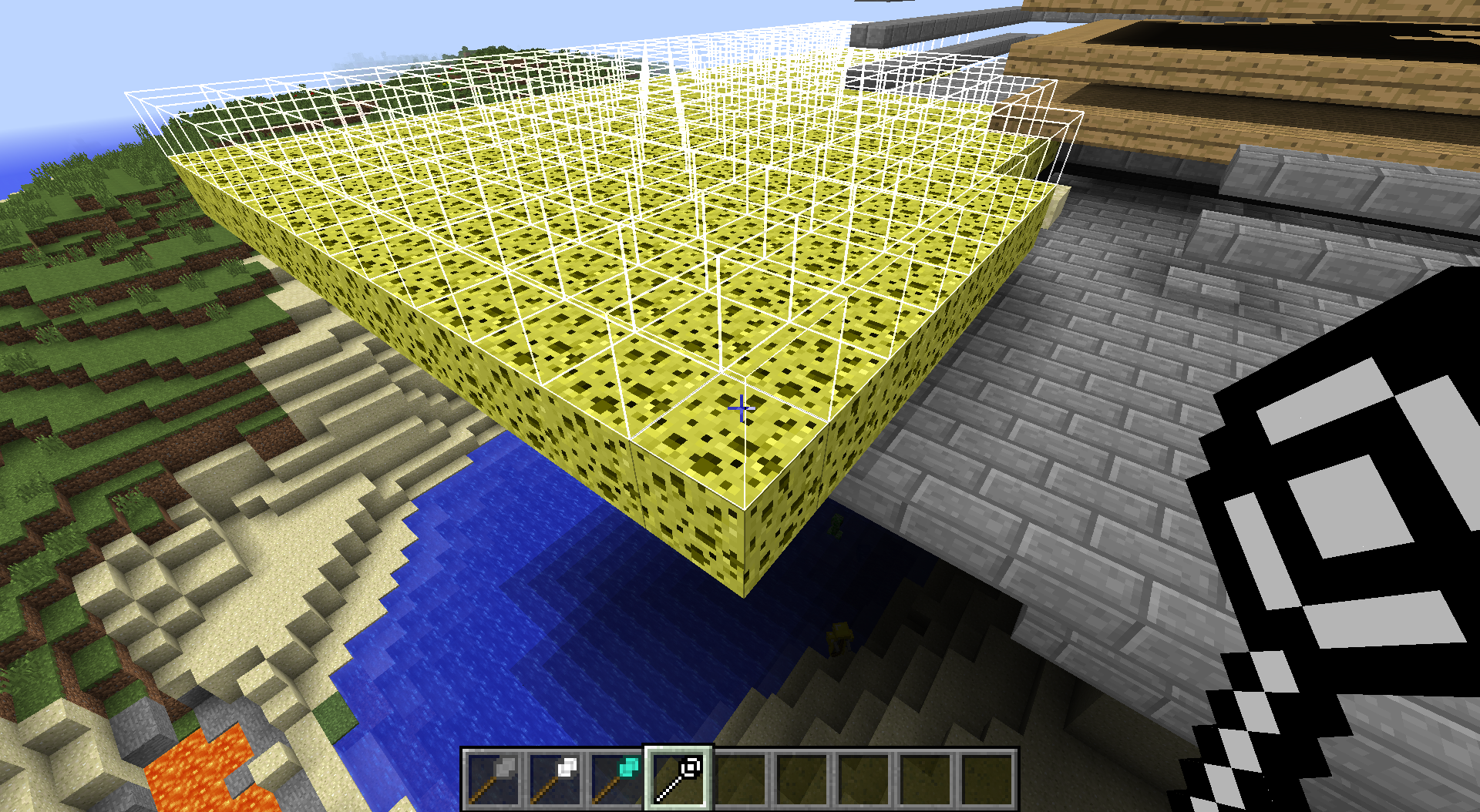
Using the Iron Builder's Wand

Items

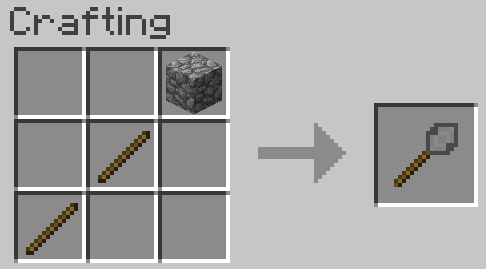
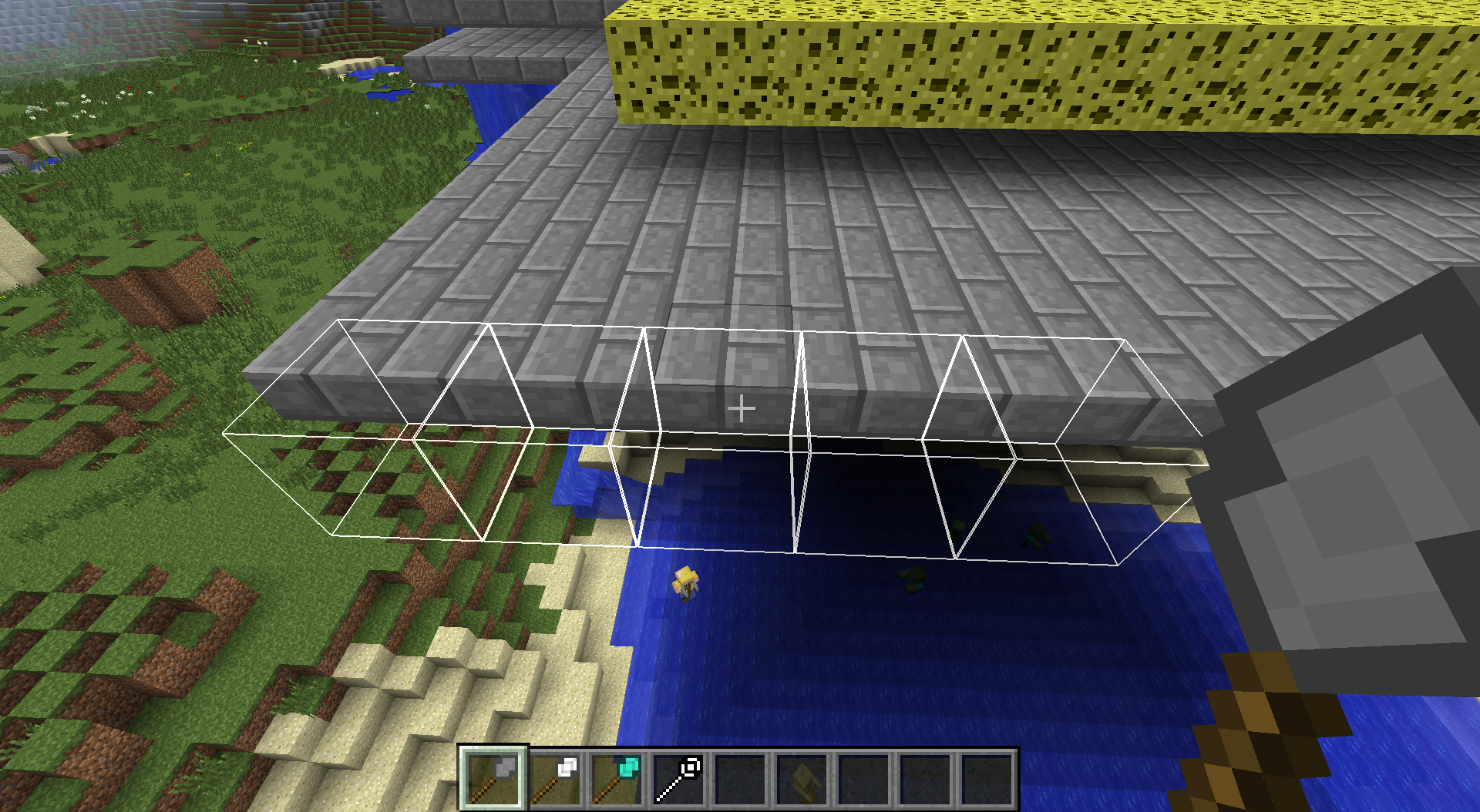
Stone Builder's Wand

Stick + Stick + Cobble = Stone Builder's Wand


Cheap and dirty wand. It

  • Can only place 5 blocks at a time
  • Can only place blocks horizontally
  • Can only place about 130 blocks in its lifetime.

Iron Builder's Wand
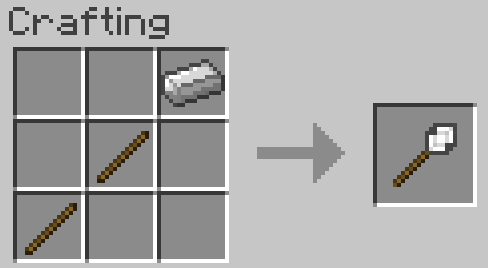
Stick + Stick + Iron = Iron Builder's Wand


A little bit better. It

  • Can place 9 blocks at a time
  • Can place vertially or horizontally (depending on its mode)
  • Can place about 250 blocks in its lifetime.

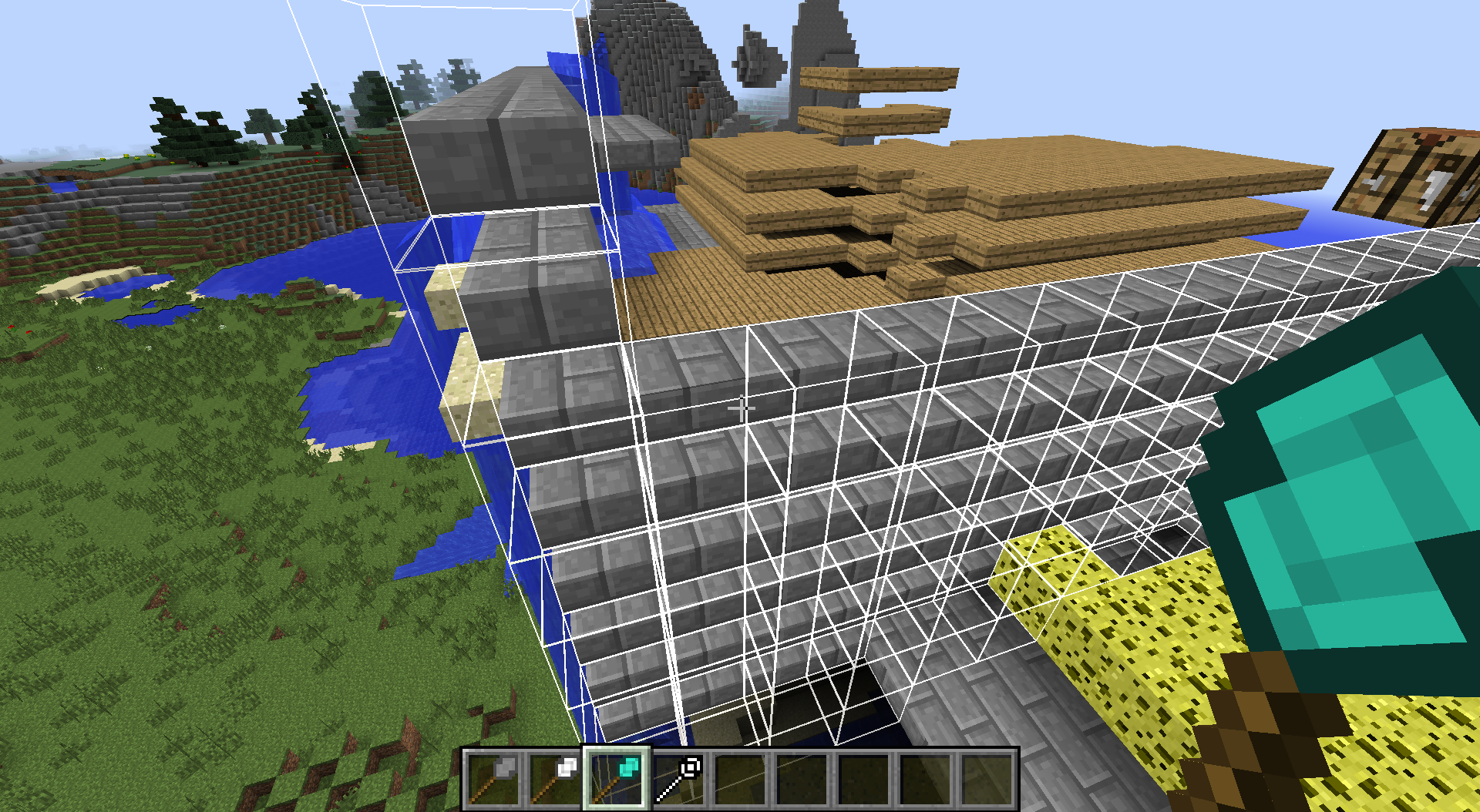
Diamond Builder's Wand
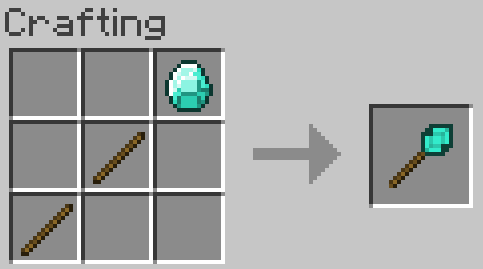
Stick + Stick + Iron = Diamond Builder's Wand

All the blocks.... for a limited time. It

  • Can place up to 1562 blocks at once.
  • Can place vertially and horizontally (several modes to choose from)
  • Can place 1562 blocks in its lifetime.

Unbreakable Builder's Wand
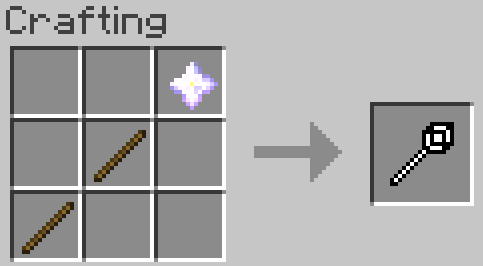
Stick + Stick + Nether Star = Unbreakable Builder's Wand


All the blocks ... all the time. It

  • Can place an inventory full of blocks at once
  • Can place vertially and horizontally (several modes to choose from)
  • Doesn't run out or break.

Modes

There are several modes the builder's wands can work in. The mode of the wand can be changed by the "Change Mode" keybind (defaults to 'M')

  • North-South - Extend north and south from initial block. No building on north/south face
  • North-South (+ Vertical) - Extend north, south, up and down from initial block. No building on north/south face
  • East-West - Extend east and west from the initial block. No building on east/west face
  • East-West (+ Vertical) - Extend east, west, up and down from the original block. No building on east/west face
  • Horizontal - Extend left and right from the original block. No building on top/bottom face.
  • Vertical - Extend up and down from the original block. No building on top/bottom face
  • No Lock - Extend left, right, up and down from the original block.

Mod compatibility

If you have Extra Utilities installed:

  • In order to get the unbreakable wand, instead of a nether star, you need to use an Extra Utilities Builder's Wand.
  • If you use the normal Builder's Wand in the recipe your wand will only do 64 blocks at a time. You can double that by crafting 2 wands together.
  • If you use the Super Builder's Wand in the recipe, your wand will be able to do the full number of blocks.


Modpack permission: Ask and don't receive - If you ask for permission to use this mod in any pack, you are not allowed to use it in any pack for 1 month. (Telling me that you are using it a pack is ok, but don't make it a question). Or, to put it another way: You are allowed to include this mod in any modpack. Please do not bother me with such questions


AD Become Premium to remove Ads!

What means Verified?

  • Compatibility: The mod should be compatible with the latest version of Minecraft and be clearly labeled with its supported versions.
  • Functionality: The mod should work as advertised and not cause any game-breaking bugs or crashes.
  • Security: The mod should not contain any malicious code or attempts to steal personal information.
  • Performance: The mod should not cause a significant decrease in the game's performance, such as by causing lag or reducing frame rates.
  • Originality: The mod should be original and not a copy of someone else's work.
  • Up-to-date: The mod should be regularly updated to fix bugs, improve performance, and maintain compatibility with the latest version of Minecraft.
  • Support: The mod should have an active developer who provides support and troubleshooting assistance to users.
  • License: The mod should be released under a clear and open source license that allows others to use, modify, and redistribute the code.
  • Documentation: The mod should come with clear and detailed documentation on how to install and use it.

AD Become Premium to remove Ads!

How to Install

1

Download Forge & Java

Download Forge from the offical Site or here. If you dont have Java installed then install it now from here. After Downloading Forge you can run the file with Java.

2

Prepare

Lounch Minecraft and select your Forge istallation as Version this will create a Folder called Mods.

3

Add Mods

Type Win+R and type %appdata% and open the .minecraft Folder. There will you find your Folder called Mods. Place all Mods you want to play in this Folder

4

Enjoy

You are now Ready. Re-start your Game and start Playing.

More Mods like this

Elytra Slot

Adds curio support to the elytra so you can fly and wear chest armor at the same time. Formerly known as Curious Elytra.

Dark Utilities

Expansive content mod which adds a little bit of everything.

Charm of Undying (Fabric/Forge/Quilt)

Adds curios and trinkets support for the Totem of Undying so you can place it in a slot and don't have to be holding it. Formerly known as Curio of Undying and Trinket of Undying.

Construction Wand

Construction Wands make building easier! (A new take on the Builder's Wand)

Building Gadgets

A collection of Gadgets to make building large structures a little bit easier!

Draconic Evolution

Draconic Evolution is a mod that adds some extremely expensive high tier items to the game.

Spartan Shields

Needing more Shields in Minecraft? You've come to the right place!

Thermal Innovation

Thermal Technology marches on. Adds Thermal-style tools and equipment!