Mineuniverse
Resource Packs
Bellum Omnium (Ex.Real Photo Realism)(128x)

Bellum Omnium (Ex.Real Photo Realism)(128x)

RESOURCE PACK
Real Photo Realism(For those who love the real life)
by _ForgeUser8968485
Download Claim this project
Add a badge to your pageLink to Bellum Omnium (Ex.Real Photo Realism)(128x) from a README, website or forum post.
Preview: Badge

Badges update automatically and link to the resource pack page on MineUniverse.

93,108 downloads
0 likes
0 followers
Updated Oct 14, 2026
0 hypes
Follow0
Miscellaneous
Advertisement Remove ads with Premium →

Bellum Omnium


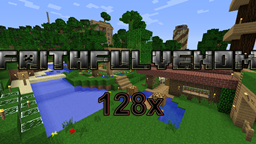
Bellum Omnium, the old Real Photo Realism is the new and improved version with darker feel and a totally new and fresh look.Bellum Omnium means "The War" in Latin, because of the new medieval feel chosen it needed a name change didn't it?

I started this project back in 2012 when I was only 12 years old...I simply wanted a nice and realistic pack for me and my friends to use, that fits my tastes and needs.That's where it all started, first i uploaded it to Curse, people were downloading it and I got into continuing this pack.I've done this for like 7 months then I stopped, I felt tired and updating this was not as easy as you think...Then, with updates coming fast my old computer wasn't supporting such a high resolution anymore, so that made me stop for a long while, without any reasons released whatsoever. I found out about Curse Rewards a long time after that, I think I could make enough money for actually buying a new computer so I started working again on it (mostly) in secret, the new formats were hard and I was not in the mood of doing it, but I continued.

Today thirteen of December I state that "I will release a new update until the Christmas day! "


F.A.Q.:

Q:Where I post my suggestions? A: If you have any suggestion about mods and such say in the ticket tracker!

Q:Can I make a video a video with it? A: If you want to make us a video with it you are free to do it!

Q:Can I use the textures in my own texture pack? A: NO! Q:Why? A: Cause you don't have rights for the textures made by me!

Q:Why the textures are looking so ugly? A: You need to use McPatcher 1.Download it! 2.Run it! 3.Click Patch! 4.ENJOY!

Any positive criticisms or suggestions are always welcome and appreciated however!


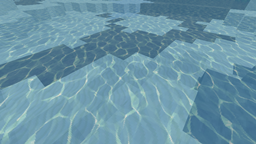
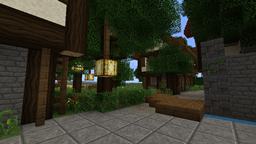
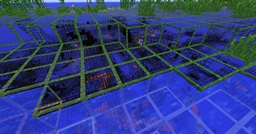
An Image:

FPS for a single core computer with MCPatcher installed and no Optifine at 1280x1024 full screen and full options:


NEXT UPDATE:


Thank You for support!

Bellum_Omnium-TestingTheFuture.zip
MC 1.7.4
Release 2014-04-21 Get
Bellum_Omnium_-_New_Life.zip
MC 1.7.4
Release 2014-01-31 Get
RPRv5.0.zip
MC 1.4.7
Release 2013-01-20 Get
RPRv2.0_MC_1.4.2_.zip
MC 1.3.2, 1.4.2
Release 2012-10-29 Get
RPR_v1.4.zip
MC 1.3.2
Release 2012-09-17 Get
RPR_v1.3.zip
MC 1.3.2
Release 2012-09-12 Get
RPR_v1.2.zip
MC 1.3.2
Release 2012-09-01 Get
RPR_v1.1.zip
MC 1.3.2
Release 2012-08-30 Get
RPR_v1.1.zip
MC 1.3.2
Release 2012-08-28 Get
RPR_v1.1.zip
MC 1.3.2
Release 2012-08-28 Get
RPR_v1.0.4.zip
MC 1.3.1
Release 2012-08-16 Get
RPR_v1.0.3.zip
MC 1.3.1
Release 2012-08-15 Get
RPR_v1.0.2.zip
MC 1.3.1
Release 2012-08-12 Get
RPR_v1.01.zip
MC 1.3.1
Release 2012-08-10 Get
Cozzmy_s_RPR.zip
MC 1.3.1
Release 2012-08-09 Get

Requirements & install

How to use this resource pack in Minecraft
Resolution
Not specified
Minecraft
1.3.1 – 1.7.4
Install folder
.minecraft/resourcepacks

How to install resource packs

  1. Download the resource pack .zip file (do not extract it).
  2. In Minecraft open Options → Resource Packs → Open Pack Folder.
  3. Drop the .zip into the resourcepacks folder (.minecraft/resourcepacks).
  4. Move the pack to the Selected column and click Done.
Browse more: 16x resource packs 32x resource packs 64x resource packs 128x resource packs 256x resource packs 512x+ resource packs Resource Packs for 1.7.4 All resource packs
Advertisement Remove ads with Premium →

You Might Also Like