Mineuniverse
Log in Register
Mods

AstralBot

Minecraft Mod doubling as a Discord Bot, initially made for Create: Astral
by Erdragh
Download Claim this project
1,973 downloads
0 likes
Updated Jul 6, 2026
0 hypes
Server Utility Utility & QoL

AstralBot

build workflow License Environment

This is a Minecraft mod and Discord Bot in one package. It's intended for the Create: Astral Modpack's official server, but it's implemented cross-platform to be usable by others too. The goal is to be easy-to-use and accessible for non-technical server admins, while allowing true complexity for power users.

Features

These features are the core of what this bot will do. See the Status section to see how things are implemented.

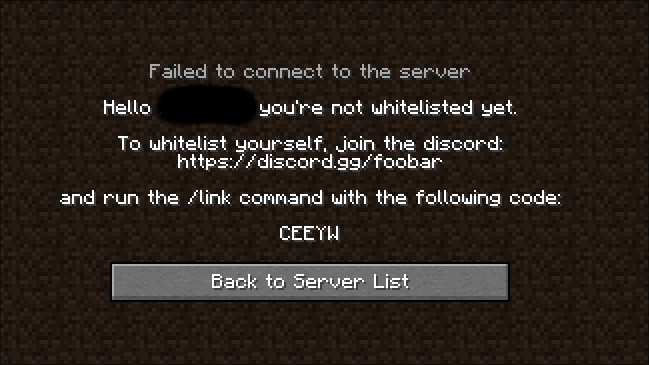
  • Discord and Minecraft account linking, optionally requiring this to be whitelisted
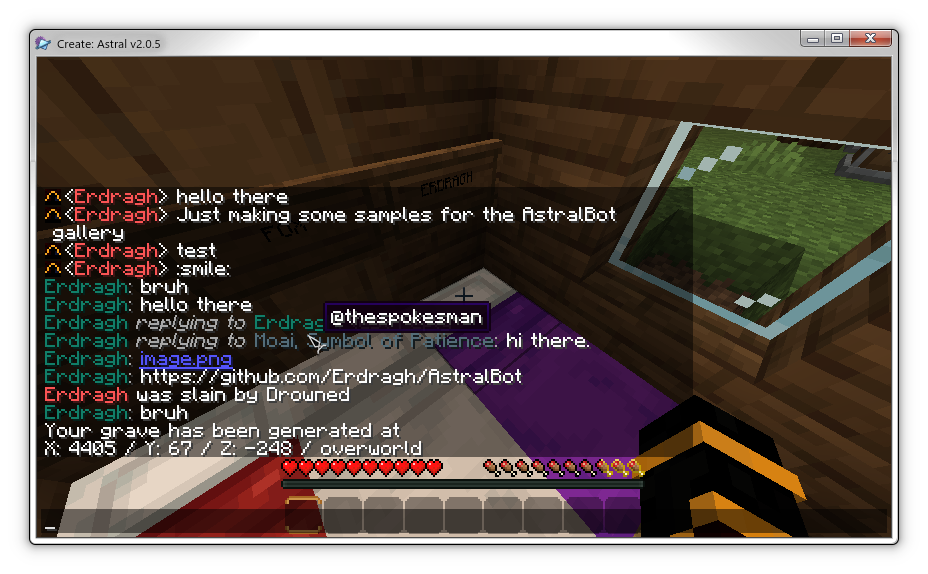
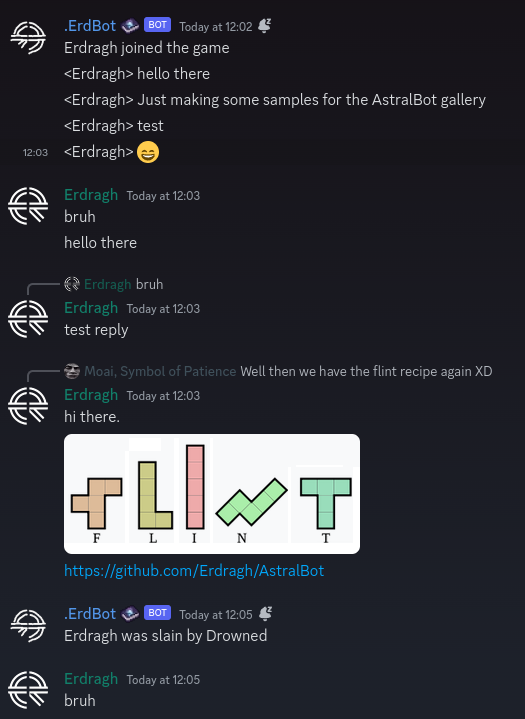
  • Discord and Minecraft chat synchronization
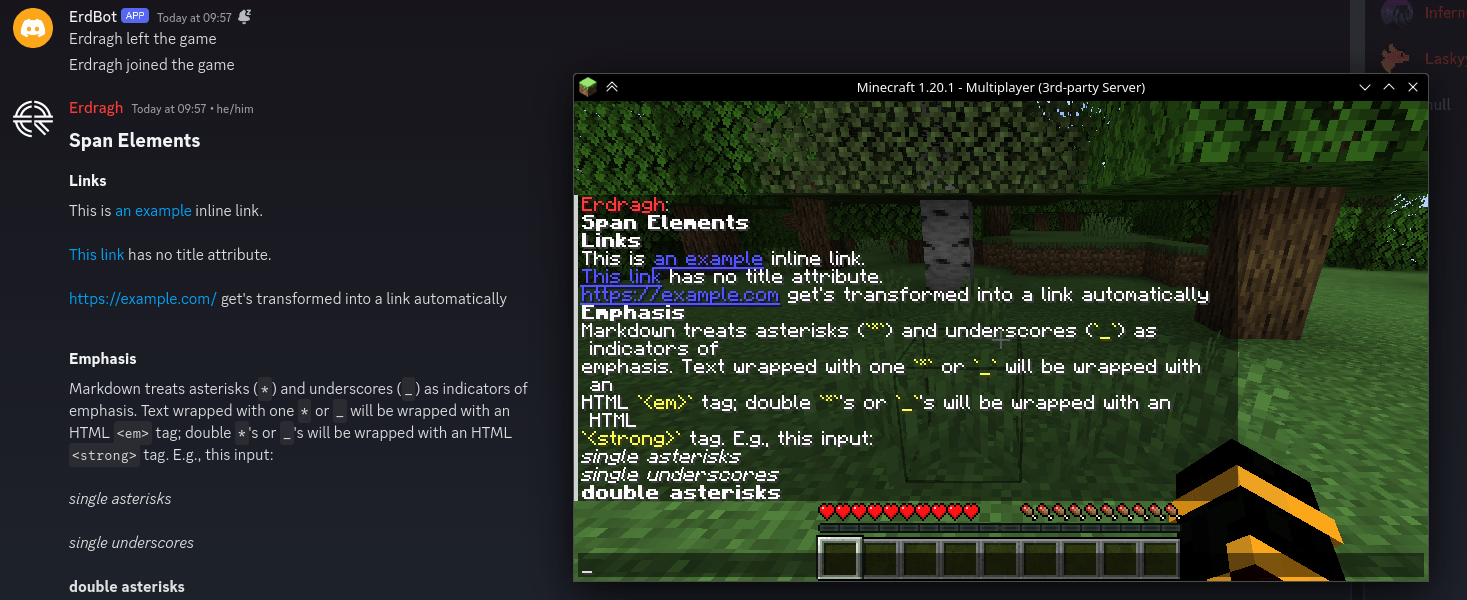
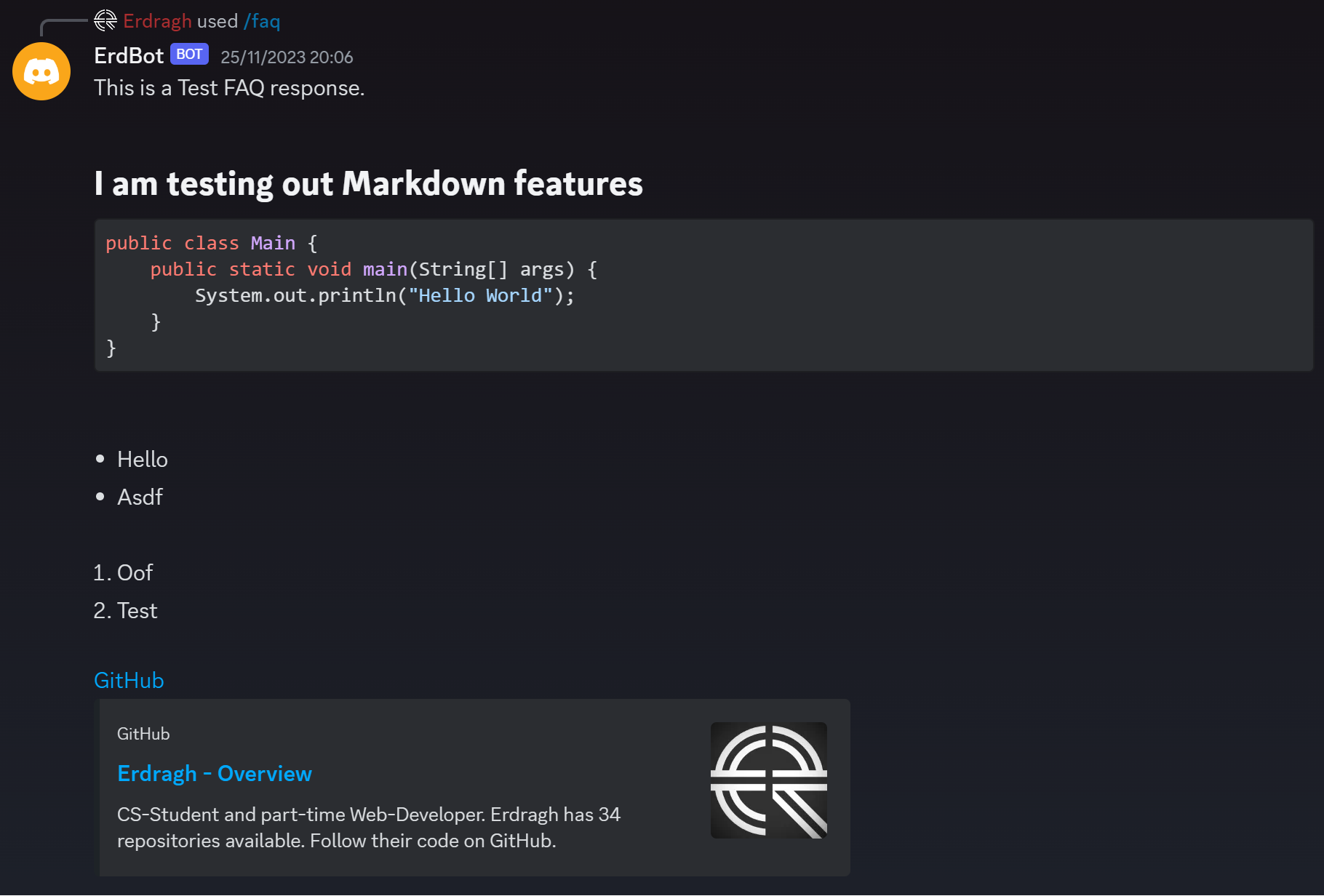
  • FAQ commands using Markdown files without needing to restart the server

Dependencies

This mod has a few dependencies, some of which are not specified directly as they're technically optional:

Implementation

  • JDA library to communicate with the Discord API.
  • Kotlin for the improved development experience over Java
  • Architectury for multiplatform development
  • JetBrains Exposed to communicate with the Database

Configuration

The following things are configurable:

  • Required linking to be whitelisted (default: off)
  • Chat synchronization with imitated Discord Users

Running

There is no public instance of this bot/mod available. To use it, create a new Application on the Discord Developer Portal and configure it to have the three privileged gateway intents: PRESENCE, SERVER MEMBERS and MESSAGE CONTENT.

Copy the bot token and store it somewhere safe (like a Password Manager) and never show it to anybody else. To make sure the token gets read by the bot, it has to be in an Environment Variable DISCORD_TOKEN where the running Minecraft server can access it. You could for example modify a start.sh script on a Unix-like system to export it or start the shell script with it set directly.

After starting the server, you can go into the OAuth2 URL builder on the Discord Developer Portal and generate a URL with the bot and applications.command permissions. Use the generated URL to have the bot join your server.

AstralBot 1.5.5 Forge 1.18.2
MC 1.18.2, Forge
Release 2025-02-08 Get
AstralBot 1.5.5 Fabric 1.18.2
MC Fabric, 1.18.2
Release 2025-02-08 Get
AstralBot 1.5.5 NeoForge 1.21.1
MC NeoForge, 1.21.1
Release 2025-02-08 Get

More from Erdragh

Astral Vinery
651,737
Broomba
65
Per Aspera
644,120
Project Table Refabricated
214,238
Autos'n'Rails
213,833
Spouting Fix
213,517

You Might Also Like

APTweaks: Items (11.x Classic)
Item clustering (fallen blocks, experience orbs, ...) and garbage cleanup.
9,884,514
VanillaDeathChest (Fabric)
Places containers when players die that contain their items.
994,762
Styled Nicknames
Simple, but configurable nicknaming mod allowing your server's players (and admins) to change their nickname with full formatting support
989,499
Tiquality
Make server lag the problem of the source player.
99,489
Blame (Fabric)
Those gosh darn crashlogs not saying which worldgen feature is crashing!
99,012
Weathering with You
Forecast Minecraft weather with a radar or a hat!
98,579