Mineuniverse
Resource Packs
AntiGray TexturePack: Tired of seeing gray everywhere?

AntiGray TexturePack: Tired of seeing gray everywhere?

RESOURCE PACK
AntiGray TexturePack: Tired of seeing gray everywhere?
by _ForgeUser10863011
Download Claim this project
Add a badge to your pageLink to AntiGray TexturePack: Tired of seeing gray everywhere? from a README, website or forum post.
Preview: Badge

Badges update automatically and link to the resource pack page on MineUniverse.

956 downloads
0 likes
0 followers
Updated Oct 14, 2026
0 hypes
Follow0
Miscellaneous
Advertisement Remove ads with Premium →

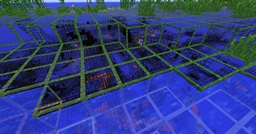
This is my pretty simple texturepack.
It basically is just a recolor of vanilla, but there are some textures completely changed.

My goal was to replace gray (/grey) everywhere possible, since  for me, it's just so ugly and kind of expresses depression for me.
 
I don't know why, but maybe there are some people sharing this strange "obsession" with me.

I know this pack is not 'professional' at all, but at least it's near to vanilla, i don't like these packs completely changing the whole textures.

Please message me with things you would like to see improved, thank you.

AntiGrayTPReleased.zip
MC 1.5.2
Release 2013-06-23 Get

Requirements & install

How to use this resource pack in Minecraft
Resolution
Not specified
Minecraft
1.5.2
Install folder
.minecraft/resourcepacks

How to install resource packs

  1. Download the resource pack .zip file (do not extract it).
  2. In Minecraft open Options → Resource Packs → Open Pack Folder.
  3. Drop the .zip into the resourcepacks folder (.minecraft/resourcepacks).
  4. Move the pack to the Selected column and click Done.
Browse more: 16x resource packs 32x resource packs 64x resource packs 128x resource packs 256x resource packs 512x+ resource packs Resource Packs for 1.5.2 All resource packs
Advertisement Remove ads with Premium →

You Might Also Like