Description
AllTheLeaks
📰 Introduction
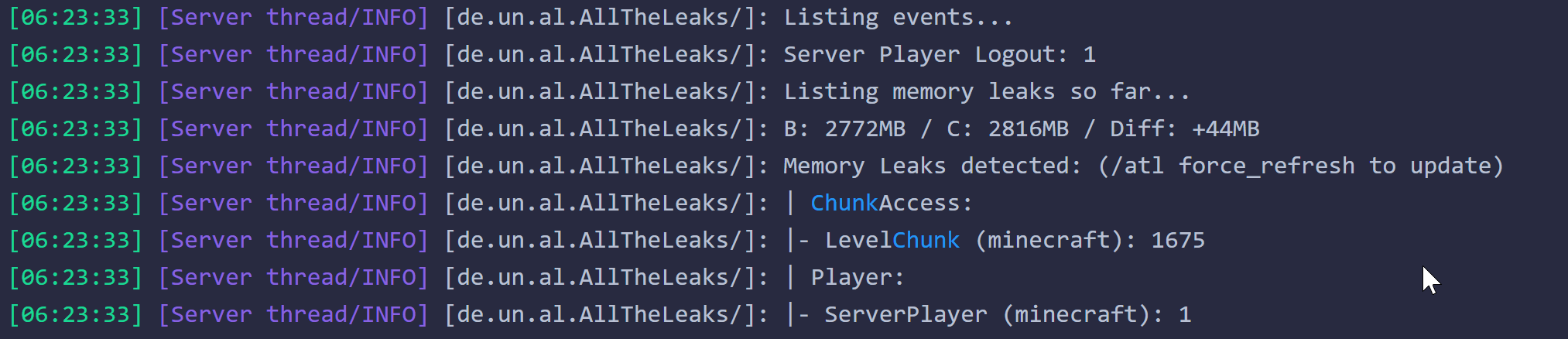
This mod is designed to fix various memory leaks from mods, Minecraft and (Neo)Forge.
Many players suffer from playing their modded modpacks and eventually needing to close the game or crash after some time.
This is a classic symptom of memory leak.
Our goal is to make it as much stable as possible.
🗳️ Motivation
To fill the gap between the fast pace of some modpack development and mod fixes, specially for deprecated Minecraft versions.
When the original mod implement their fixes, we disable ours.
📦 Installation
Mod is available on CurseForge.
🔧 Usage
After installation, the mod will automatically apply the memory fixes that are needed.
🤔 FAQ
- Will it increase my FPS?
If you have plenty of memory, probably not.
But will certainly help stability, and for people with mid to low memory it will help a ton.
Stability, meaning it will be as smooth as you just logged in through your entire gaming session.
- Does it run on server?
Yes. There are some fixes that are common for server and clients.
- I am using this mod, but I am still having instability over time!
I'm developing a tool and guide to make it easier for players to detect leaks.
🤝 Contributing
A guide on how to contribute with identifying memory leaks will be available soon.
📝 License
This project is licensed under the MIT License.
📬 Contact
You can reach me on All The Mods Discord with @Uncandango, you can also open your issue on Github or comment on the mod comment's section on CurseForge.
👍 Sponsors
YourKit supports open source projects with innovative and intelligent tools
for monitoring and profiling Java and .NET applications.
YourKit is the creator of YourKit Java Profiler,
YourKit .NET Profiler,
and YourKit YouMonitor.

AD
Become Premium to remove Ads!
What means Verified?
-
Compatibility: The mod should be compatible with the latest version of Minecraft and be clearly labeled with its supported versions.
-
Functionality: The mod should work as advertised and not cause any game-breaking bugs or crashes.
-
Security: The mod should not contain any malicious code or attempts to steal personal information.
-
Performance: The mod should not cause a significant decrease in the game's performance, such as by causing lag or reducing frame rates.
-
Originality: The mod should be original and not a copy of someone else's work.
-
Up-to-date: The mod should be regularly updated to fix bugs, improve performance, and maintain compatibility with the latest version of Minecraft.
-
Support: The mod should have an active developer who provides support and troubleshooting assistance to users.
-
License: The mod should be released under a clear and open source license that allows others to use, modify, and redistribute the code.
-
Documentation: The mod should come with clear and detailed documentation on how to install and use it.
AD
Become Premium to remove Ads!
How to Install
Download Forge & Java
Download Forge from the offical Site or here. If you dont have Java installed then install it now from here. After Downloading Forge you can run the file with Java.
Prepare
Lounch Minecraft and select your Forge istallation as Version this will create a Folder called Mods.
Add Mods
Type Win+R and type %appdata% and open the .minecraft Folder. There will you find your Folder called Mods. Place all Mods you want to play in this Folder
Enjoy
You are now Ready. Re-start your Game and start Playing.