AFKGhost
Leave a ghost behind. Keep nearby passive farms running while you're offline.
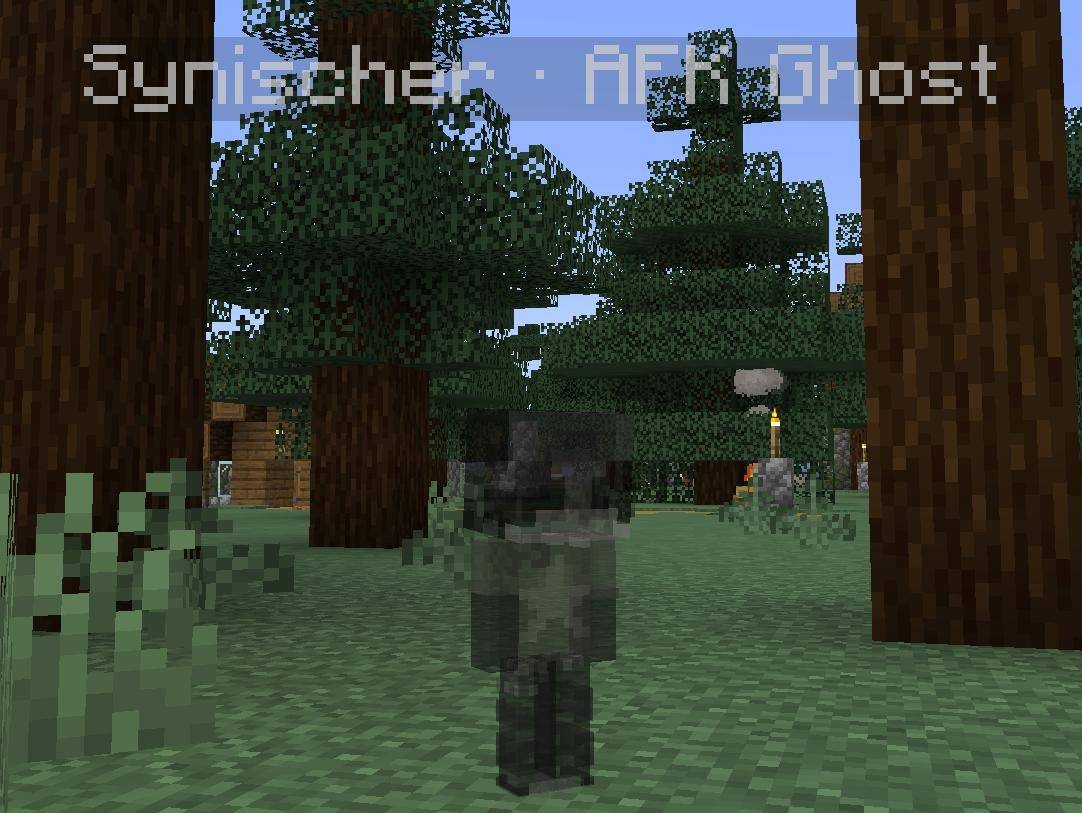
AFKGhost lets players leave a stationary ghost at their logout position. The ghost provides player presence for passive vanilla farming and disappears when its owner successfully reconnects. Valid ghosts are restored after server restarts.
Features
- Passive farming presence: Supports chunk simulation, random ticks, natural mob spawning, mob caps, despawning, and spawner activation through Minecraft’s normal player rules.
- Ghost appearance: Uses the owner’s skin at approximately 40% opacity, with support for normal and slim skins.
- Optional visibility: Owners can hide their ghosts, and viewers can hide ghost models or names. Visibility does not change farming behavior.
- Safe separation: Ghosts do not use or modify their owners’ inventories, experience, progression, or saved return positions.
- Stationary and invulnerable: Ghosts cannot move, take damage, collect items or experience, attack, or interact with blocks.
- Server control: Explicit administrator approval and player opt-in are required. By default, up to four ghosts can remain active, with no expiration.
- Sleep support: Ghosts do not count toward sleeping requirements or appear in the normal player list.
- English and German translations.
Mobs can target (but can't attack) ghosts according to vanilla rules and may still affect the surrounding world. Farming behavior depends on normal distance checks, game modes, mob limits, and other Minecraft conditions.
Requirements
- Minecraft 1.21.1
- NeoForge 21.1.256
- Java 21
- Matching AFKGhost versions installed on the server and all clients
Getting Started
- Install AFKGhost in the server’s and clients’
mods folders.
- An administrator grants permission using
/afkghost allow PlayerName.
- The player opens AFK Ghost in the pause menu and enables Leave a ghost when logging out, or runs
/afkghost enable.
- The next normal logout creates a ghost if capacity is available.
In the server console, enter commands without the leading /. Administrators need operator permission level 2 or higher. A known player name or UUID can be used.
Commands
| Command |
Purpose |
/afkghost status |
View your settings and ghost capacity. |
/afkghost enable |
Enable ghost creation on future logouts. |
/afkghost disable |
Disable ghost creation on future logouts. |
/afkghost list |
List active ghosts. |
/afkghost allow <owner> |
Grant permission to use the feature. |
/afkghost deny <owner> |
Revoke permission and remove the owner’s ghost. |
/afkghost remove <owner> |
Remove one ghost. |
/afkghost removeall |
Remove all ghosts. |
Important Details
Other loaders, Minecraft versions, and general modpack compatibility are outside this version’s scope.
License: GPL-3.0-only