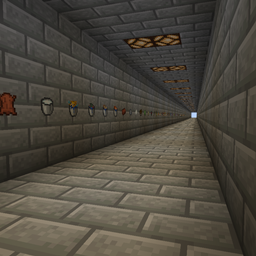
This map has hallways with (almost) every block, item, and mob in the game. This makes it perfect for testing resource packs.
How to use:
On Windows:
Open run by pressing the windows key and r at the same time.
Type %appdata%\.minecraft
Then in that folder, find your saves. Unzip the downloaded map and place the folder in your saves folder.
Boot up minecraft, go to singleplayer and you should see it! (You might have to scroll down in your worlds a bit)
On Mac:
Make sure you're not selecting any windows. In the top bar it should have the apple logo, and the finder.
Go to the option that says go.
Hold the alt key down and select the library key from the dropdown. Find the folder called Application Support.
Find the folder called minecraft.
Then in that folder, find your saves. Unzip the downloaded map and place the unzipped folder in your saves folder.
Boot up minecraft, go to singleplayer and you should see it! (You might have to scroll down in your worlds a bit)