Fetchr is a custom gamemode where you play in survival Minecraft with a 5x5 Bingo board.
Try to collect all 5 items in a line for a quick Bingo or all 25 items for a longer Blackout game as quickly as possible!
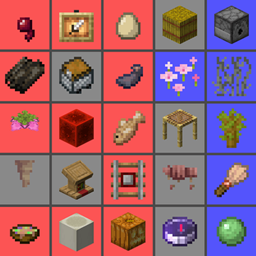
Example of a Bingo Card as shown in the Fetchr lobby:
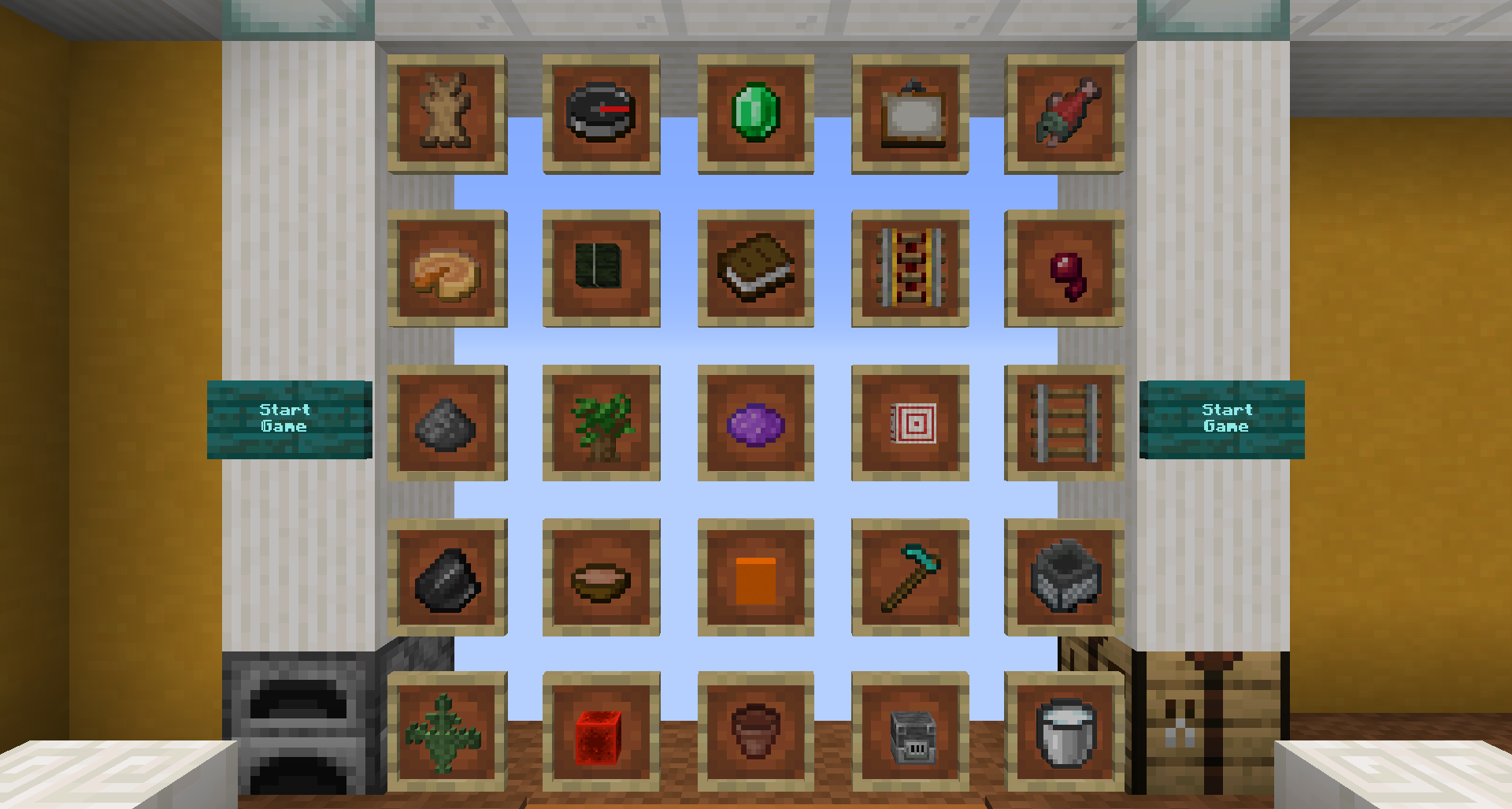
Fetchr / Minecraft Bingo is quite a simple concept as it builds ontop of the vanilla survival gameplay. You will start with an empty inventory at a random, unknown spawn point within the world and get an experience similar to starting a new survival world.
Your goal is to get items from the Bingo Board. There are multiple goals that are detected by the pack:
You may also play in either (or both at the same time):
The map will always detect all goals. Don't worry when a Bingo is announced while you want to go for a blackout - just keep going, there is no automatic mechanism that ends the game before you desire to do so.
server.jar file is located.server.properties file is set according to this file (or use the link in the changelog in case you are using a previous version or a beta)server.properties override it with that file. When the server starts, all missing settings will be filled with default valuesAlways do a backup of your world before updating! There is a chance of corruption
All goals are always detected. For instance, when going for a blackout, Bingo will be announced when you fulfill the requirement, but you can just keep playing.
For getting Bingo you need to obtain all 5 items in any of the rows, columns, or diagonals.
A blackout requires getting all 25 items on the board.
In a 20 no Bingo, you get 20 items while carefully avoiding obtaining a Bingo. This is the maximum number of items that can be obtained without getting Bingo.
For multi-Bingo, you get multiple Bingos at once. That means, obtaining items of intersecting rows, columns or diagonals, while getting the item at the intersection last. It is possible to obtain a double Bingo, triple Bingo, and quadruple Bingo.
While in-game you will have a bunch of custom HUD elements around your hotbar. This utilizes a custom font and does not require any mods.
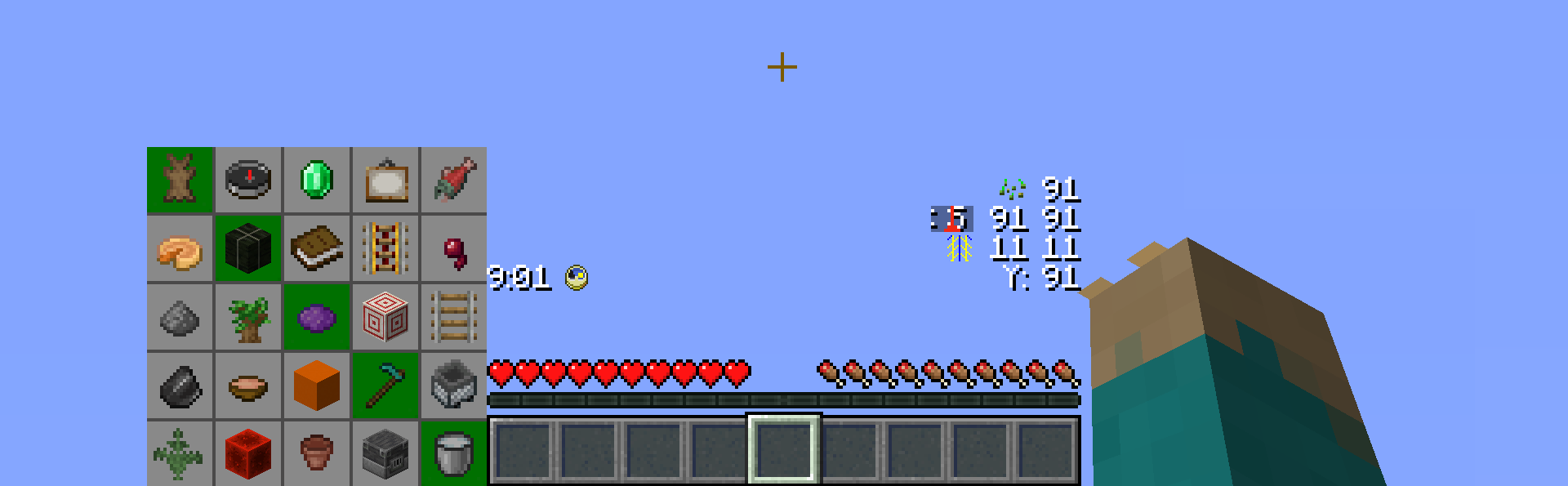
The HUD can be customized in the lobby and elements can be moved however you prefer them to be layed out, or individual components can be removed.
The Bingo card shows all items of the current game and a summary of which team obtained which item so far. Items obtained by your own team appear a little bit darker. Depending on the amount of teams, this display will be adjusted to fit all teams.
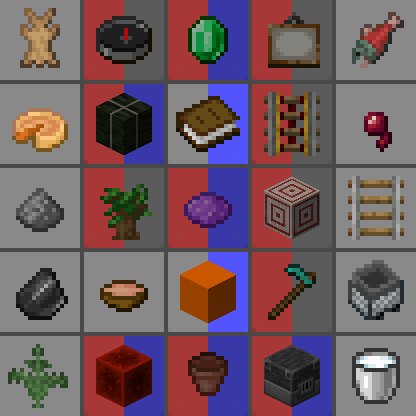
From the lobby, 10 unique team colors are available.
There is a timer that counts up in real time. This allows you to keep track of your time without any third party software. There is no time limit imposed by the map, but you can of course set your own goal. The timer icon also represents a functional Minecraft clock, showing the time within the current day.

There is a player position visible which shows the coordinates relative to the spawn point. The coordinates on your F3 screen will be extremely high and hard to parse / communicate, due to the random spawn point. The icon also functions as a regular compass and can be changed to appear like the Minecraft compass icon via the preference settings in the lobby.
Below the regular coordinates, there is by default a chunk coordinate display. This is useful during certain times. For example when following a treasure map, the treasure will always be located at chunk coordinates 9 9, or to keep track of chunk borders if you want to use the [Lapis Trick](https://miningcubes.com/lapis-diamond-trick/)
And below that, there is a separated Y coordinate display, which is useful when digging down without requiring F3.
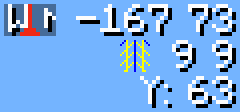
Finally, there is a display for the Fetchr seed. Similar to a Minecraft world, where the same seed will generate the same world, the same Fetchr seed will generate the same Bingo board and the same spawn point. When generating a card, you can choose to manually set a seed instead of using a random one.

Fetchr uses custom Worldgen to make certain items more reliable in a Bingo run.
Biome sizes are decreased to make finding biome-specific items more fun and reliable, and structure frequencies are increased.
Owing to technical limitations with custom worlds, the Nether is disabled.
All stone variants that end in -ite have been disabled from generating. This includes diorite, andesite and granite. This was done as a qol change to reduce inventory clutter and make digging for stone consistent.
Granite may still generate as part of copper ore veins.
There is a constant lighting factor in the overworld, similarly to the vanilla Nether. This allows seeing in caves clearly without torches.
Original idea and 1.11 implementation by Lorgon111: http://www.playminecraftbingo.com/
NeunEinser - Main / Lead developer
Kri5t0fK
UnlucksMcGee
German by NeunEinser, gbegerow and LawrenceB
Polish by Kri5t0fK
Italian by Loweredgames
Dutch by ThomasToSpace
Portuguese (Brazil) by Draacoun
French by Aurélien
Spanish by Alvaro Orrego and HolaSoyElmo
Chinese (simplified) by 雨夢 YoMon and Sora
This project is open source on Github.
Translations are hosted on Crowdin. Any contributions are appreciated.
If your language is missing, get in touch, and it can be added.
See Translation Help & Guidelines for more information.