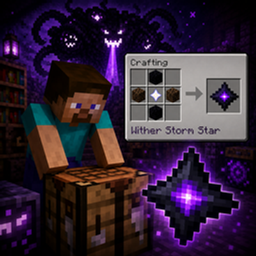
⭐ Wither Storm Star Recipe
Restore the original Wither Storm Star even when another mod replaces it.
This data pack adds a crafting recipe for the Wither Storm Star from the Accurate Story Mode mod, making it possible to obtain the item even if another mod changes or replaces Cracker's Wither Storm's original withered nether star.
✨ Features ⭐ Adds a crafting recipe for the original Wither Storm Star. 🧩 Works alongside mods that replace the original Wither Storm Star, such as Witherzilla. 📦 Lets players keep the original item as a collectible. 🎮 Simple to install as a data pack. ❤️ Why I Made This
I made this data pack because some mods, such as Witherzilla, replace Cracker's Wither Storm's original Wither Storm Star. I wanted players to still be able to obtain the original Story Mode-style Wither Storm Star without needing to remove those mods.
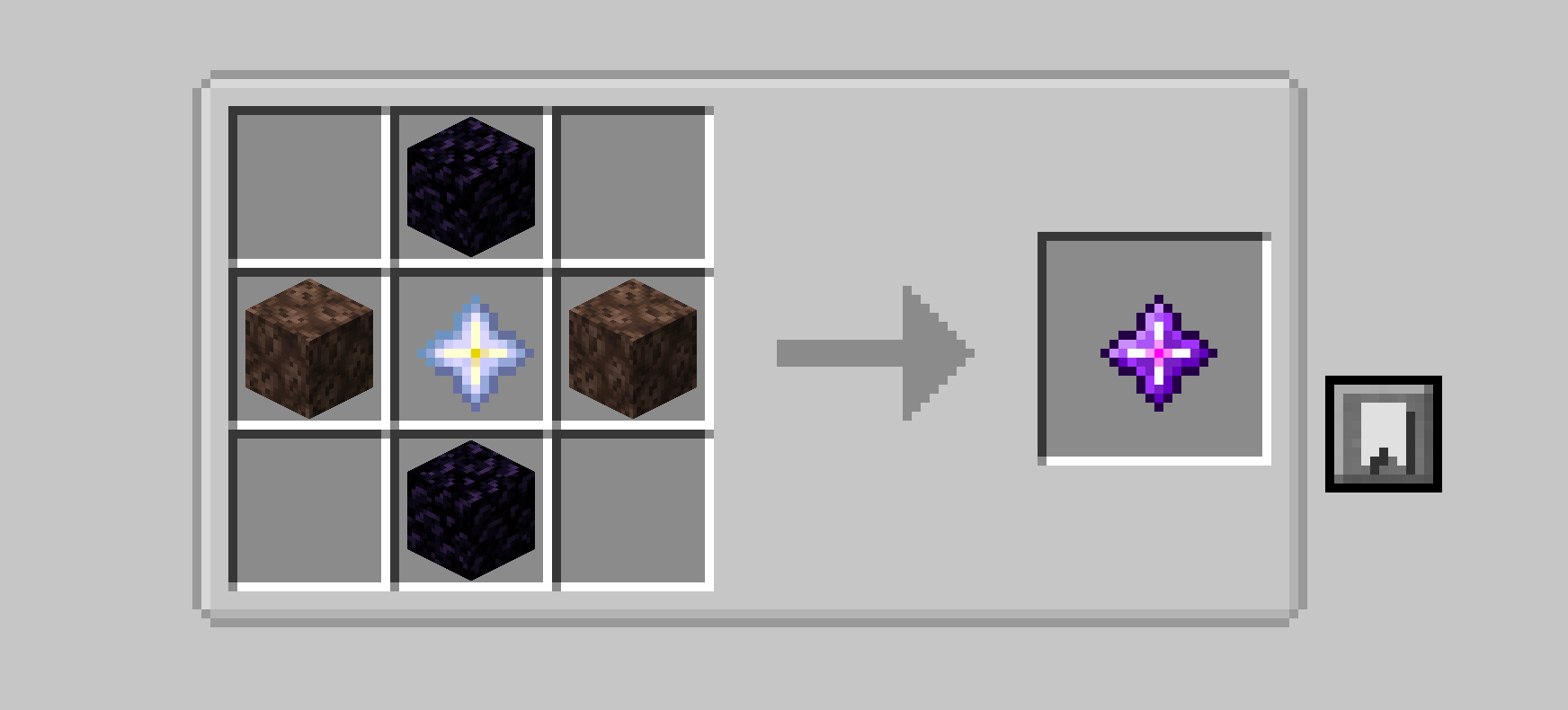
🛠️ Crafting Recipe
Craft the Wither Storm Star using:
1 × Nether Star (center) 2 × Soul Sand (left and right) 2 × Obsidian (top and bottom)
Pattern:
O SNS O O = Obsidian S = Soul Sand N = Nether Star 📌 Important Note
The Wither Storm Star is a collectible item only.
It cannot be used to craft:
Beacons Withered Beacons
Its purpose is simply to let players obtain and keep the original Wither Storm Star, even when another mod replaces it.