
Mineuniverse
Data Packs
Wither's Wrath

Wither's Wrath

DATA PACK
A revamped fight for the Wither! with parity features from bedrock to original ideas to make the wither fight more challenging.
by ImHer0
Download Claim this project
1,867 downloads
0 likes
0 followers
Updated Oct 14, 2026
0 hypes
Follow0
Adventure
Advertisement Remove ads with Premium →

Logo

This is my take on the Wither, designed to make it more of a challenge by introducing brand-new attack patterns and increasing its health to 600 HP, matching the Bedrock Edition Wither. Since not everyone enjoys all the changes, I've included toggles to reduce chaos for more flexibility. However, there will be no "easy" version of this Wither.


This Wither was created as a personal project to present a tougher fight and primarily to showcase it to friends. It was never meant to be perfect, but I hope it brings a fun challenge.


This pack was designed for Minecraft version 1.21 and up.


What does this wither include?

The Wither has 600HP with slightly higher armour. It occasionally spawns Wither Skeletons and has stronger Wither skull projectiles.

Start "Animation"

Start Animation

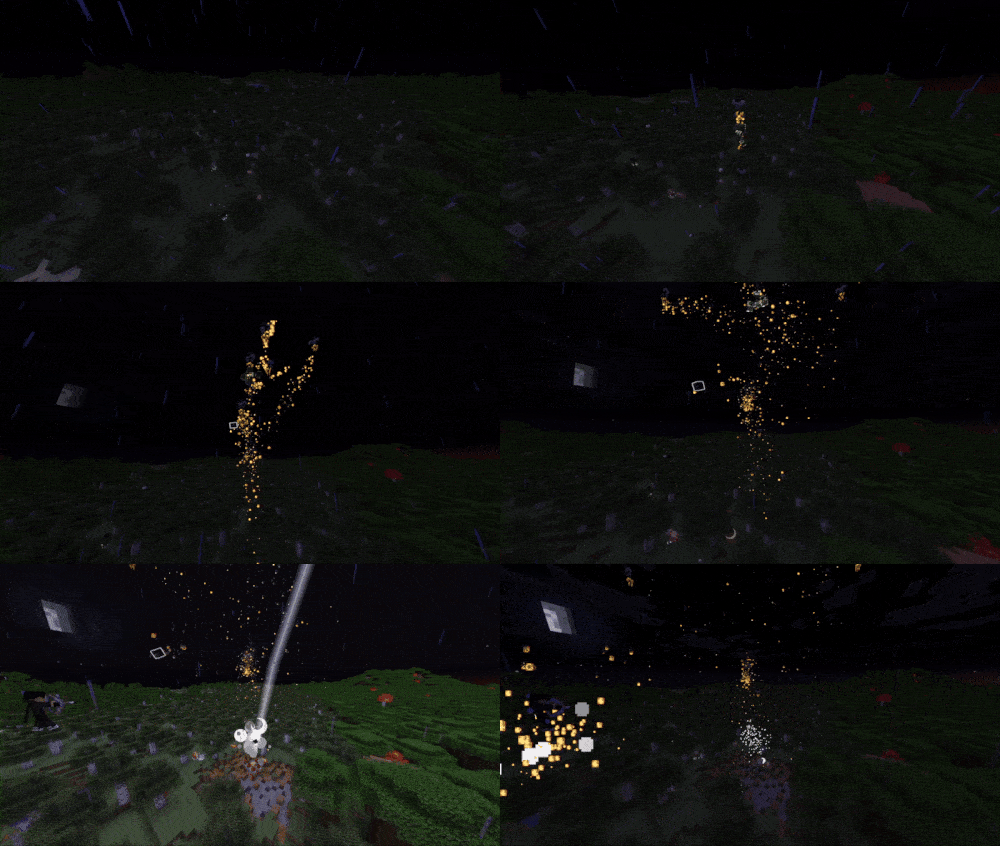
Wither Homing Skull

Weaker but never misses. Blocking with a shield is advised.
 

Wither Homing Skull

Wither Half HP

Wither Half HP

Wither Charge Attack

This attack only occurs when the Wither has 250 HP left.


Wither Charge Attack

Wither Dash Attack

This happens when the Wither has 100 HP left.


Wither Dash Attack

Wither Death

Wither Death


and More!


Toggle Options

To configure settings, use the following command:/function wither:config

⚠️ Warning:This Wither is highly destructive. Fight it far from your base, or toggle the option to disable destructive features.


Links

Click below to view or download the data pack in other platforms:


GitHubModrinthPlanetMinecraft


Server Usage

If you're using this on a server, I’d appreciate feedback on any potential performance impacts. Due to limited testing with larger player groups, there might be areas needing optimisation.

Permissions

Feel free to use this in any packs, modify it, and make it look more polished or fancy!

Wither's Wrath 1.16 [1.19.4-1.20.1] {Datapack}
MC 1.19.4, 1.20.1, 1.20
Release 2026-05-10 Get
Wither's Wrath 1.16 [1.20.2-1.20.6] {Datapack}
MC 1.20.2, 1.20.5, 1.20.6, 1.20.4, 1.20.3
Release 2026-05-10 Get
Wither's Wrath 1.16 [1.21.11] {Datapack}
MC 1.21.11
Release 2026-05-10 Get
Wither's Wrath 1.16 [26.1+] {Datapack}
MC 26.1, 26.1.1, 26.1.2
Release 2026-05-10 Get
Wither's Wrath 1.14.1 [1.19.4-1.20.1]
MC 1.19.4, 1.20.1, 1.20
Release 2025-09-14 Get
Wither's Wrath 1.14.1 [1.20.2-1.20.6]
MC 1.20.2, 1.20.5, 1.20.3, 1.20.6, 1.20.4
Release 2025-09-14 Get
Wither's Wrath 1.14.1 [1.21-1.21.1]
MC 1.21, 1.21.1
Release 2025-09-14 Get
Wither's Wrath 1.14.1 [1.21.2-1.21.4]
MC 1.21.4, 1.21.3, 1.21.2
Release 2025-09-14 Get
Wither's Wrath 1.14.1 [1.21.5+]
MC 1.21.5, 1.21.8, 1.21.7, 1.21.6, 1.21.9-snapshot
Release 2025-09-14 Get
Wither's Wrath 1.13 [1.19.4-1.20.1]
MC 1.19.4, 1.20.1, 1.20
Release 2025-06-24 Get
Wither's Wrath 1.13 [1.20.2-1.20.6]
MC 1.20.2, 1.20.5, 1.20.3, 1.20.6, 1.20.4
Release 2025-06-09 Get
Wither's Wrath 1.13 [1.21-1.21.1]
MC 1.21, 1.21.1
Release 2025-06-09 Get
Wither's Wrath 1.13 [1.21.2-1.21.4]
MC 1.21.4, 1.21.3, 1.21.2
Release 2025-06-09 Get
Wither's Wrath 1.13 [1.21.5-1.21.6]
MC 1.21.6-snapshot, 1.21.5
Release 2025-06-09 Get
Wither's Wrath 1.11.2 [1.21-1.21.1]
MC 1.21, 1.21.1
Release 2025-04-20 Get
Wither's Wrath 1.11.2 [1.21.5]
MC 1.21.5
Release 2025-04-09 Get
Wither's Wrath 1.11.2 [1.21.2-1.21.4]
MC 1.21.4, 1.21.3, 1.21.2
Release 2025-03-09 Get
Wither's Wrath 1.11.2 [1.20.2-1.20.6]
MC 1.20.2, 1.20.5, 1.20.3, 1.20.6, 1.20.4
Release 2025-03-09 Get
Wither's Wrath 1.11 [1.21.4]
MC 1.21.4
Release 2025-03-05 Get
Wither's Wrath 1.10.1 [1.21.4]
MC 1.21.4
Release 2025-02-23 Get

Requirements & install

How to use this data pack in Minecraft
Mods needed
None, works in vanilla
Minecraft
1.21.6 – 26.1.2
Install folder
saves/<world>/datapacks

How to install data packs

  1. Download the data pack .zip file (do not extract it).
  2. New world: click Data Packs on the world creation screen and drop the .zip in. Existing world: open .minecraft/saves/<world>/datapacks.
  3. Put the .zip into the datapacks folder of the world (servers: world/datapacks).
  4. Run /reload in game (or rejoin the world) and check it with /datapack list.
Browse more: Data Packs for 26.1.2 All data packs

More from ImHer0

Advertisement Remove ads with Premium →

You Might Also Like