Mineuniverse
Data Packs
村庄地平线 Village Horizons +

村庄地平线 Village Horizons +

DATA PACK
让MineCraft的村民们住上更好的房子(? Let the villagers in MineCraft live in better houses.(?
by RinO233
Download Claim this project
Add a badge to your pageLink to 村庄地平线 Village Horizons + from a README, website or forum post.
Preview: Badge

Badges update automatically and link to the data pack page on MineUniverse.

488 downloads
0 likes
0 followers
Updated Oct 14, 2026
0 hypes
Follow0
Adventure
Advertisement Remove ads with Premium →

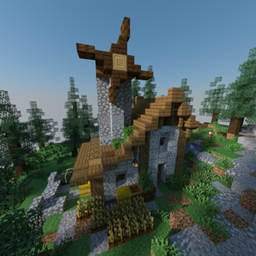
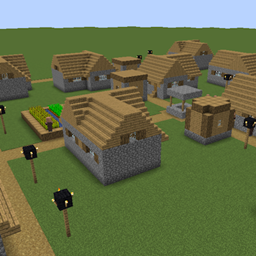
一个旨在“替换”原版村庄结构的数据包/模组(替换不是真正的替换,其实是新增,不修改原版村庄) 让村民住上更好的村庄!(偷笑 未来还可能会更新一些杂七杂八的结构,尽请期待!

目前已增加村庄列表: v1.0.1 平原村庄(随机生成以下结构中的结构):13种职业房屋,3种普通住房,2种中心地标;

A data datapack/mod designed to "replace" the original village structure (replacement is not a real replacement, it is actually a new addition, does not modify the original village) Let villagers live in better villages! (Snickering.) There may be some miscellaneous structures updated in the future, so please look forward to it! (machine translation, please forgive me.)

The list of villages has been added: v1.0.1 Plains Village (randomly generates structures among the following structures): 13 types of occupational houses, 3 types of normal houses, 2 types of central landmarks;

村庄地平线_VillageHorizons+_1.1.4.zip
MC 1.21, 1.20.2, 1.21.8, 1.20.5, 1.21.5, 1.21.4, 1.20.1, 1.20, 1.20.6, 1.21.1, 1.21.6, 1.21.3, 1.21.7, 1.20.4, 1.20.3, 1.21.2, 1.21.9, 1.21.10, 1.21.11, 26.1, 26.1.1, 26.1.2
Release 2026-07-08 Get
村庄地平线_VillageHorizons+_1.1.3.zip
MC 1.21, 1.20.2, 1.21.8, 1.20.5, 1.21.5, 1.21.4, 1.20.1, 1.20, 1.20.6, 1.21.1, 1.21.6, 1.21.3, 1.21.7, 1.20.4, 1.20.3, 1.21.2, 1.21.9, 1.21.10, 1.21.11, 26.1, 26.1.1, 26.1.2
Release 2026-07-05 Get

Requirements & install

How to use this data pack in Minecraft
Mods needed
None, works in vanilla
Minecraft
1.21.7 – 26.1.2
Install folder
saves/<world>/datapacks

How to install data packs

  1. Download the data pack .zip file (do not extract it).
  2. New world: click Data Packs on the world creation screen and drop the .zip in. Existing world: open .minecraft/saves/<world>/datapacks.
  3. Put the .zip into the datapacks folder of the world (servers: world/datapacks).
  4. Run /reload in game (or rejoin the world) and check it with /datapack list.
Browse more: Data Packs for 26.1.2 All data packs

More from RinO233

Advertisement Remove ads with Premium →

You Might Also Like