Mineuniverse
Data Packs
Unproductive Bees

Unproductive Bees

DATA PACK
All centrifuge results have been reduced to 1%.
by Dankest0
Download Claim this project
Add a badge to your pageLink to Unproductive Bees from a README, website or forum post.
Preview: Badge

Badges update automatically and link to the data pack page on MineUniverse.

166 downloads
0 likes
0 followers
Updated Oct 14, 2026
0 hypes
Follow0
Mod Support Utility
Advertisement Remove ads with Premium →

(Spanish server/Servidor Español)


IN PROGRESS

This datapack (previously called "Productive Bees Nerf") was created to better control the materials created with bees on my server. I wanted bees to provide materials passively, rather than as a primary source.

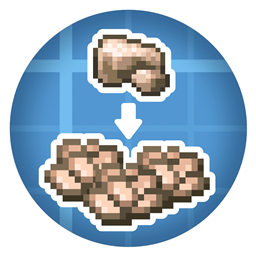
  • All materials processed in centrifuges will now have a 1% chance of obtaining honeycomb materials.
  • I've removed all Create recipes, except for those that aren't duplicated for the Productive Bees centrifuge. I'll likely convert these unique recipes to recipes for the Productive Bees centrifuge later.
  • All liquids except honey will be reduced to 1mb per honeycomb process.
  • If I'm not mistaken, I can't modify what you get from the Wanabee, so that's as it is.
    (It's still a bit tricky to obtain, so I guess it's okay.)

------------

In the previous data pack, I had reduced the chance to 50%, but we still got a ton of materials, so I spent some time making a data pack with a 25% chance, but after testing it, they still dropped a ton of materials, so I scrapped the idea, so I got tired of it, and now it's all at 1%.

According to the tests we did:

  • 400 gold honeycombs -> processing -> 11 raw gold (2,75% of the original amount)
Unproductive Bees 2.2
MC 1.20.1
Beta 2025-04-14 Get
Unproductive Bees 2.1
MC 1.20.1
Beta 2025-04-11 Get
Productive Bees Nerf
MC 1.20.1
Release 2025-01-05 Get

Requirements & install

How to use this data pack in Minecraft
Mods needed
None, works in vanilla
Minecraft
1.20.1
Install folder
saves/<world>/datapacks

How to install data packs

  1. Download the data pack .zip file (do not extract it).
  2. New world: click Data Packs on the world creation screen and drop the .zip in. Existing world: open .minecraft/saves/<world>/datapacks.
  3. Put the .zip into the datapacks folder of the world (servers: world/datapacks).
  4. Run /reload in game (or rejoin the world) and check it with /datapack list.
Browse more: Data Packs for 1.20.1 All data packs

More from Dankest0

Advertisement Remove ads with Premium →

You Might Also Like