Mineuniverse
Data Packs
Tensura Evolving Armour: Vanilla Armour to Tensura Low Magisteel Armour

Tensura Evolving Armour: Vanilla Armour to Tensura Low Magisteel Armour

DATA PACK
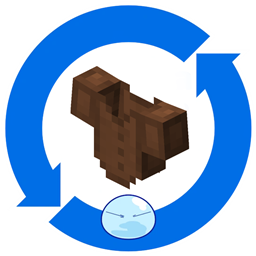
This Datapack allows you to evolve vanilla minecraft armour all the way from leather to low magisteel.
by Areece_Lemonfang
Download Claim this project
Add a badge to your pageLink to Tensura Evolving Armour: Vanilla Armour to Tensura Low Magisteel Armour from a README, website or forum post.
Preview: Badge

Badges update automatically and link to the data pack page on MineUniverse.

5,146 downloads
0 likes
0 followers
Updated Oct 14, 2026
0 hypes
Follow0
Miscellaneous Mod Support
Advertisement Remove ads with Premium →

Tensura Evolving Armour Vanilla Armour to Tensura Low Magisteel Armour v1

This Datapack allows you to evolve vanilla Minecraft armour from Leather armour to Tensura: Reincarnated Low Magisteel armour.


Progression Path:
Leather -> Gold -> Chainmail -> Iron -> Diamond -> Netherite -> Low Magisteel

---------------------------------------------------------------------------------------------------------------------------

Tensura Evolving Armour Vanilla Armour to Tensura Armour v2


This Datapack allows you to evolve vanilla Minecraft armour from Leather armour -> Charybdis Armour and Gold Armour -> Tensura: Reincarnated Low Magisteel armour. We even have added the ability to evolve the shields.

Progression Path:

Armour (EP Value for Evolution) -> Armour Evolved into

Gold (1.5k) -> Chainmail (3k) -> Iron (4k) -> Diamond (4.5k) -> Netherite (6k) -> Low Magisteel

Shield (6k) -> Armouraurus Shield (60k) -> Tempest Scale Shield

Leather Armour (1k) -> Monster Leather Armour D (2.5k) -> Armour C (5k) -> Armour B (8k) -> Armour A (80k) -> Monster Leather Armour Special A (300k) -> Charybdis Armour

Tensura Evolving Armour Vanilla Armour to Tensura Low Magisteel Armour v1.0.0.zip
MC 1.19.2
Beta 2024-11-30 Get

Requirements & install

How to use this data pack in Minecraft
Mods needed
None, works in vanilla
Minecraft
1.19.2
Install folder
saves/<world>/datapacks

How to install data packs

  1. Download the data pack .zip file (do not extract it).
  2. New world: click Data Packs on the world creation screen and drop the .zip in. Existing world: open .minecraft/saves/<world>/datapacks.
  3. Put the .zip into the datapacks folder of the world (servers: world/datapacks).
  4. Run /reload in game (or rejoin the world) and check it with /datapack list.
Browse more: Data Packs for 1.19.2 All data packs

More from Areece_Lemonfang

Advertisement Remove ads with Premium →

You Might Also Like