Mineuniverse
Data Packs
Stygian's LevelZ Compatabilities [Data Pack]

Stygian's LevelZ Compatabilities [Data Pack]

DATA PACK
Compatabilities between LevelZ and many other mods
by 5Stygian
Download Claim this project
343 downloads
0 likes
Updated Oct 14, 2026
0 hypes
Mod Support
Advertisement Remove ads with Premium →

This datapack adds compatabilities between "LevelZ" by Globbox_Z and the following mods:  

  • "Better Archeology" by Pandarix, Dunkellicht
  • "Chipped" by terrariumearth
  • "Comforts (Fabric/Forge/Quilt)" by TheIllusiveC4
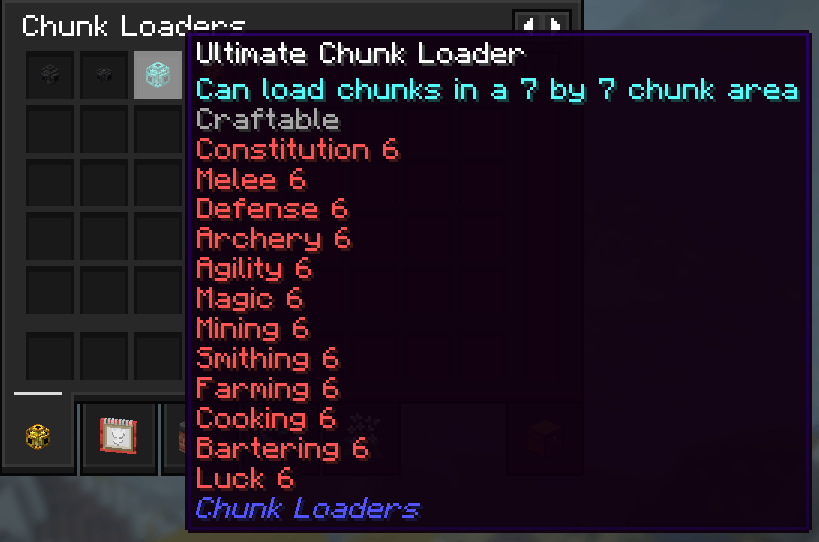
  • "Chunk Loaders" by SuperMartijn642
  • "DungeonZ" by Globbox_Z
  • "Epic Knights, Shields, Armor and Weapons" by magistu_ 
  • "Fabric Seasons: Extras" by D4rkness_King
  • "Farmer's Delight Refabricated" by MerchantCalico, MehVahdJukaar
  • "Farmer's Structures" by BlackAuresArt
  • "Inmis" by Draylar1
  • "More Delight (Fabric)" by axperty
  • "My Nether's Delight Refabricated" by MerchantCalico
  • "Nature's Spirit" by Team_Hibiscus
  • "Waystones" by BlayTheNinth

GitHub Repository

LevelZ_Compatabilities-1.21.1-V1.2.2
MC 1.21.1
Release 2025-04-12 Get
LevelZ_Compatabilities-1.21.1-V1.2.1
MC 1.21, 1.21.1
Release 2025-04-08 Get
LevelZ_Compatabilities-1.21.1-V1.1.zip
MC 1.21.1
Release 2025-04-03 Get

Requirements & install

How to use this data pack in Minecraft
Mods needed
None, works in vanilla
Minecraft
1.21 – 1.21.1
Install folder
saves/<world>/datapacks

How to install data packs

  1. Download the data pack .zip file (do not extract it).
  2. New world: click Data Packs on the world creation screen and drop the .zip in. Existing world: open .minecraft/saves/<world>/datapacks.
  3. Put the .zip into the datapacks folder of the world (servers: world/datapacks).
  4. Run /reload in game (or rejoin the world) and check it with /datapack list.
Browse more: Data Packs for 1.21.1 All data packs
Advertisement Remove ads with Premium →

You Might Also Like