Mineuniverse
Data Packs
Shining Storm in Gilded Gold (Lupus Aureum BrutalBosses)

Shining Storm in Gilded Gold (Lupus Aureum BrutalBosses)

DATA PACK
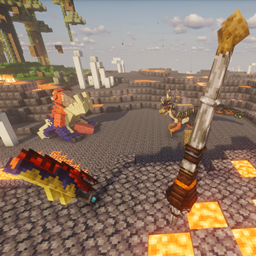
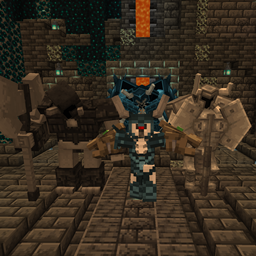
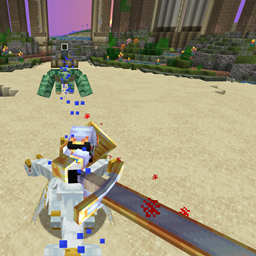
Adds a boss variant of Lupus Aureum with a dash of thunder
by JustARandomGuy
Download Claim this project
Add a badge to your pageLink to Shining Storm in Gilded Gold (Lupus Aureum BrutalBosses) from a README, website or forum post.
Preview: Badge

Badges update automatically and link to the data pack page on MineUniverse.

295 downloads
0 likes
0 followers
Updated Oct 14, 2026
0 hypes
Follow0
Adventure Fantasy Miscellaneous
Advertisement Remove ads with Premium →


Golden fur with sparkled lightning,

Like a whole surrounds the star-like beast.


A creature that may appear in snowy structures or nearby shores, seeking

wrecked ships to seek storms to recharge.


Despite being a carnivorous predator that hunts in storms and may be territorial

potential threats, it's gentle to those that weren't a threat to it.


Prove your worth to face this creature and gain its oath, or hunt it to reclaim its

strength, speed, and potential electrokinesis.


They can either spawn near structures, or can be summoned by writing a command in the chat-

/brutalbosses spawnboss dog


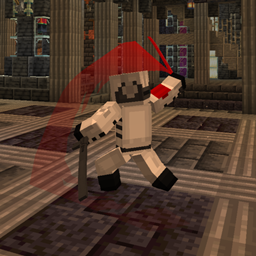
Resourcepack (for the weapon trails): https://legacy.curseforge.com/minecraft/texture-packs/ef_multimodmadnessweapontrails

Mods required:

Epic Fight by maninthe_home - https://legacy.curseforge.com/minecraft/mc-mods/epic-fight-mod

Weapons of Miracles by  reascer - https://legacy.curseforge.com/minecraft/mc-mods/weapons-of-miracles-epicfight

BrutalBosses by someaddon - https://legacy.curseforge.com/minecraft/mc-mods/brutal-bosses-dungeon


EFM_BananaCanine
MC 1.20.1
Release 2025-04-27 Get

Requirements & install

How to use this data pack in Minecraft
Mods needed
None, works in vanilla
Minecraft
1.20.1
Install folder
saves/<world>/datapacks

How to install data packs

  1. Download the data pack .zip file (do not extract it).
  2. New world: click Data Packs on the world creation screen and drop the .zip in. Existing world: open .minecraft/saves/<world>/datapacks.
  3. Put the .zip into the datapacks folder of the world (servers: world/datapacks).
  4. Run /reload in game (or rejoin the world) and check it with /datapack list.
Browse more: Data Packs for 1.20.1 All data packs

More from JustARandomGuy

Advertisement Remove ads with Premium →

You Might Also Like