Mineuniverse
Data Packs
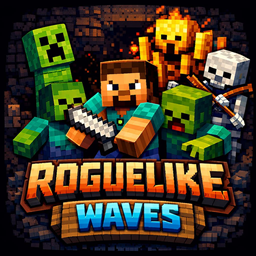
Roguelike Monster Waves

Roguelike Monster Waves

DATA PACK
Every 60 seconds a wave of mobs spawn, how long can your survive?
by Maertyrer420
Download Claim this project
162 downloads
0 likes
0 followers
Updated Oct 14, 2026
0 hypes
Follow0
Adventure Fantasy
Advertisement Remove ads with Premium →

Monster Waves every 60 seconds. Can you beat the game?

The clock is ticking. Are you ready for a restless survival experience?

This datapack changes the rules of the game: there are no breaks, and nowhere to hide.

Every 60 seconds, a new wave of monsters spawns to hunt you down.

Survive the waves and see how long you can last!

Can you beat the game?


🚀 Key Features

⏱️ The 60-Second Timer

Peaceful building is a thing of the past. A global timer is constantly running. The moment it hits zero, a fresh wave of hostile mobs spawns directly around you.

Warning: You cannot sleep away the danger. The waves will find you.

📈 Scaling Difficulty

Don't get too comfortable after the first few minutes. The waves get stronger over time:

  • Early Game: Basic mobs to get you warmed up.
  • Mid Game: Enemies start spawning with more HP.
  • Late Game: Beware of the blazes.

🎁 Custom Loot & Sustainability

Since you won't have much time to farm or mine, the mobs are your lifeline.

  • 🍖 Food Drops: Mobs have a chance to drop food so you don't starve during battle.
  • 🛡️ Armor & Gear: Defeat enemies to get new gear. The only way to upgrade is to fight!

🎒 Choose Your Starter Kit

Upon loading the world (or via command), you get to choose a Starter Kit. Pick the kit that suits your survival strategy.

Think you have what it takes? Download the datapack now and face the horde!

🎮 How to Play

  1. Install: Drop the datapack into your world folder.
  2. Start: Enter the world. You should see a barrel to select your Starter Kit.
  3. Survive: The timer begins immediately. Gather resources quickly between waves.
  4. Progress: Survive as many waves as possible. The longer you live, the harder it gets.

⚙️ Installation

  1. Download the .zip file.
  2. Navigate to your Minecraft folder: .minecraft/saves/<YourWorldName>/datapacks.
  3. Place the file inside the datapacks folder (no need to unzip usually).
  4. Type /reload in-game or restart your world.

Need help? Join my Discord

roguelike_work v0.7 Shop system.zip
MC 1.21.10, 1.21.11
Release 2026-02-17 Get

Requirements & install

How to use this data pack in Minecraft
Mods needed
None, works in vanilla
Minecraft
1.21.10 – 1.21.11
Install folder
saves/<world>/datapacks

How to install data packs

  1. Download the data pack .zip file (do not extract it).
  2. New world: click Data Packs on the world creation screen and drop the .zip in. Existing world: open .minecraft/saves/<world>/datapacks.
  3. Put the .zip into the datapacks folder of the world (servers: world/datapacks).
  4. Run /reload in game (or rejoin the world) and check it with /datapack list.
Browse more: Data Packs for 1.21.11 All data packs

More from Maertyrer420

Advertisement Remove ads with Premium →

You Might Also Like