Mineuniverse
Data Packs
Quality of Life Features for Vic's Point Blank

Quality of Life Features for Vic's Point Blank

DATA PACK
A content pack for Vic's Point Blank that adds small Quality of Life features meant for progression in Survival/Adventure mode
by TheScepticBlock
Download Claim this project
Add a badge to your pageLink to Quality of Life Features for Vic's Point Blank from a README, website or forum post.
Preview: Badge

Badges update automatically and link to the data pack page on MineUniverse.

1,909 downloads
0 likes
0 followers
Updated Oct 14, 2026
0 hypes
Follow0
Adventure
Advertisement Remove ads with Premium →

This is a small content pack for Vic's Point Blank that adds Quality of Life features designed for survival/adventure worlds.

Current features:

  • When obtaining any materials used in crafting for any of the mod's items, you will gain the recipe for that item without having to craft it. (Much like a lot of vanilla Minecraft's craftable items)
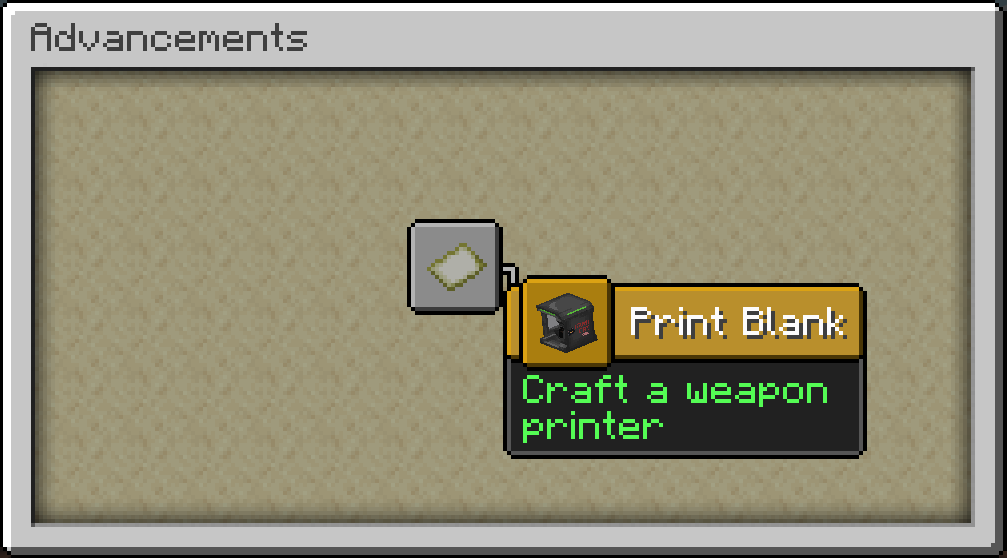
  • Achievements to indicate progress.
  • (FORGE ONLY) Fixes the Arms Dealer Barn not having any loot in its chest & changes the loot table to reflect the nature of the structure (instead of having farming related items, the chest now has ammo, certain firearms, and crafting ingredients)

Current available achievements:

  • Print Blank: Craft a printer
  • Spinny Spinny!: Trade with an Arms Dealer for a Minigun Motor
  • I Am Heavy Weapons Guy: Craft a Minigun

HOW TO INSTALL:
1: Download the content pack
2: If you haven't already, create a folder in your ".minecraft" folder called "pointblank" (The .minecraft folder is located in a different spot depending on your Operating System and/or Minecraft launcher. The following directories are the default locations for the .minecraft folder depending on your OS:

  • Windows: C:\users\<YOURUSERNAME>\AppData\Roaming\.minecraft
  • Linux: ~/.minecraft
  • MacOS: ~/Library/Application Support/minecraft

3: Drag & drop the content pack into the "pointblank" folder inside your ".minecraft" folder

Quality of Life for VPB 1.2
MC 1.21, 1.20.1
Release 2025-05-04 Get
Quality of Life for VPB 1.1
MC 1.20.1
Release 2024-07-03 Get
Quality of Life for VPB 1.0
MC 1.20.1
Release 2024-06-29 Get

Requirements & install

How to use this data pack in Minecraft
Mods needed
None, works in vanilla
Minecraft
1.20.1 – 1.21
Install folder
saves/<world>/datapacks

How to install data packs

  1. Download the data pack .zip file (do not extract it).
  2. New world: click Data Packs on the world creation screen and drop the .zip in. Existing world: open .minecraft/saves/<world>/datapacks.
  3. Put the .zip into the datapacks folder of the world (servers: world/datapacks).
  4. Run /reload in game (or rejoin the world) and check it with /datapack list.
Browse more: Data Packs for 1.21 All data packs
Advertisement Remove ads with Premium →

You Might Also Like