Mineuniverse
Data Packs
Omnitrix Start Kit ( Alien Evolution )

Omnitrix Start Kit ( Alien Evolution )

DATA PACK
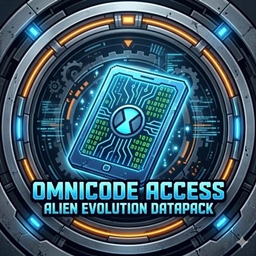
This project adds the legendary Prototype Omnitrix directly into the Bonus Chest. Start your alien adventure from the very first second—just spawn in, grab your watch, and transform!
by Kamerit
Download Claim this project
3,331 downloads
0 likes
Updated Oct 14, 2026
0 hypes
Adventure Fantasy Miscellaneous
Advertisement Remove ads with Premium →

🟢 About the Project


This project adds the legendary Prototype Omnitrix from the Alien Evolution mod directly into the Minecraft Bonus Chest.
Tired of searching for rare structures or waiting for meteors? With this datapack, you can begin your alien adventure from the very first second of gameplay. Just spawn in, open your starter kit, and it's Hero Time!


✨ Key Features


⌚ Instant Omnitrix: Get the Prototype watch immediately upon spawning.
🚀 Fast Start: Skip the grind and start transforming right away.
🛠️ Mod Compatibility: Specifically designed for the Alien Evolution (Ben 10) mod.
📂 Plug & Play: Simply drop the file into your world's datapacks folder.


📖 How to Use


1. Place the datapack file in your world's datapacks folder before creating or loading the world.
2. Ensure that the "Bonus Chest" option is enabled in your Minecraft world creation settings.
3. Open the chest at your spawn point and claim your destiny!


🛠️ Required Mods


To use this datapack, you must have the following mod installed:
Alien Evolution: This datapack is a dedicated addon for the Alien Evolution mod. It will not function without it.

1.0.0
MC 1.20.1
Release 2026-03-31 Get

Requirements & install

How to use this data pack in Minecraft
Mods needed
None, works in vanilla
Minecraft
1.20.1
Install folder
saves/<world>/datapacks

How to install data packs

  1. Download the data pack .zip file (do not extract it).
  2. New world: click Data Packs on the world creation screen and drop the .zip in. Existing world: open .minecraft/saves/<world>/datapacks.
  3. Put the .zip into the datapacks folder of the world (servers: world/datapacks).
  4. Run /reload in game (or rejoin the world) and check it with /datapack list.
Browse more: Data Packs for 1.20.1 All data packs

More from Kamerit

Advertisement Remove ads with Premium →

You Might Also Like