Badges update automatically and link to the data pack page on MineUniverse.
This mods adds compatibility between those two mods
What it fixes:
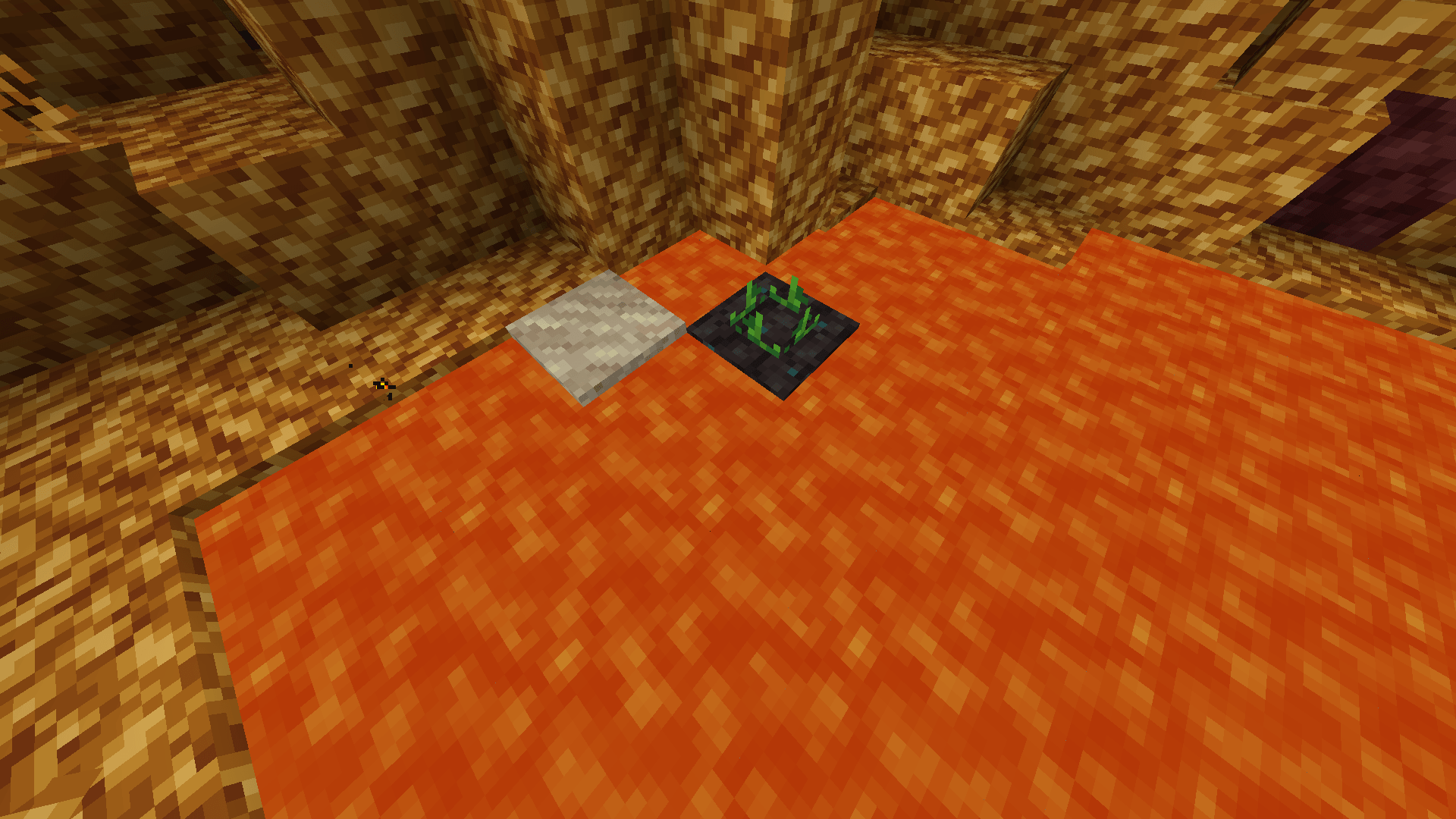
-Resurgent soil and resurgent soil farmland used to become vitrified glass if lava touched them, rendering them unusable, this is fixed with the datapack.
BIG DISCLAIMER
The way the resurgent soil fix works is by changing the tag used by Immersive Weathering to create vitrified sand, from "minecraft:sand" to a custom tag that only contains the default Minecraft sand blocks, and Biome O'Plenty´s sand blocks, so if you use other mod that adds any kind of block that uses the "minecraft:sand" tag, it won't generate vitrified sand; you can add the sand blocks from the mod to "data\immersive_weathering\tags\blocks\sands.json" in order to fix this.
Update:
Turns out this specific bug was fixed in the latest version of My Nether's Delight (as of 21/07/2024), so this renders this datapack useless, and i wouldn't recommend downloading it since it would bug other mods instead of fixing bugs, however it's still open so if you spot other incompatibilities you can tell me and i can add them in future versions of the datapack.
Also, if you spot any other incompatibility that exists between both mods you can tell me in the comments and it could be fixed in a latter version.