Mineuniverse
Data Packs
Lockpicking & Survival Tweaks

Lockpicking & Survival Tweaks

DATA PACK
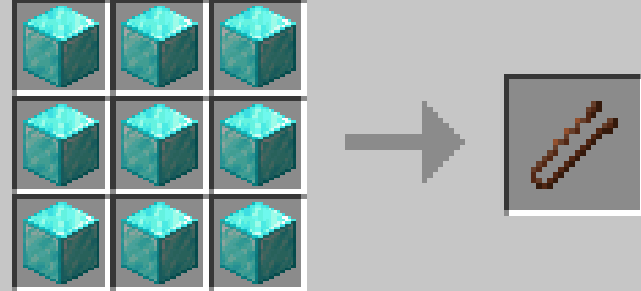
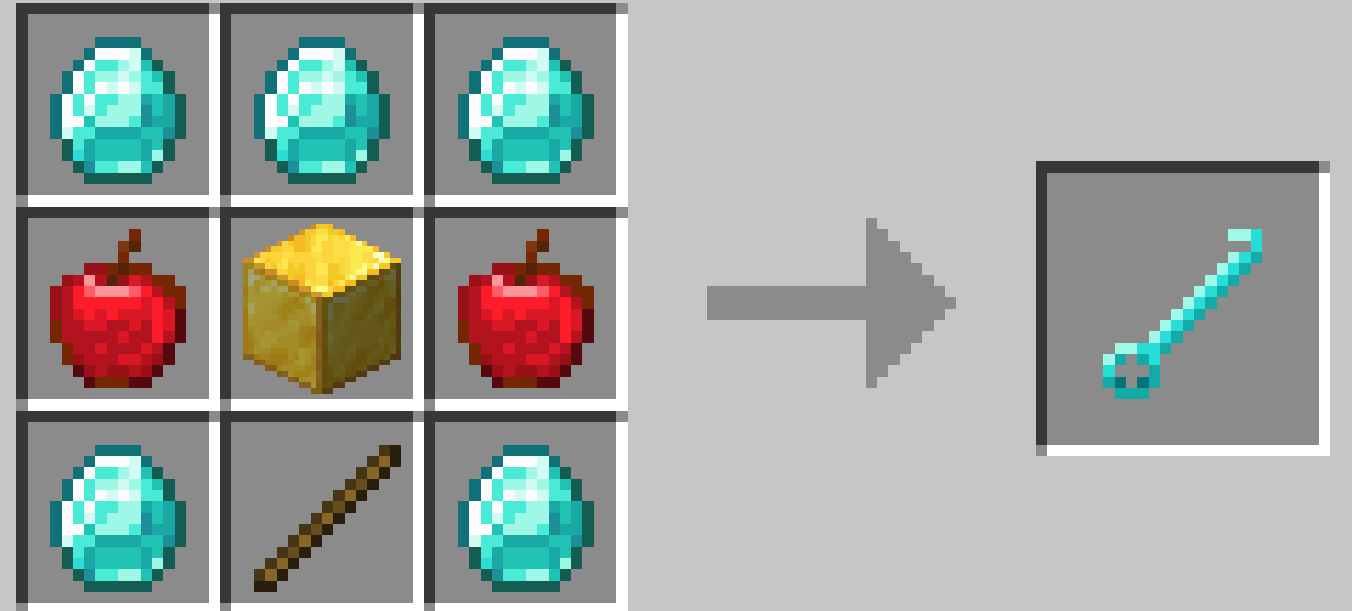
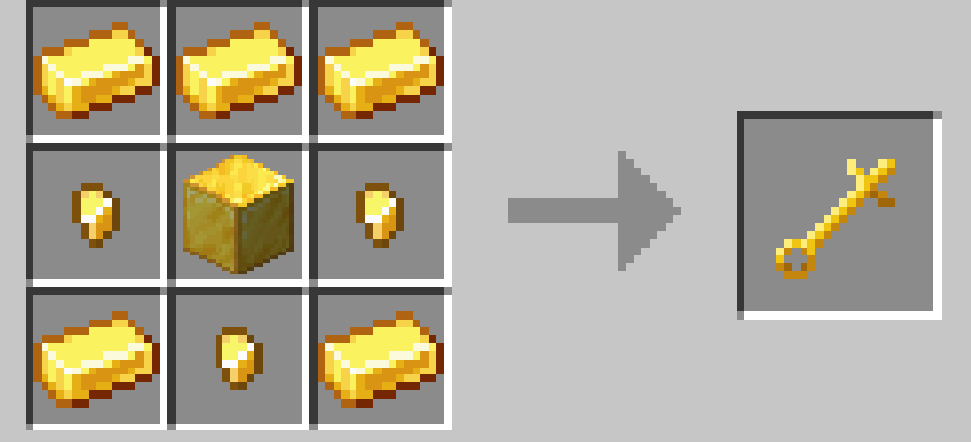
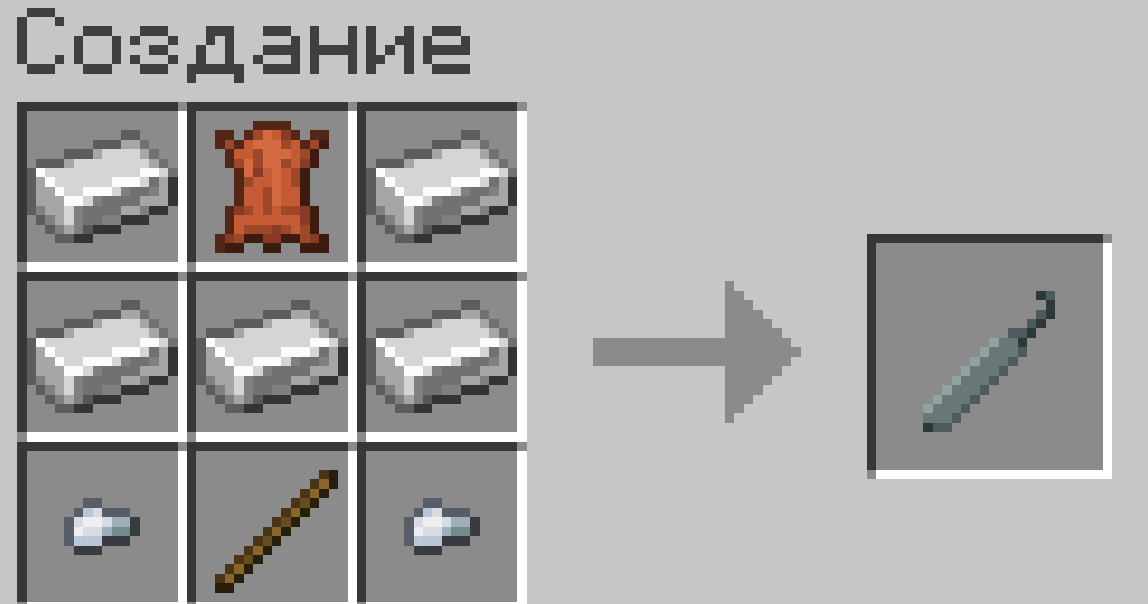
Adds custom loot tables, new advancements, and lockpick crafting recipes designed for the Locks mod
by user_b2cb7ia415zkm1j7
Download Claim this project
86 downloads
0 likes
Updated Oct 14, 2026
0 hypes
Adventure Miscellaneous
Advertisement Remove ads with Premium →

Overview

This datapack improves your survival experience by integration with the Locks mod, adding immersive thief mechanics and better rewards.

Features

• Lockpicking Crafting: Craft lockpicks using custom recipes. • Custom Loot Tables: Find better and more interesting loot in chests. • New Advancements: Unlock custom advancements as you progress.

Requirements:IMPORTANT!

WITHOUT THIS NOTHING WILL WORK PLEASE INSTALL FOR FULL FUNCTIONING (fabric 1.20.1)

1 Locks https://www.curseforge.com/minecraft/mc-mods/locks-unofficial 2 Tead https://www.curseforge.com/minecraft/mc-mods/tead 3 Fabric Api https://www.curseforge.com/minecraft/mc-mods/fabric-api 4 Pool api https://www.curseforge.com/minecraft/mc-mods/structure-pool-api 5 Loot_n_explore https://www.curseforge.com/minecraft/mc-mods/loot-n-explore 6 Geckolib https://www.curseforge.com/minecraft/mc-mods/geckolib

Lockpicking & Survival Tweaks v1.0.0 Alpha
MC 1.20.1
Release 2026-05-28 Get

Requirements & install

How to use this data pack in Minecraft
Mods needed
None, works in vanilla
Minecraft
1.20.1
Install folder
saves/<world>/datapacks

How to install data packs

  1. Download the data pack .zip file (do not extract it).
  2. New world: click Data Packs on the world creation screen and drop the .zip in. Existing world: open .minecraft/saves/<world>/datapacks.
  3. Put the .zip into the datapacks folder of the world (servers: world/datapacks).
  4. Run /reload in game (or rejoin the world) and check it with /datapack list.
Browse more: Data Packs for 1.20.1 All data packs
Advertisement Remove ads with Premium →

You Might Also Like