This datapack is ideal for multiplayer hardcore adventure.
After your death you become a spectrum with the power to protect yours allies or destroy yours enemies, just before gets REVIVING !
Be aware, the death isn't definitive but it's very harmful.
💡Here, some things to know
- Set an hardcore world.
- Allow the commands.
- You may see active and unactive datapack with : /datapack list
- If you have a doubt about the datapack effectiveness do : /reload
✨Features
- The natural regeneration is locked
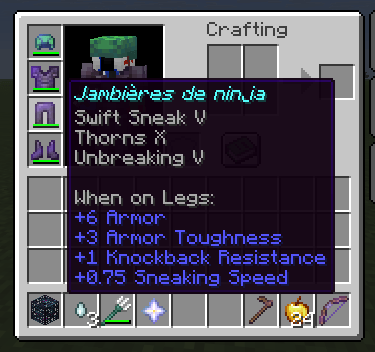
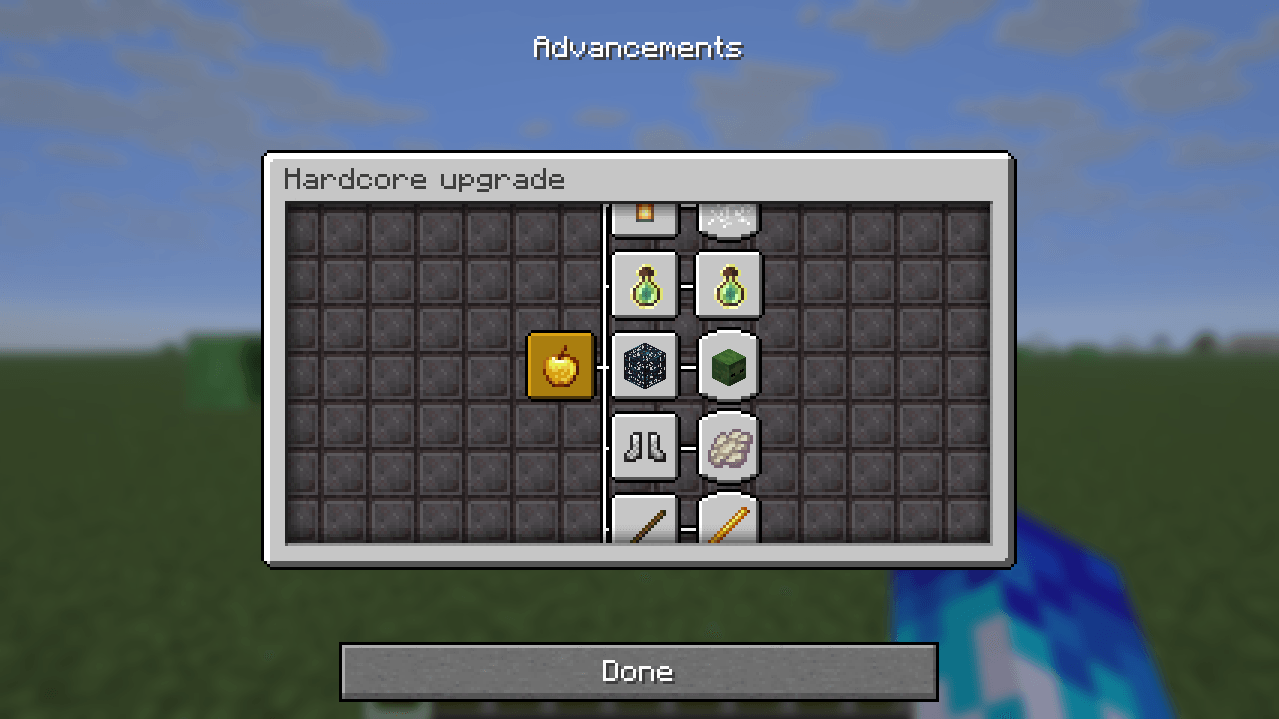
- A bench of new advancements which give very useful stuff
- Earn time with the accelerated tree leave's break
- The growth's of culture is also boosted
👥Multiplayer features
- Your become a ghost at your died
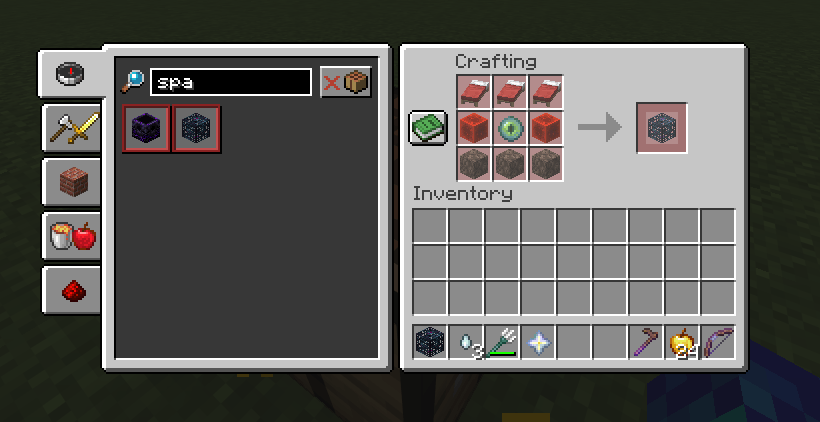
- Players can craft a spawner that will revive ally in 10 blocs around
- The ghost may give bonus to ally and malus to ennemy
- A deathcount show the worst player
🧩Spawner crafting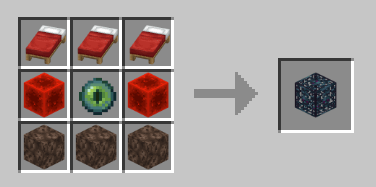
➡️ The spawner block must be placed close to the spectres (within ~10 blocks) for them to come back to life. They will then lose all their XP and suffer temporary penalties.
📌Recommended datapacks to enhance your experience :
- Vein Miner : Mine entire ore veins with a single swing of your pickaxe
- Person location bar : Find your friends easily without messing around with coordinates
Enjoy !
Please, use the commentary section to report any bug or improvment you found !