Mineuniverse
Data Packs
Floravive

Floravive

DATA PACK
Want more from your vanilla generation? This mod is for you!
by hotsuop_old
Download Claim this project
779 downloads
0 likes
Updated Oct 14, 2026
0 hypes
Adventure
Advertisement Remove ads with Premium →

Floravive, A New Minecraft Exploration Experience!

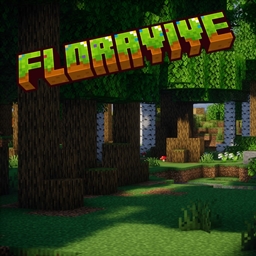
Floravive Screenshot 1

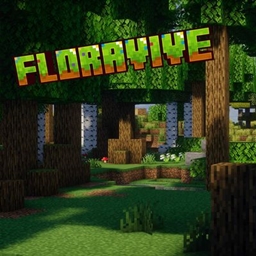
Floravive Screenshot 2

What does this add to my world, and why should I download it?

Floravive transforms your world with lush biomes, unique discoveries, and a fresh sense of adventure. Explore like never before!

What Biomes does this add?

Floravive adds 53 new and vinilla-like biomes, and also redoes some base game ones. Some examples are

Oasis - A lush break inside of desert biomes

Forest - Forests now are a lot more fun to walk through with new trees and other vegitation

Dependencies

None — no mods needed!

Credits

Author: Hotsu0p
Support: Discord (hotsuop)

Reporting Issues + Collaboration

- DM hotsuop on Discord
- Join Discord server

Donating

Contact hotsuop on Discord to support Floravive.

License

MIT License

Enjoy your Floravive adventure!

Floravive 1.19.x-26.x B0.7.zip
MC 1.21, 1.20.2, 1.19.4, 1.21.8, 1.20.5, 1.21.5, 1.21.4, 1.20.1, 1.20, 1.20.6, 1.21.1, 1.21.6, 1.21.3, 1.21.7, 1.20.4, 1.20.3, 1.21.2, 1.21.9, 1.21.10, 1.21.11, 26.1, 26.1.1
Release 2026-09-18 Get
Floravive 1.19.x-26.x B0.6.zip
MC 1.21, 1.20.2, 1.19.4, 1.21.8, 1.20.5, 1.21.5, 1.21.4, 1.20.1, 1.20, 1.20.6, 1.21.1, 1.21.6, 1.21.3, 1.21.7, 1.20.4, 1.20.3, 1.21.2, 1.21.9, 1.21.10, 1.21.11, 26.1, 26.1.1
Release 2026-08-17 Get
Floravive 1.19.4-1.21.x B0.5.zip
MC 1.20.2, 1.21, 1.20.5, 1.21.5, 1.19.4, 1.21.8, 1.21.9, 1.21.4, 1.20.3, 1.20.1, 1.20, 1.20.6, 1.20.4, 1.21.3, 1.21.7, 1.21.1, 1.21.6, 1.21.2
Release 2025-10-28 Get

Requirements & install

How to use this data pack in Minecraft
Mods needed
None, works in vanilla
Minecraft
1.21.6 – 26.1.1
Install folder
saves/<world>/datapacks

How to install data packs

  1. Download the data pack .zip file (do not extract it).
  2. New world: click Data Packs on the world creation screen and drop the .zip in. Existing world: open .minecraft/saves/<world>/datapacks.
  3. Put the .zip into the datapacks folder of the world (servers: world/datapacks).
  4. Run /reload in game (or rejoin the world) and check it with /datapack list.
Browse more: Data Packs for 26.1.1 All data packs

More from hotsuop_old

Advertisement Remove ads with Premium →

You Might Also Like