Mineuniverse
Data Packs
Everything You Touch Turns to Water

Everything You Touch Turns to Water

DATA PACK
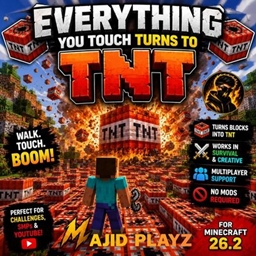
Everything you touch turns into water! A chaotic Minecraft Datapack for Survival and Creative.
by majidplayz
Download Claim this project
Add a badge to your pageLink to Everything You Touch Turns to Water from a README, website or forum post.
Preview: Badge

Badges update automatically and link to the data pack page on MineUniverse.

63 downloads
0 likes
0 followers
Updated Oct 14, 2026
0 hypes
Follow0
Adventure
Advertisement Remove ads with Premium →

🌊 Everything You Touch Turns to Water

Ever wondered what would happen if everything you touched turned into water? 🌊

This chaotic Minecraft datapack transforms blocks you touch into water, creating a completely different way to play Minecraft!

💧 Features

  • 🌊 Blocks you touch turn into water

  • 🟢 Works in Survival

  • 🔵 Works in Creative

  • ✈️ Works while flying in Creative

  • 👥 Works with multiplayer

  • ⚡ No mods required

  • 📦 Lightweight datapack

🎮 Supported Versions

  • Minecraft 1.21.1

  • Minecraft 1.21.11

  • Minecraft 26.1

  • Minecraft 26.1.1

  • Minecraft 26.1.2

  • Minecraft 26.2

⚠️ Warning

This datapack can quickly flood your world. 🌊💀

Make a backup of your world before playing!

🚀 How to Play

Install the datapack into your world's datapacks folder and enter the world.

Run:

/reload

Then start touching blocks!

Everything you touch... becomes WATER. 🌊

Have fun and try not to flood your entire world! 😂

Everything_You_Touch_Turns_To_Water_1.21.1.zip
MC 1.21.1
Release 2026-08-20 Get
Everything_You_Touch_Turns_To_Water_26.2.zip
MC 26.2
Release 2026-08-20 Get
Everything_You_Touch_Turns_To_Water_26.1.2.zip
MC 26.1.2
Release 2026-08-20 Get
Everything_You_Touch_Turns_To_Water_26.1.1.zip
MC 26.1.1
Release 2026-08-20 Get
Everything_You_Touch_Turns_To_Water_26.1.zip
MC 26.1
Release 2026-08-20 Get
Everything_You_Touch_Turns_To_Water_1.21.11.zip
MC 1.21.11
Release 2026-08-20 Get

Requirements & install

How to use this data pack in Minecraft
Mods needed
None, works in vanilla
Minecraft
1.21.1 – 26.2
Install folder
saves/<world>/datapacks

How to install data packs

  1. Download the data pack .zip file (do not extract it).
  2. New world: click Data Packs on the world creation screen and drop the .zip in. Existing world: open .minecraft/saves/<world>/datapacks.
  3. Put the .zip into the datapacks folder of the world (servers: world/datapacks).
  4. Run /reload in game (or rejoin the world) and check it with /datapack list.
Browse more: Data Packs for 26.2 All data packs

More from majidplayz

Advertisement Remove ads with Premium →

You Might Also Like