Mineuniverse
Data Packs
Enhaced Hordes Zombie Mods Compatibility

Enhaced Hordes Zombie Mods Compatibility

DATA PACK
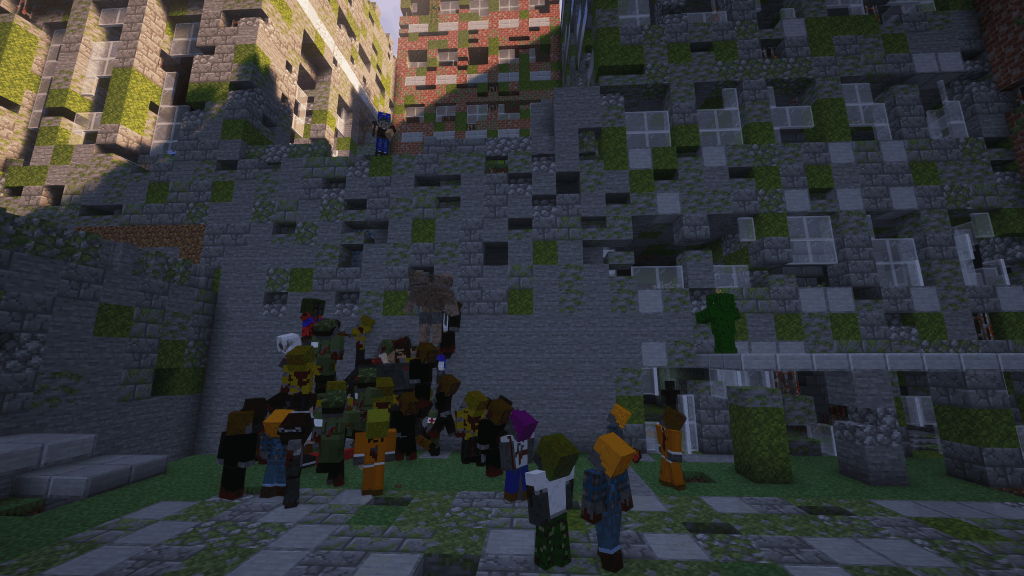
A data pack that adds compatibility between Enhanced Hordes and various zombie mods
by Izakji
Download Claim this project
Add a badge to your pageLink to Enhaced Hordes Zombie Mods Compatibility from a README, website or forum post.
Preview: Badge

Badges update automatically and link to the data pack page on MineUniverse.

3,281 downloads
0 likes
0 followers
Updated Oct 14, 2026
0 hypes
Follow0
Miscellaneous Mod Support Utility
Advertisement Remove ads with Premium →

[ES] Este es un data pack que habilita la compatibilidad entree el mod de Enhanced Hordes y los siguientes mods:

[EN] This is a data pack that enables compatibility with the Enhanced Hordes mod for the following mods:

  • Apocalypse Now
  • Extinction Z
  • Zombie Extreme
  • Zombie Island
  • Zombie More
  • Mutant Monsters

[EN] It was made as a support data pack for my mod pack Izakji's Zombie Apocalypse II

[ES] Está hecho para complementar mi mod pack de Izakji's Zombie Apocalypse II

[EN] Perfect for zombie apocalypse mod packs. Feel free to use it in your project as long as you provide the appropriate credits.

[ES] Perfecto para mod packs con una temática de apocalipsis zombie. Son libres de utilizar este data pack siempre y cuando proporcionen los créditos correspondientes.

[EN] Thanks to the developers of the previously mentioned mods:

[ES] Gracias a los desarrolladores de los mods previamente mencionados:

Need a server to play with your friends? | Necesitas un servidor para jugar con amigos? 
izakji-bisect-hosting-banner

youtube-icon     discord-icon

CustomHordes_1.20.1.zip
MC 1.20.1
Release 2024-09-02 Get

Requirements & install

How to use this data pack in Minecraft
Mods needed
None, works in vanilla
Minecraft
1.20.1
Install folder
saves/<world>/datapacks

How to install data packs

  1. Download the data pack .zip file (do not extract it).
  2. New world: click Data Packs on the world creation screen and drop the .zip in. Existing world: open .minecraft/saves/<world>/datapacks.
  3. Put the .zip into the datapacks folder of the world (servers: world/datapacks).
  4. Run /reload in game (or rejoin the world) and check it with /datapack list.
Browse more: Data Packs for 1.20.1 All data packs

More from Izakji

Advertisement Remove ads with Premium →

You Might Also Like