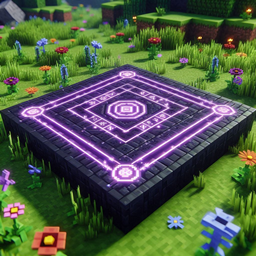
The Endless Pearls Data Pack revolutionizes the mechanics of ender pearls in Minecraft, offering players a dynamic and exhilarating teleportation experience like never before. With this data pack installed, the mundane act of throwing an ender pearl transforms into a thrilling journey of endless teleportation, enabling players to traverse vast distances with ease and fluidity.
Seamless Teleportation: Upon throwing an ender pearl, players seamlessly teleport to its location, eliminating any interruptions or delays in their movement. This ensures a smooth and immersive teleportation experience, enhancing gameplay fluidity.
Instantaneous Cooldown Removal: The data pack abolishes the cooldown typically associated with throwing ender pearls, allowing players to unleash their teleportation abilities without constraints. This instantaneous cooldown removal empowers players to teleport at will, facilitating rapid movement and strategic maneuvering.
Continuous Chaining of Teleportation: Unlike conventional gameplay, where teleportation is limited to individual ender pearls, this data pack enables players to chain their teleportation indefinitely. Upon throwing subsequent ender pearls while already in transit, players seamlessly transition to the latest ender pearl's trajectory, enabling continuous movement without interruption.
Infinite Exploration: With the ability to chain teleportation endlessly, players gain unprecedented freedom to explore Minecraft's vast landscapes and conquer challenging terrain. Whether navigating treacherous landscapes, scaling towering mountains, or traversing expansive oceans, the Endless Pearls Data Pack empowers players to embark on limitless adventures with unparalleled ease.
Enhanced Survival Experience: In survival mode, the data pack offers a heightened sense of adventure and exploration, allowing players to overcome obstacles and explore distant realms with newfound agility. By removing the constraints of cooldowns and enabling seamless chaining of teleportation, survival gameplay becomes more dynamic and exhilarating, encouraging players to push the boundaries of exploration and discovery.
Customization and Compatibility: The data pack is highly customizable, allowing server administrators to adjust teleportation mechanics and parameters to suit their preferences and gameplay styles. Additionally, it seamlessly integrates with existing Minecraft worlds and server environments, ensuring compatibility and ease of use for players and server operators alike.
Download the Endless Pearls Data Pack from a trusted source. Place the data pack file in the "datapacks" folder of your Minecraft world or server directory. Load the data pack in-game by running the command "/datapack enable <datapack_name>". Enjoy the enhanced teleportation experience and embark on limitless adventures with the Endless Pearls Data Pack!** Note: It's recommended to back up your Minecraft world before installing any data packs to ensure the safety of your progress and gameplay experience.
With the Endless Pearls Data Pack, teleportation in Minecraft transcends its conventional limitations, offering players an exhilarating and boundless journey through the vast realms of the game. Whether embarking on epic quests, exploring uncharted territories, or engaging in thrilling PvP battles, this data pack empowers players to unleash their teleportation abilities and embark on unforgettable adventures in the world of Minecraft.