Mineuniverse
Data Packs
Dragon Survival Sculk Addon Wing Unlocker

Dragon Survival Sculk Addon Wing Unlocker

DATA PACK
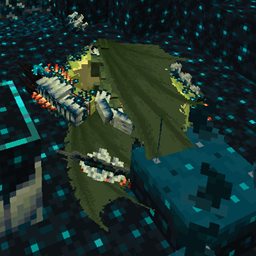
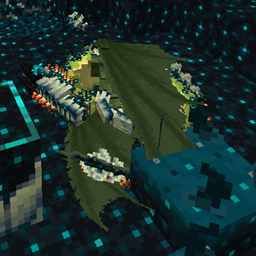
automatically enables wings for sculk sculk dragons
by joeyjumper94
Download Claim this project
Add a badge to your pageLink to Dragon Survival Sculk Addon Wing Unlocker from a README, website or forum post.
Preview: Badge

Badges update automatically and link to the data pack page on MineUniverse.

812 downloads
0 likes
0 followers
Updated Oct 14, 2026
0 hypes
Follow0
Adventure Magic Mod Support
Advertisement Remove ads with Premium →

DEPRECIATED, Functionality has been migrated to the main addon, this will not work on Sculk Dragon addon versions posted after July 9th 2026 


enables the wings of all sculk dragons without needing to use a flight grant.

if you run the command "

/scoreboard players set ds_sculk_dragon ds_sculk_dragon_wing_autounlock 0

"it will disable the wings for all sculk dragons that did not use a flight grant until the datapacks are loaded again.


required mods

Dragon survival: 

https://github.com/DragonSurvivalTeam/DragonSurvival if you want to compile the latest beta from source.

https://www.curseforge.com/minecraft/mc-mods/dragons-survival if you just want to download and play.

ds_sculk_dragon:

https://github.com/joeyjumper94/ds_sculk_dragon if you want to see the source code.

https://www.curseforge.com/minecraft/texture-packs/dragon-survival-sculk-addon if you just want to download and play.

suggested mods:

Global Datapacks:
https://www.curseforge.com/minecraft/mc-mods/drp-global-datapack simplifies usage of datapacks.
 

installation instructions

for clients: place a copy of ds_sculk_dragon into the datapacks folder of the world you want to play a sculk dragon in.
for dedicated servers: place a copy of ds_sculk_dragon into the datapacks folder of the world folder eg "./minecraft_dedicated_server/world/datapacks/ds_sculk_dragon_unlock_wings"
ds_sculk_dragon_unlock_wings.zip
MC 1.21
Release 2025-10-02 Get
ds_sculk_dragon_unlock_wings.zip
MC 1.21.1
Release 2025-05-03 Get

Requirements & install

How to use this data pack in Minecraft
Mods needed
None, works in vanilla
Minecraft
1.21 – 1.21.1
Install folder
saves/<world>/datapacks

How to install data packs

  1. Download the data pack .zip file (do not extract it).
  2. New world: click Data Packs on the world creation screen and drop the .zip in. Existing world: open .minecraft/saves/<world>/datapacks.
  3. Put the .zip into the datapacks folder of the world (servers: world/datapacks).
  4. Run /reload in game (or rejoin the world) and check it with /datapack list.
Browse more: Data Packs for 1.21.1 All data packs

More from joeyjumper94

Advertisement Remove ads with Premium →

You Might Also Like