Badges update automatically and link to the data pack page on MineUniverse.
Bring an early Minecraft: Story Mode crafting idea into Cracker's Wither Storm Mod!
This datapack adds a crafting recipe for Super TNT inspired by the recipe that was planned for Minecraft: Story Mode before Super TNT was replaced by the Formidi-Bomb.
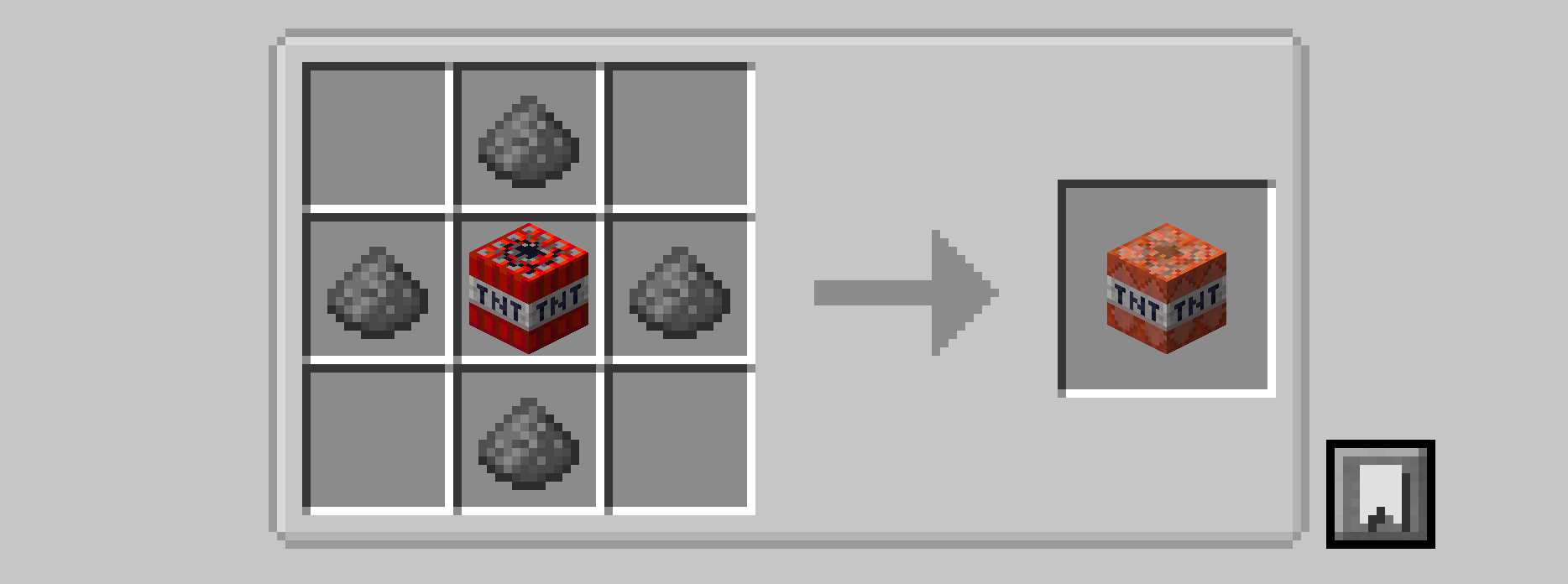
Craft 1 Super TNT using:
1 TNT
4 Gunpowder
Place the TNT in the center of the crafting table with gunpowder directly above, below, left, and right of it.
[   ][Gunpowder][   ]
[Gunpowder][TNT][Gunpowder]
[   ][Gunpowder][   ]
➡️ Result: 1 Super TNT
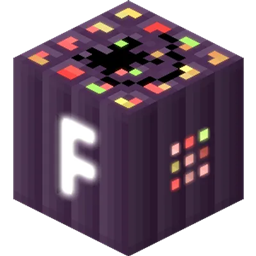
During the development of Minecraft: Story Mode, Super TNT was originally going to play the role that was eventually given to the Formidi-Bomb.
This datapack brings that idea into Cracker's Wither Storm Mod by giving Super TNT the crafting recipe associated with that earlier concept.
It is a small datapack for players who want another piece of Minecraft: Story Mode history represented in their CWSM worlds.
Separate downloads are available for:
Minecraft 1.20.1
Minecraft 1.19.4
Minecraft 1.18.2
Make sure you download the file made for your Minecraft version.
Cracker's Wither Storm Mod (CWSM) is required.
This datapack does not add Super TNT itself. It simply adds the crafting recipe for the Super TNT already provided by CWSM.
Download the version that matches your Minecraft version.
Open your Minecraft world folder.
Open the datapacks folder.
Place the downloaded ZIP directly inside.
Start or reload the world.
Craft your Super TNT!
You can use /reload if you install it while the world is already running.
The Wither Storm Fan
Created for fans of Minecraft: Story Mode and Cracker's Wither Storm Mod.