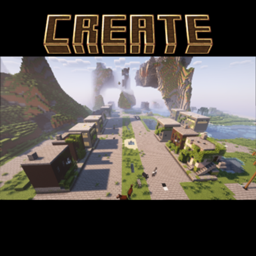
This datapack adds a framework to use smooth camera features to Minecraft.
This data pack belongs to the Minecraft unOfficial Project.
This same information can be found within the data pack itself (documentation.txt)
Here are the following functions intented to be used by the creators:
/function ccf:load_camera {"pos":"<position>","yaw":<yaw>,"pitch":<pitch>,"players":"<players>"}
This function load the camera, whereas:
<position> = The position where the camera will spawn. Example: 0 64 0<yaw> = Horizontal rotation where the camera will face when spawn, between 0 to 180 with negatives. Example: -150<pitch> = Vertical rotation where the camera will face when spawn, between 0 to 90 with negatives. Example: -5<players> = Selected players that will be inside the camera POV. Example: @a[type=player]/function ccf:unload_camera {"gamemode":"<gamemode>"}
This function unload the camera, whereas:
<gamemode> = The gamemode that the players will be when leaving camera mode. Example: adventure/function ccf:cut {"pos":"<position>","yaw":<yaw>,"pitch":<pitch>}
This function makes a cut the camera position, whereas:
<position> = The position where the camera will spawn. Example: 0 64 0<yaw> = Horizontal rotation where the camera will face when spawn, between 0 to 180 with negatives. Example: -150<pitch> = Vertical rotation where the camera will face when spawn, between 0 to 90 with negatives. Example: -5/function ccf:move {"pos":"<position>","yaw":<yaw>,"pitch":<pitch>,"time":<time>}
This function moves the camera cinematografically, whereas:
<position> = The position where the camera will spawn. Example: 0 64 0<yaw> = Horizontal rotation where the camera will face when spawn, between 0 to 180 with negatives. Example: -150<pitch> = Vertical rotation where the camera will face when spawn, between 0 to 90 with negatives. Example: -5<time> = The time (in ticks) that it will take to the camera to go to the actual position to the new position. Example: 100This project is licensed under the GNU Lesser General Public License v2.1. You may use, modify, and redistribute it under the terms of the LGPL v2.1.
This software is provided "as is", without warranty of any kind. See the LICENSE file or https://www.gnu.org/licenses/old-licenses/lgpl-2.1.txt for full license text.