Mineuniverse
Data Packs
⛏️ Create Ore Excavation x Mekanism

⛏️ Create Ore Excavation x Mekanism

DATA PACK
The perfect datapack for anyone wanting to combine Create Ore Excavation with Mekanism in Minecraft 1.21.x
by LeotoTV_live
Download Claim this project
Add a badge to your pageLink to ⛏️ Create Ore Excavation x Mekanism from a README, website or forum post.
Preview: Badge

Badges update automatically and link to the data pack page on MineUniverse.

596 downloads
0 likes
0 followers
Updated Oct 14, 2026
0 hypes
Follow0
Miscellaneous Mod Support Utility
Advertisement Remove ads with Premium →

The perfect datapack for anyone wanting to combine Create Ore Excavation with Mekanism


✨ Features

NEW! Tiered Fluid Drilling System: Reward your factory building! Pump Mekanism fluids into your drills for massive bonuses:

  • Tier 1 (Brine): Grants a 50% chance for bonus ores. Requires a Diamond or Netherite Drill.

  • Tier 2 (Sulfuric Acid): 100% guaranteed double ores AND 2x drilling speed! Exclusively requires the high-end Netherite Drill.

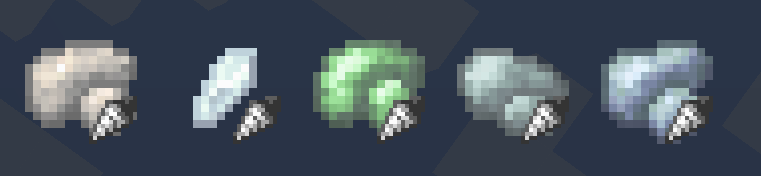
  • 5 Ready-to-Use Ore Veins & Drilling Recipes: Integrates raw Osmium, Lead, Tin, Uranium, and Fluorite.
  • 1.21.x Ready: Completely error-free JSON structure.
  • Infinite or finite Veins: This is changed via the default COE config.
  • Conflict-Free Generation: Individual, optimized salt values ensure that all ores generate cleanly and do not overwrite each other in the same chunk.


⚙️ Customization (For Server Admins)

By default, the ores are set to be quite common so they are easy to find. You can easily adjust the rarity to balance your server:

  1. Open the datapack and navigate to data/createoreexcavation/ore_vein_type/.

  2. Open the desired ore file.

  3. Under the "placement" section, change the values for "spacing" (grid size in chunks) and "separation" (minimum distance in chunks). > Note: The separation value must always be strictly smaller than the spacing value!


📥 Installation

  1. Download the .zip file.

  2. For an existing world: Move the .zip into your world's datapacks/ folder and run the /reload command in-game.

  3. For a new world: Add the .zip directly via the "Data Packs" tab during the world creation menu.

COExMekanism1.21_v2.zip
MC 1.21, 1.21.8, 1.21.5, 1.21.4, 1.21.1, 1.21.6, 1.21.3, 1.21.7, 1.21.2, 1.21.9, 1.21.10, 1.21.11
Release 2026-05-31 Get
COEMekanismPort1.21_v1.zip
MC 1.21, 1.21.8, 1.21.5, 1.21.4, 1.21.1, 1.21.6, 1.21.3, 1.21.7, 1.21.2, 1.21.9, 1.21.10, 1.21.11
Release 2026-05-19 Get

Requirements & install

How to use this data pack in Minecraft
Mods needed
None, works in vanilla
Minecraft
1.21.4 – 1.21.11
Install folder
saves/<world>/datapacks

How to install data packs

  1. Download the data pack .zip file (do not extract it).
  2. New world: click Data Packs on the world creation screen and drop the .zip in. Existing world: open .minecraft/saves/<world>/datapacks.
  3. Put the .zip into the datapacks folder of the world (servers: world/datapacks).
  4. Run /reload in game (or rejoin the world) and check it with /datapack list.
Browse more: Data Packs for 1.21.11 All data packs

More from LeotoTV_live

Advertisement Remove ads with Premium →

You Might Also Like