Mineuniverse
Data Packs
Big Globe - Mythic Metals Compatibility

Big Globe - Mythic Metals Compatibility

DATA PACK
Compatibility between Big Globe and Mythic Upgrades that ensures the correct generation of ores
by Bareneil
Download Claim this project
Add a badge to your pageLink to Big Globe - Mythic Metals Compatibility from a README, website or forum post.
Preview: Badge

Badges update automatically and link to the data pack page on MineUniverse.

6,244 downloads
0 likes
0 followers
Updated Oct 14, 2026
0 hypes
Follow0
Adventure Miscellaneous Mod Support Utility
Advertisement Remove ads with Premium →

A compatibility datapack for Mythic Metals, makes all ores generate correctly in Big Globe

🌍 Overworld Ore Distribution

Adamantite
• Spawns at Y -668 and below

Aquarium
• Generates beneath ocean floors
• Also found in Dripping Caves

Banglum
• Between Y 75 to Y -100

Carmot
• Between Y -400 to Y -500

Kyber
• Below Y 0, embedded in Calcite

Manganese
• Between Y -100 to Y -500

Morkite
• Between Y -300 to Y -600

Mythril
• Between Y -400 to Y -500

Orichalcum
• Below Y -400

Osmium
• Above Y 128

Platinum
• Between Y -100 to Y -500

Prometheum
• Beneath the surface in Warm Biomes
• Also generates in Lush Caves

Quadrillum
• Between Y -30 to Y -400

Runite
• Between Y 50 to Y -100

Silver
• Between Y -30 to Y -400

Starrite
• Above Y 150
• Must generate within 5 blocks of the surface

Tin
• Between Y 50 to Y -200

Unobtainium
• Generates in The Deep Dark


🔥 Nether Ore Distribution

Midas Gold
• Generates at all Y levels

Banglum
• Above Y 500

Palladium
• Below Y 128 in the Inferno biome
• Below Y 64 in all other Nether biomes (lava ocean level)

Stormyx
• Below Y 500


🌌 End Ore Distribution

Starrite
• Generates at all Y levels

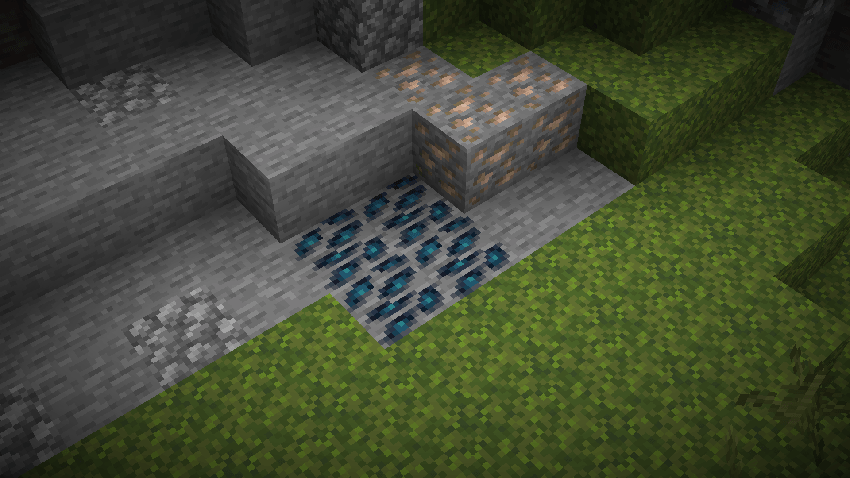
Some screenshots:

bigglobe_mythic_metals.zip
MC 1.21.2-Snapshot, 1.21, 1.21.6-snapshot, 1.20.2-Snapshot, 1.20.5-Snapshot, 1.21.1-Snapshot, 1.20.2, 1.21.8, 1.20.5, 1.21.5, 1.21.4, 1.21.5-Snapshot, 1.20.1, 1.20, 1.20.6
Release 2026-02-19 Get

Requirements & install

How to use this data pack in Minecraft
Mods needed
None, works in vanilla
Minecraft
1.21 – 1.21.8
Install folder
saves/<world>/datapacks

How to install data packs

  1. Download the data pack .zip file (do not extract it).
  2. New world: click Data Packs on the world creation screen and drop the .zip in. Existing world: open .minecraft/saves/<world>/datapacks.
  3. Put the .zip into the datapacks folder of the world (servers: world/datapacks).
  4. Run /reload in game (or rejoin the world) and check it with /datapack list.
Browse more: Data Packs for 1.21.8 All data packs

More from Bareneil

Advertisement Remove ads with Premium →

You Might Also Like