Mineuniverse
Data Packs
AMR Bot

AMR Bot

DATA PACK
Explore new biomes, discover diverse modules, and assemble your own modular robot in Minecraft
by Alumopper
Download Claim this project
Add a badge to your pageLink to AMR Bot from a README, website or forum post.
Preview: Badge

Badges update automatically and link to the data pack page on MineUniverse.

448 downloads
0 likes
0 followers
Updated Oct 14, 2026
0 hypes
Follow0
Adventure ModJam 2025
Advertisement Remove ads with Premium →

AMR Bot

A modular-robot datapack for Minecraft — explore new biomes, find and collect modules, and assemble customizable robots to suit any playstyle.

Key Features

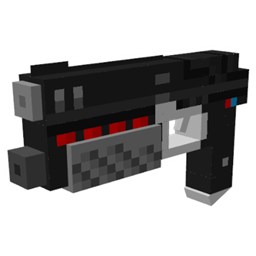
  • Three robot types: Unversal, Aerial, and Arsenal, each with distinct roles.
  • Modular system: Mix-and-match Attack and Exploration modules for tailored builds.
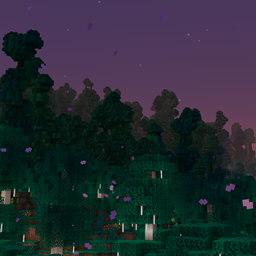
  • New biomes: Discover robots and modules hidden across freshly added biomes.
  • Emergent gameplay: Find, combine, and upgrade modules to create unique robot loadouts.

License

  • Project license: MIT License — this datapack is released under MIT.
  • Third-party library: Uses bookshelf, licensed under MPL-2.0.
  • When distributing the project, include the MIT LICENSE and comply with MPL-2.0 requirements for the bookshelf component (e.g., include its license and notices).
AMR_1.1.1
MC 1.21.10, 1.21.11-snapshot, 1.21.11, 26.1-snapshot
Release 2025-12-29 Get
v1.1 Hotfix
MC 1.21.10, 1.21.11-snapshot, 1.21.11
Release 2025-12-18 Get
AMR_datapack_1.1.zip
MC 1.21.10, 1.21.11-snapshot, 1.21.11
Release 2025-12-14 Get
AMR datapack 1.0.zip
MC 1.21.10
Release 2025-10-22 Get

Requirements & install

How to use this data pack in Minecraft
Mods needed
None, works in vanilla
Minecraft
1.21.10 – 26.1-snapshot
Install folder
saves/<world>/datapacks

How to install data packs

  1. Download the data pack .zip file (do not extract it).
  2. New world: click Data Packs on the world creation screen and drop the .zip in. Existing world: open .minecraft/saves/<world>/datapacks.
  3. Put the .zip into the datapacks folder of the world (servers: world/datapacks).
  4. Run /reload in game (or rejoin the world) and check it with /datapack list.
Browse more: Data Packs for 26.1-snapshot All data packs

More from Alumopper

Advertisement Remove ads with Premium →

You Might Also Like