curseforge likes to reject my resourcepacks, they are not the same, they are separate for different versions of Minecraft. If you are unable to download the correct version due to nonsense from curseforge, all my products are available for free on the idling.app Discord server.

⚠️ THE MOD VARIANT IS A WRAPPED DATAPACK, YOU STILL MUST DOWNLOAD AND ENABLE THE RESOURCEPACK THAT EVERY RELEASE HAS IN ITS SUPPLEMENTARY FILES SECTION
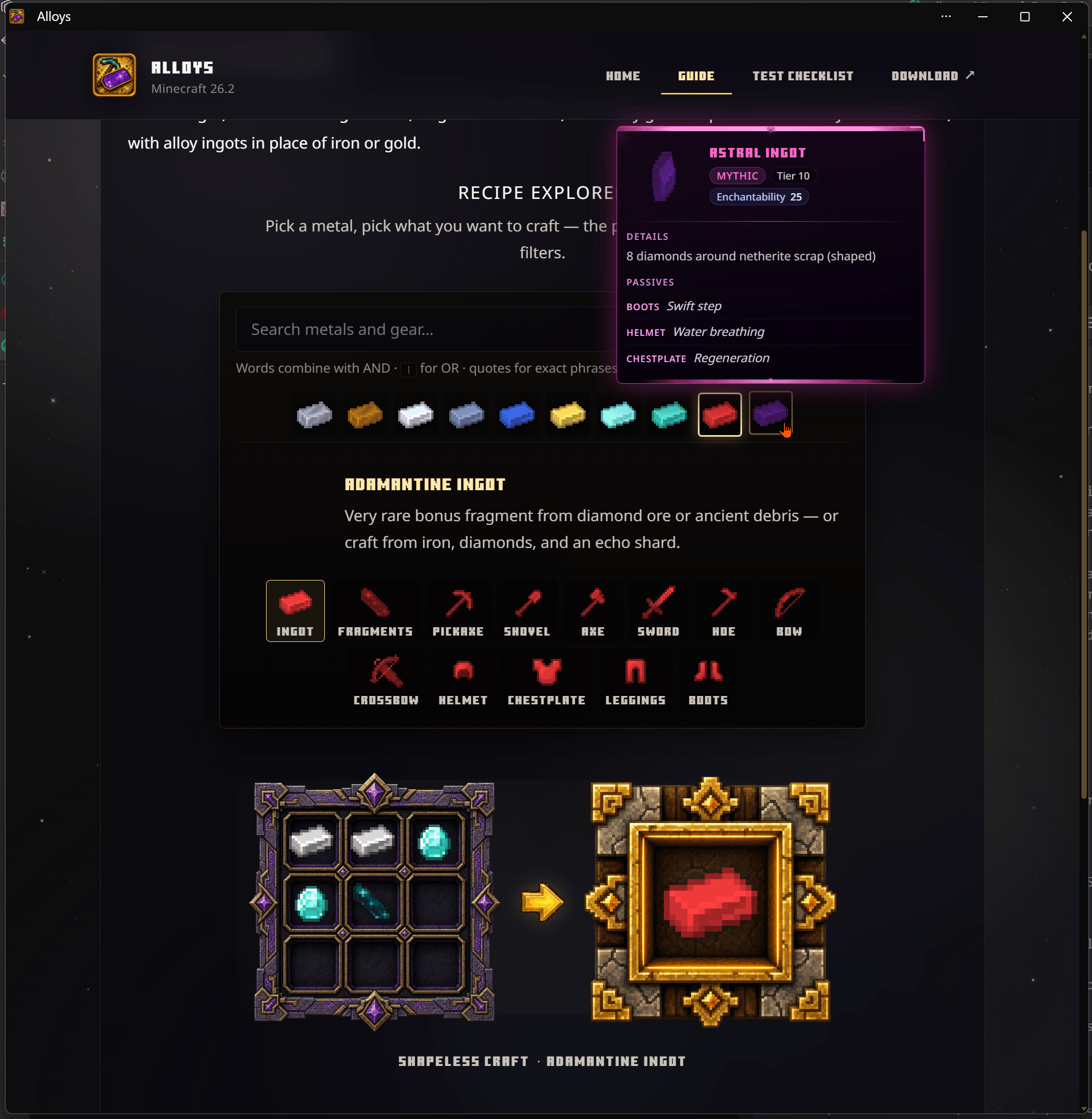
alloys adds ten fantasy metals to Minecraft 26.2 — from Tin to Astral — with full toolsets, armor, bows, material stats, lore, and passive traits. It is fully additive: vanilla recipes and ore drops are preserved.
Ships as a datapack (required for gameplay) and a companion resource pack (required — distinct textures for every ingot, fragment, tool, and armor piece). An optional Paper plugin adds a recipe chest GUI, written guidebook, and /alloys commands.
Forge deeper. Vanish never.
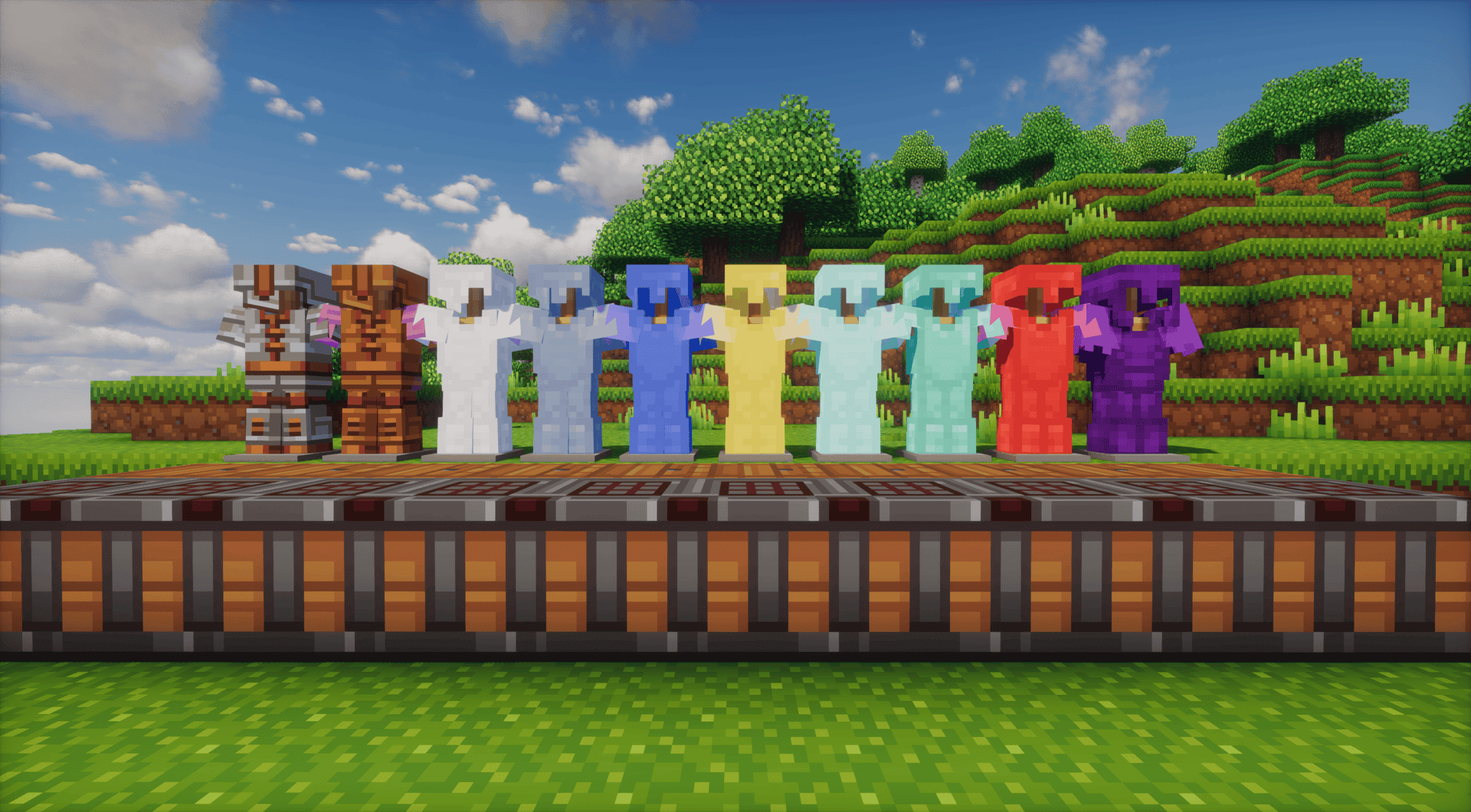
in testing, tools+armor+crossbows+bows should all be good to go, regular playtesting is ongoing on the Shirecraft survival server
#alloys:ingots/<alloy> tags/alloys guidebook on Paper)| # | Alloy | Band | ≈ Stats | Source |
|---|---|---|---|---|
| 1 | Tin | Common | copper | Craft |
| 2 | Bronze | Common | copper | Craft |
| 3 | Silver | Uncommon | iron | Craft |
| 4 | Steel | Uncommon | iron | Craft |
| 5 | Cobalt | Uncommon | iron | Ore bonus or craft |
| 6 | Nickel | Rare | iron | Ore bonus or craft |
| 7 | Platinum | Rare | gold | Craft |
| 8 | Mythril | Epic | diamond | Ore bonus or craft |
| 9 | Adamantine | Legendary | diamond | Ore bonus or craft |
| 10 | Astral | Mythic | netherite | Craft (endgame) |
Lore format: Tier: {Band} · Tier {N} · ≈{vanilla} — bands (Common→Mythic) are progression labels, not loot rarity.
Ore bonus drops (extra roll only — pool 1 is unchanged vanilla):
| Fragment | Chance | Host ores |
|---|---|---|
| Cobalt Fragment | 0.125% | Coal, copper, lapis (incl. deepslate) |
| Nickel Fragment | 0.156% | Iron (incl. deepslate) |
| Mythril Fragment | 0.0625% | Redstone, emerald (incl. deepslate) |
| Adamantine Fragment | 0.031% | Diamond (incl. deepslate), ancient debris |
Fragments are non-smeltable glowing collectibles. Nine matching fragments craft one ingot (#alloys:fragments/<alloy>). Each ore alloy also has a vanilla-material ingot recipe on its guide pages.
alloys-datapack-*.zipdatapacks/ folder and rename to Alloys.zip/reload (functions must register)alloys-resourcepack-*.zipresourcepacks/ and set resource-pack= in server.properties (optional require-resource-pack=true).Gameplay works without the resource pack however, you will be missing textures.
The plugin provides a chest GUI for in-game guidance and administration.
alloys-plugin-*.jar in plugins/Requirements: Minecraft 26.2 · datapack format 107.1 · resource pack format 88.0 · Java 25 (Paper plugin)
Datapack:
/function alloys:help — clickable help menu/function alloys:give/<alloy> — operator test kit (materials, ingot, full tools & armor)/function alloys:give/guidebook — written guidebookPaper plugin:
/alloys help — recipe browser (chest GUI)/alloys recipes — chat recipe viewer/alloys guidebook — written guidebook/alloys give <alloy> — operator kits/alloys reload — reload plugin configPermissions: alloys.use (default: all players) · alloys.admin / alloys.give (default: op)
If Rituals is also installed, alloy tools can undergo Soul Embodiment awakening. Integration tags ship inside every Alloys zip — no extra download.
Alloys adds content under alloys:* — it does not disable, replace, or suppress vanilla minecraft:* crafts. Ore changes append a second bonus loot pool; they never remove normal drops.
Author: strixun · Underwood Inc