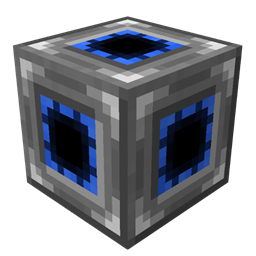
Do you have a huge base with enormous amount of machines, which look beautiful and drop your FPS at the same time? Even if you stay on another floor and CAN'T see them? Or this is some kind of laggy block, which has heavy impact on FPS, it is still very useful but you do NOT want to see it at all? Well, now you can fix these issues!
Opti-Cube hides all tiles and special blocks in certain region if you are further than a certain distance from the region. Such hiding is only visual, all hidden blocks still exist and work.
3 Initial steps on how to play with Opti-Cubes:
1. Place Opti-Cube next to the region you want to hide.
<Sneak + Right-Click> on it with Opti-Wrench to start region editing.
<Sneak + Right-Click> again to cancel the editing.

2. Click with Opti-Wrench on the block which you want to be the first corner of the region.
Click with Opti-Wrench on the block which will be the second corner.

3. Scroll mouse wheel with Opti-Wrench in hand looking at Opti-Cube to change activation distance

Extra:
- By default Opti-Cube activation distance is 16.
- If the distance is set to 0, the player will see nothing in the region, until he enters it.
- If the distance is set to X, the player will never see the content of the region.