Mineuniverse
Log in Register
Plugins

Travoria Redstone

An easy way to use the most common circuits even with bigger input numbers.
by _ForgeUser12537854
Download Claim this project
621 downloads
0 likes
Updated Jun 30, 2026
0 hypes
Fun Mechanics

You like redstone circuits?
You like them really much?
Then you surely like the repeative setup of the common circuits like AND or XOR.
Not.

Now this is where Travoria Redstone can help you. The plugin provides you with the most common circuit blocks in an easy and place saving way!

Features

Travoria Redstone brings you an easy way to use the basic logic circuits as well as two different flipflops. All logic circuits come with a dynamic amount of inputs so even if you want to connect 5 different signals with AND - no problem!

  • Circuits:
    • AND
    • NAND
    • XOR
    • XNOR
    • Implication (left and right)
    • Equivalenz
    • JK-Flip-Flop
    • T-Flip-Flop

In the case that you want to destroy the circuit it will automatically rebuild the blocks it overwrote while creating the circuit!

Flip-Flops

Flip-Flops generally have only two inputs. Hence even the third row is free for use when you create a Flip-Flop.

JK-Flip-Flop

The JK-FF (often refered to jump and kill) saves one bit:

  • J - The first/left input
    • Refered to as jump it sets the output on 'on'
  • K - The second/right input
    • Refered to as kill it resets the output to 'off'

If both inputs are set to 'off' the current state will be saved. If both inputs are set to 'on' the current state will be toggled.

T-Flip-Flop

The T-FF (toggle) saves one bit and toggles the outgoing state everytime when the T-Input is set from 'off' to 'on':

  • T - The first/left input
    • Toggles the state of the Flip-Flop
  • R - The second/right input
    • Resets the state of the Flip-Flop

As long as the 'R' input is set 'on' the output will stay on 'off'.

How to use

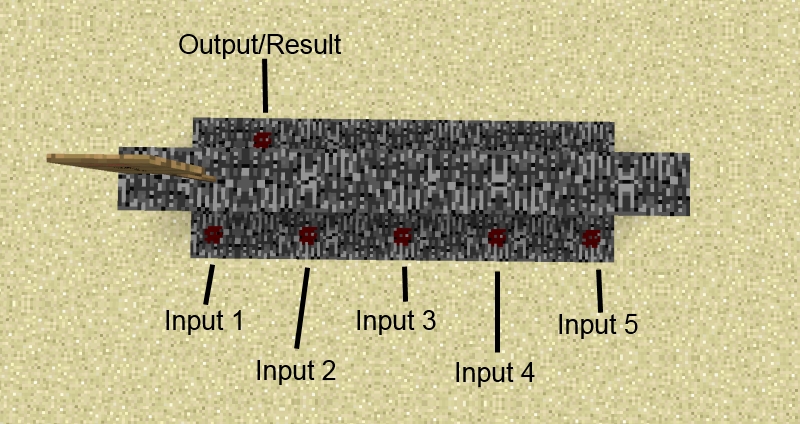
Step 1

How to: Step 1

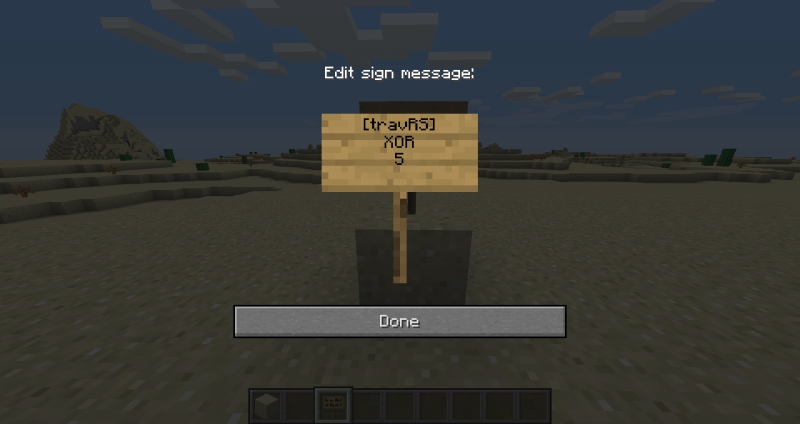
Step 2

How to: Step 2

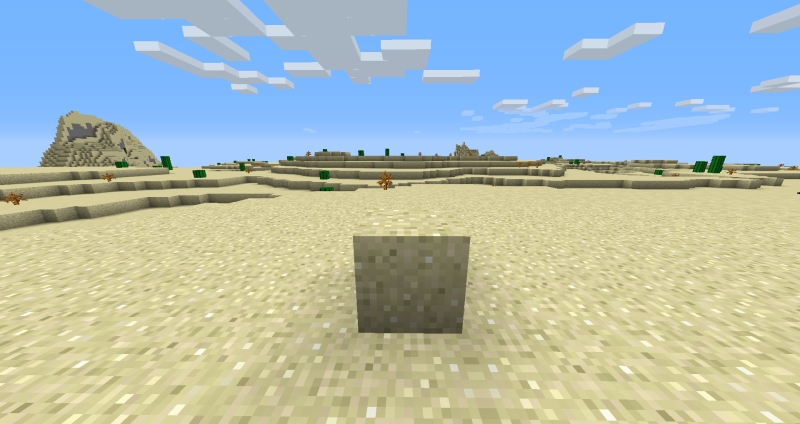
Step 3

How to: Step 3

For further information about every circuit use the ingame command '/travRS info'.

Commands

  • /travRS
    • help: Get help
    • list: List all circuits you can create with this plugin
    • info [circuit]: Get information about the specific circuit
    • howTo: Explanation how to create a circuit.

Permissions

  • travRS.user : Can use the full plugin

Configuration

  • calculationPeriod:
    • The interval (in server ticks) in which every result of the circuits should be calculated.

Dependency

None

1.0.0_stable
MC CB 1.6.4-R2.0
Beta 2013-11-07 Get

More from _ForgeUser12537854

Travoria Broadcaster
556
Travoria RentA
1,432
Travoria Lands
1,226

You Might Also Like

MobHealth
Simple plugin to let you know the damage you just caused to a mob, and how much health it has left.
989,881
Player Heads
Lop off Player and all Mob Heads with configurable drop rates + pvp-farming nerf, includes detailed commands and permissions
979,351
Advanced Item Effects
Adds custom effects to any item including potion effects.
97,290
VoxelMore
"Sharing is caring."
9,999
SunSteel
A Golden Item Enhancement Plugin
9,880
Sneaker
Hide name tags above players' heads.
9,865