ReviveSystem
This plugin is especially designed for Hardcore and Semi-Hardcore servers.
While death remains a serious and meaningful event, ReviveSystem introduces a controlled and limited way for players to return to the game. Revivals require teamwork, rare items, and strategic decisions, ensuring that the Hardcore feeling is preserved.
What does the plugin do?
When a player dies, they are not immediately eliminated but can be revived by other players using specific items or at designated locations. This creates new tactical opportunities and a more exciting gameplay experience.
Benefits & Advantages
Prevents frustration from permadeath
Encourages teamwork and collaboration
Introduces new gameplay mechanics and challenges
Customizable for different server types
How does the revive system work?
Player death: When a player dies, they enter a "waiting state" (e.g., spectator mode).
Revival: Other players can bring them back to life using a special revive item or at a respawn location.
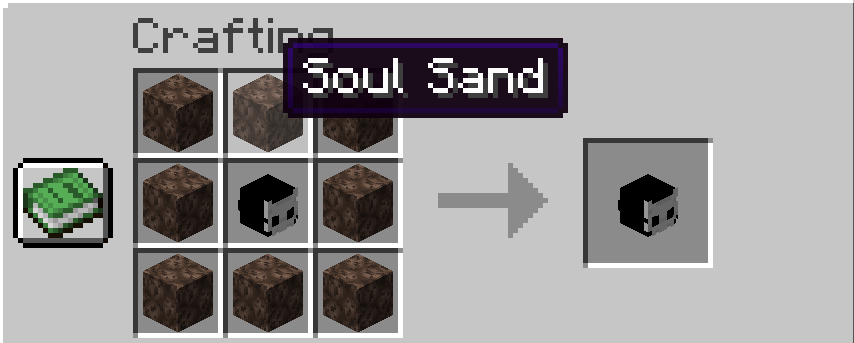
Revive items: These items can be found, crafted, or given as rewards (see below).
Configuration: Admins can set how many lives a player has, how items are distributed, and more.
Example Gameplay Flow
Player A dies in combat and becomes a spectator.
Player B finds a revive item and uses it on Player A.
Player A is revived and can continue playing.
Items & Mechanics
Revive Item: A special item used for reviving players. Can be found, crafted, or granted in-game.
Respawn Point: A designated location where revivals can take place.
Head Mechanic: Optionally, player heads can act as "tokens" for revival.
FAQ What happens if no one has a revive item?
The player remains in the waiting state until another player revives them or an admin intervenes.
Which servers are supported?
Bukkit, Spigot, and Paper (tested with Minecraft 1.21 to 1.21.10).
How can I test the plugin?
Install it on a test server, kill a player, and try reviving them with the revive item.
Features
Players can be revived after death
Special items and mechanics for the revive system
Customizable settings (e.g., number of lives, messages, items)
Compatible with Minecraft 1.21–1.21.10
Promotes teamwork and fairness
Installation
Download the latest version of the plugin (JAR file).
Place the JAR file in your Minecraft server's plugins folder.
Restart the server.
Adjust the configuration as needed (see above).
Configuration
Configuration files are created automatically on first server start.
Adjust settings such as number of lives, messages, items, and recipes according to your preferences.
Compatibility
Tested with Minecraft 1.21–1.21.10
Requires a server running Bukkit, Spigot, or Paper
Support
For support, feedback, or suggestions, feel free to contact me on Discord. I am happy to help! [desertlox]