BlockEditor — Custom Block Creator & Color Picker
Create, name, and use custom-colored blocks with an intuitive editor and seamless WorldEdit support. Built for builders, server admins, and map makers who want unlimited creative control in Minecraft 1.20.1.
What’s New in v1.0.3
- World-based pick block: middle-click any BlockEditor block in the world to equip it
- Smart matching: finds the exact block in your inventory (Color + OriginalBlock [+ CustomName])
- Server fallback: requests the exact item from the server if not found locally
- Clean distribution: installs with no pre-saved history or blocks
- Quality: small internal fixes and better messages
Core Features
Performance & Compatibility
- Minecraft: 1.20.1
- Mod Loader: Forge 47.3.0+
- Works in single-player and multiplayer (client + server compatible)
- Efficient NBT and rendering—no noticeable performance cost
- No bundled user data; clean install every time
Simple Workflow
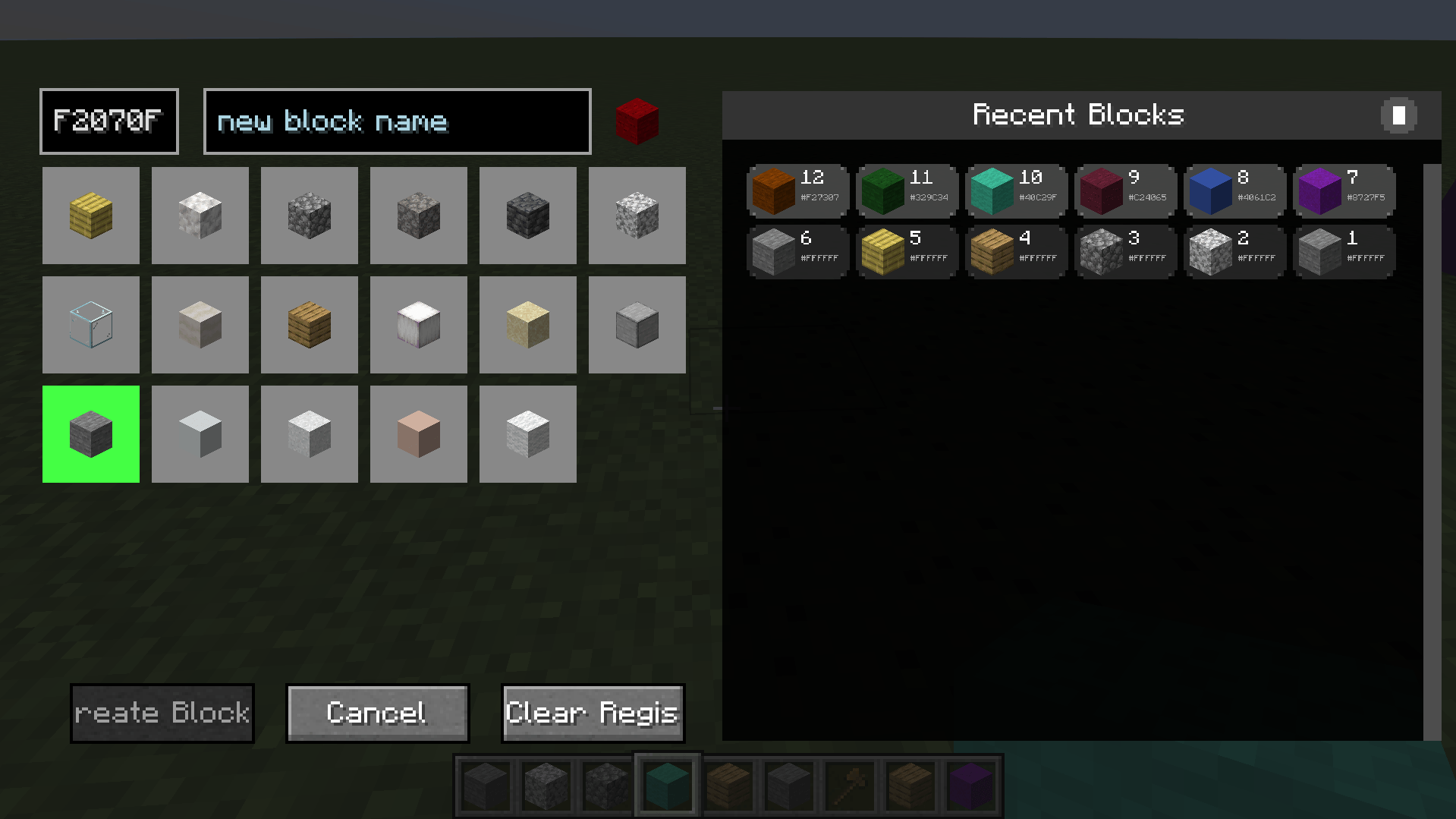
- Press G to open the Block Editor
- Choose a base block type
- Enter a hex color (e.g., FF0000)
- Optionally give it a custom name (e.g., wall, roof, accent)
- Click Create Block and start building
Pro tip: Middle-click a custom block in the world to equip it instantly.
Commands
/be clear — clears all custom user blocks/be refresh — fixes any local color display issues nearby
Perfect For
- Creative builders and architects
- Server administrators and build teams
- WorldEdit power users
- Map makers and content creators
Technical Info
- Side: Client & Server
- License: MIT (open source)
- No external dependencies (WorldEdit optional but recommended)
Installation
- Place the JAR in your mods folder (CurseForge instance or manual install)
- Launch Minecraft with Forge 47.3.0+
- Keybind G is configurable in Controls