This is a Minecraft Forge mod to demo the Payer2 API.
Important Note: To use this mod (either as a developer or a user), you must have the Player2 app installed and running.
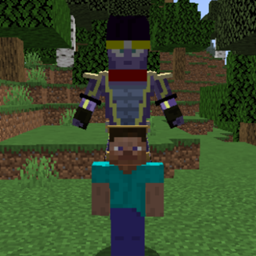
This mod allows the currently selected character from the Player2 app to act as an "AI God" that can execute commands and chat to the user in the game Minecraft.
Make sure you have the Player2 app installed.
Download and install Forge.
Download the latest release of the mod.
Then install via forge (drag into .minecraft/mods)
Run the Player2 app, then open minecraft. Open a singleplayer world, and the character should greet you with a message. Simply type in chat, and the character will respond with chat messages, commands, or both. You can also press x to use voice chat with the god.
Make sure you have the Player2 app installed.
Make sure you have some JDK installed. On Windows we tested with OpenJDK21.
Extract the ZIP file, then navigate to the extracted folder.
Depends on what IDE you wish to use:
IntelliJ:
./gradlew genIntellijRunsEclipse:
./gradlew genEclipseRunsgradlew eclipse to generate the project.If at any point you are missing libraries in your IDE, or you've run into problems you can run gradlew --refresh-dependencies to refresh the local cache. gradlew clean to reset everything (this does not affect your code) and then start the process again.
Before running the game, make sure the Player2 app is open.
To run the game, either in IntelliJ or Eclipse, open up the Gradle tab, then under Tasks/forgegradle runs there should be a gradle option for runClient. Simply click that and minecraft should open.
Once the Player2 app is running, the docs can be found by opening http://localhost:4315/docs on any web browser.