Mineuniverse
Log in Register
Plugins

TextWhitelist

A powerful, text-file based whitelist with multiple modes and full in-game command management.
by cowboytheoriginal
Download Claim this project
98 downloads
0 likes
Updated Jun 30, 2026
0 hypes
Admin Tools

💬 TextWhitelist

Tired of managing a cumbersome whitelist.json file? TextWhitelist is a powerful, lightweight whitelist plugin for Spigot-based servers (Paper, Purpur, etc.) designed for wide compatibility (1.8 - 1.21+).

It's the perfect solution for offline-mode servers or any community that needs to quickly manage player access using simple text files instead of dealing with UUIDs.

This plugin evolves beyond a simple whitelist into a full-fledged access management tool, allowing you to control every aspect directly from in-game commands without ever needing a server restart.


✨ Features

  • Full In-Game Management: Control every aspect of the plugin with a comprehensive command suite.
  • Master On/Off Switch: Globally enable or disable the plugin's functionality on the fly with /wltxt enable|disable.
  • Dual Whitelist Modes:
    • PLAYERS Mode: Standard operation. Allows players listed in players.txt.
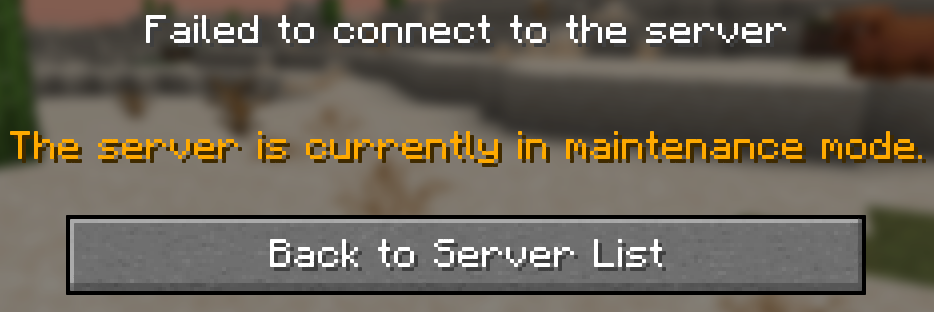
    • ADMINS Mode: Maintenance mode. Only allows staff listed in admins.txt.
  • Context-Aware Commands: The plugin is smart! It provides different kick messages for different scenarios and only kicks players when it makes sense.
  • Instant Reloading: Use /wltxt reload to apply changes to your .txt files instantly without a server restart.
  • Enforce on Reload: When reloaded, the plugin automatically kicks any online players who are no longer on the active whitelist.
  • Wide Version Compatibility: Works on most Spigot-based servers from version 1.8 to 1.21 and newer.
  • High-Priority Login-Blocking: Built to coexist with other plugins like AuthMe by using the highest event priority, ensuring its rules are final.

🚀 Installation

  1. Download the latest .jar file from the Files tab.
  2. Place the TextWhitelist.jar file into your server's plugins directory.
  3. Restart your server. The plugin will automatically generate a TextWhitelist folder inside your plugins directory, containing config.yml, players.txt, and admins.txt.

💻 Commands & Usage

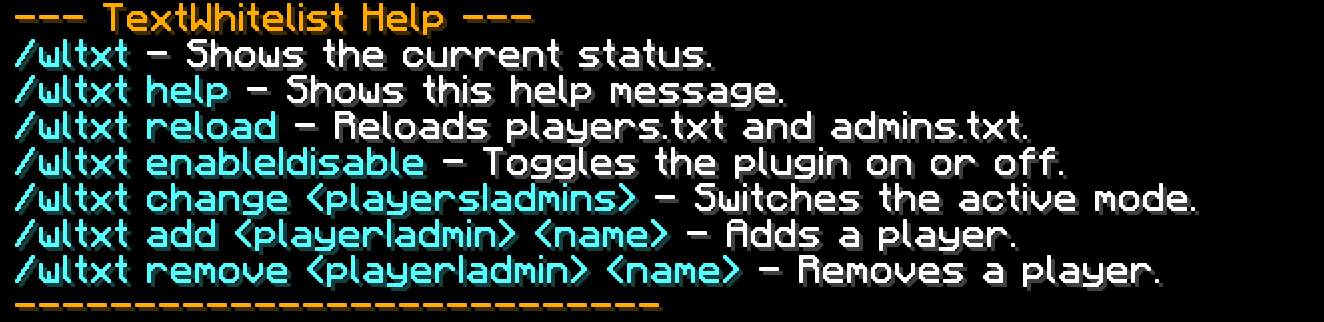
The base command is /whitelistxt (alias: /wltxt). All subcommands require the textwhitelist.admin permission.

Command Description
/wltxt Shows the current status (enabled/disabled) and active mode.
/wltxt help Displays a list of all available commands.
/wltxt enable Enables the whitelist checks.
/wltxt disable Disables the whitelist checks.
/wltxt change <players\|admins> Switches the active mode.
/wltxt reload Reloads both .txt files from the disk.
/wltxt add <player\|admin> <name> Adds a player to the specified list.
/wltxt remove <player\|admin> <name> Removes a player from the specified list.

⚙️ Permissions

  • textwhitelist.admin: Grants access to all /wltxt commands. This permission is given to server operators (OPs) by default.


TextWhitelist v2.3
MC 1.20.6, 1.21.2, 1.21, 1.21.3, 1.9, 1.16, 1.19.3, 1.20.2, 1.18.1, 1.20, 1.20.4, 1.21.4, 1.19.2, 1.20.5, 1.21.5, 1.20.1, 1.20.3, 1.17, 1.14, 1.21.1, 1.8.3, 1.8.1, 1.18, 1.11
Release 2025-06-27 Get

You Might Also Like

AdBolt Advertising Network
Make money from your Minecraft server by running ads!
9,992
Mineload
Mineload
9,978
BeastTP
BeastTP v1.0 - Teleportation Made Easy! -[Permissions][1317]
9,966
RegionManager
generate regions with just one command!
9,950
TimeKeeper
Keep the Server-Playtime per Day
9,948
SimpleAdmin
simple way to ban/kick unwanted players from your server
9,945