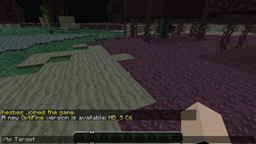
Ever had trouble with new players having trouble learning all those complicated teleportation commands? Or there are so many [Warp] signs that you get headaches just finding the right one? Not anymore! TeleItems is the custom inventory teleportation plugin. You configure the locations, and they show up in the inventory, represented by easy-to-read blocks with names, and even enchantments to be used as location descriptions! Now all your players need is the TeleItems special map, and they'll be anywhere they please!
| TeleItems Wiki | GitHub Source |
Using TeleItems is simple! Once you have the TeleItems TeleMap, right click with it to open the inventory, above your regular inventory! Hover over the blocks to view their locations and location descriptions. Once you know where you want to go, click the block to be instantly teleported!
In order to obtain a TeleMap, you must first create a TeleMap sign. Simply place a sign with [TeleMap] on the second line, and any custom text you want on the third and fourth (any text on the first line will be deleted). If the sign creation is successful, you should receive a message, and the [TeleMap] tag should turn green. Once you have created the TeleMap sign, any player can simply left-click the sign to receive their TeleItems map!
Setting up TeleItems is a bit manual, currently. You can read how to do it on our wiki page.
TeleItems is compiled with Java 1.6, and should work with servers running Java 1.6 and Java 1.7
Please make a comment about any bugs or errors you find, and I will try to fix them in the next update.