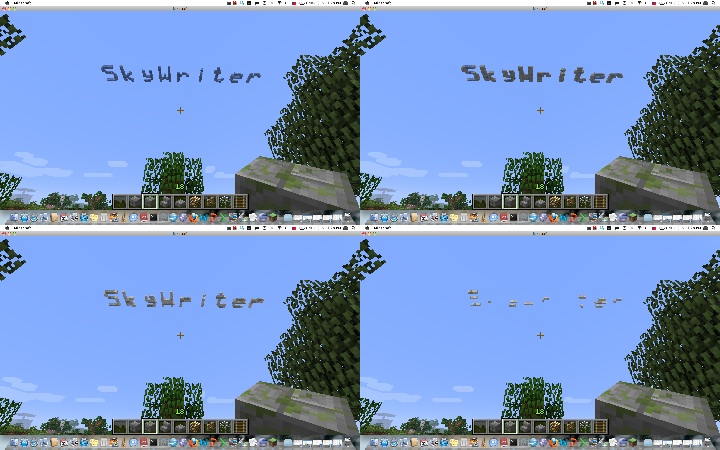
Version: v1.1
Tested On: 1.3.1-R2.0
The SkyWriter plugin allows you to write a message in the sky! Initially, the cloud message appears crisp and blue, but as time passes the cloud disperses and changes color until it finally disappears completely.
There is one... well, now there are (sort of) two commands to use Skywriter. Additional features are enabled by adding switches to the command line, unix style.
/skywrite [-speed n] [-block b] [-loc x,z] [-upright] [-perm] [-world world] message...
Switch descriptions:
All the switches can be abbreviated with a single letter, i.e. you can use -s for -speed, etc.
/skywrite -f fontname
Initially, Skywriter will use its default, built-in (and, some would say, ugly) font. You can change this by setting the font to any of the fonts available on the server system. Note that the font name can, and often does, contain spaces. If you enter a font name that is not available, Skywriter will list the fonts available that start with the same letter.
By default, the start of the words appear where you are looking in the sky, just below the actual Minecraft cloud level. Note that you must be looking up to where you want the message to appear.
The command can also be used from the console, as long as the x,z location of the message is specified.
By default, the cloud messages are formed of different colors of wool. SkyWriter will only replace empty space with a cloud message block, and will erase the cloud message blocks over time until they completely disappear.
Permissions:
Any suggestions on features are welcome and encouraged!
Source code is on Github