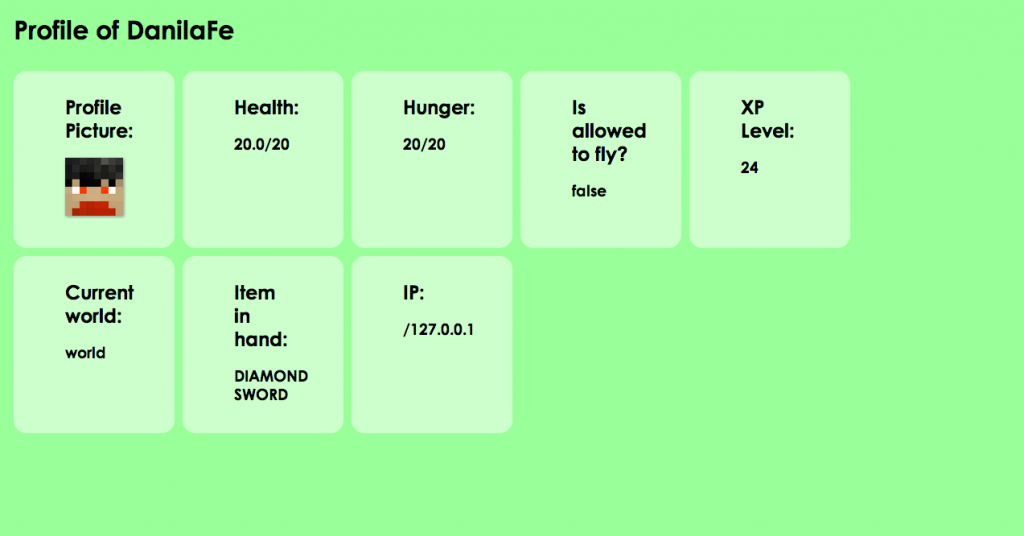
RemoteCheck is a simple plugin that allows users who aren't connected to the server to check on other players. For example, you can check what players are on the server, are they OP and more!
The installation of the plugin might need an extra step if you want people outside of your Local Area Network to be able to view the stats. First of all, as with all plugins, drop the .jar into your plugins folder. Reload the server, and to check wether the plugin is working, connect to http://localhost:4312 . To be able to fully check the features of the plugin, please ensure there is someone on the server whose stats you want to view :) . As previously said, if you want people outside of your Local Area Network to be able to view the stats, port forward the port 4312. Others can view the stats by connecting to http://yourip:4312
This plugin is nothing like the built-in query - unlike the query, this plugin does not provide info about the server itself, but about the players.
Main screen - connected to localhost:4312

Check player's stats by clicking his card: