Smooth, configurable animation for the TAB player list.
Requires: Fabric Loader, Cloth Config, Mod Menu
Environment: Client-only (no server install required)
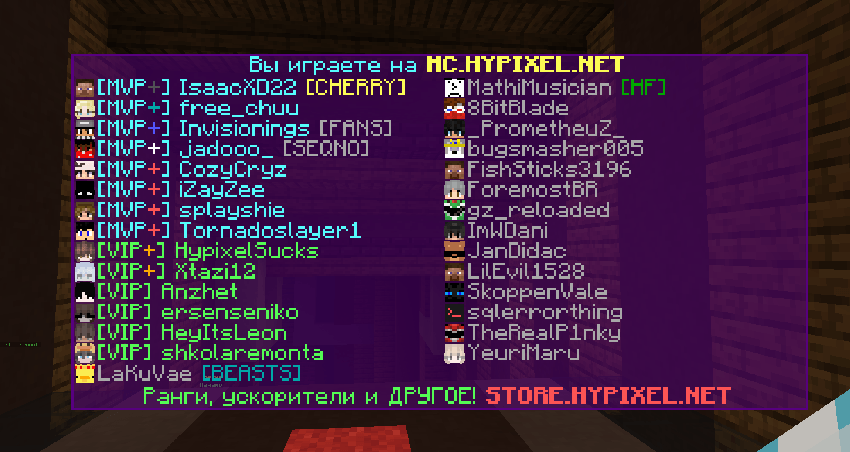
VelvetTab is a lightweight client-side mod for Fabric that adds a smooth open/close animation to the TAB player list and lets you fine-tune its look and feel.
Enable/disable animation
Adjustable duration
X/Y offsets (tip: set offsetY = -1 to center vertically)
Panel background (toggle + ARGB color)
Row background (toggle + ARGB color)
Outer border (toggle + ARGB color)
Separate backgrounds for Header and Footer
Header text shadow
Footer text shadow
Player list text shadow (names / numeric ping)
Toggle player heads
Optional “better hat” overlay (slightly thicker second skin layer)
Vanilla — standard signal bars
Numeric — latency in ms with custom colors per threshold
Thresholds: <75, <145, <200, <300, <400, ≥400
Off — hide ping entirely
Cloth Config settings screen
Live preview while editing
Presets: export/import (Base64) + quick Reset
Works on any server; no server component
VelvetTab uses mixins to adjust the animation and rendering of the player list while preserving vanilla behavior where appropriate.
Install Fabric Loader.
Install Cloth Config and Mod Menu.
Download the latest VelvetTab from the CurseForge → Files page.
Drop the .jar into your mods folder.
Launch Minecraft with the Fabric profile.
VelvetTab is client-side only.
Press TAB as usual — the animation and visual tweaks apply automatically. Open the settings screen to adjust everything; changes are previewed live.
ARR (All Rights Reserved).