Enforce order and clarity on your Minecraft server with the TSL Server Rules mod! This simple yet powerful tool allows server owners to define and display server rules directly in-game, ensuring all players are aware of the expectations and guidelines. Say goodbye to confusion and welcome a more harmonious community.
Key Features:
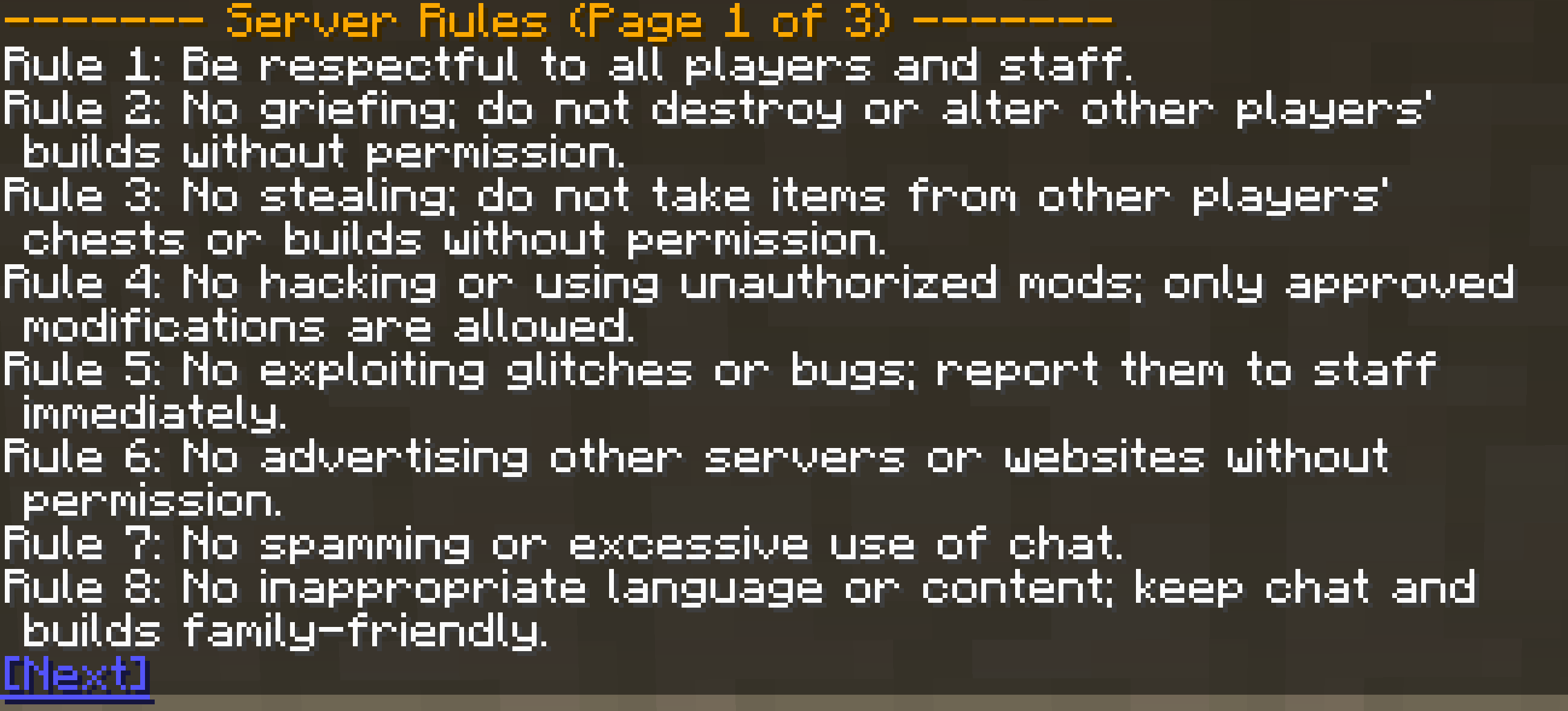
/rules command. Rules are displayed in a clear, paginated format, making them easy to read and navigate!How It Works:
TSL Server Rules adds a /rules command to your server. When a player executes this command, the mod retrieves the list of rules defined in the server's configuration file and displays them in the chat. If there are many rules, they are presented in pages, with navigation links to move between pages.
Configuration:
The mod's configuration file allows server owners to define the exact rules they want players to follow. To set up your server rules, edit the config file with the following structure:
Simply add or modify the rules within the serverRules list to fit your server's specific needs. Each rule should be a separate string within the list.
Installation:
.jar file into the mods folder of your server.config/serverrules-common.toml) to define your server rules.