Badges update automatically and link to the mod page on MineUniverse.
Discontinued.
If you are interested in quite a similar style, feel free to check my newer mods, Woodlands
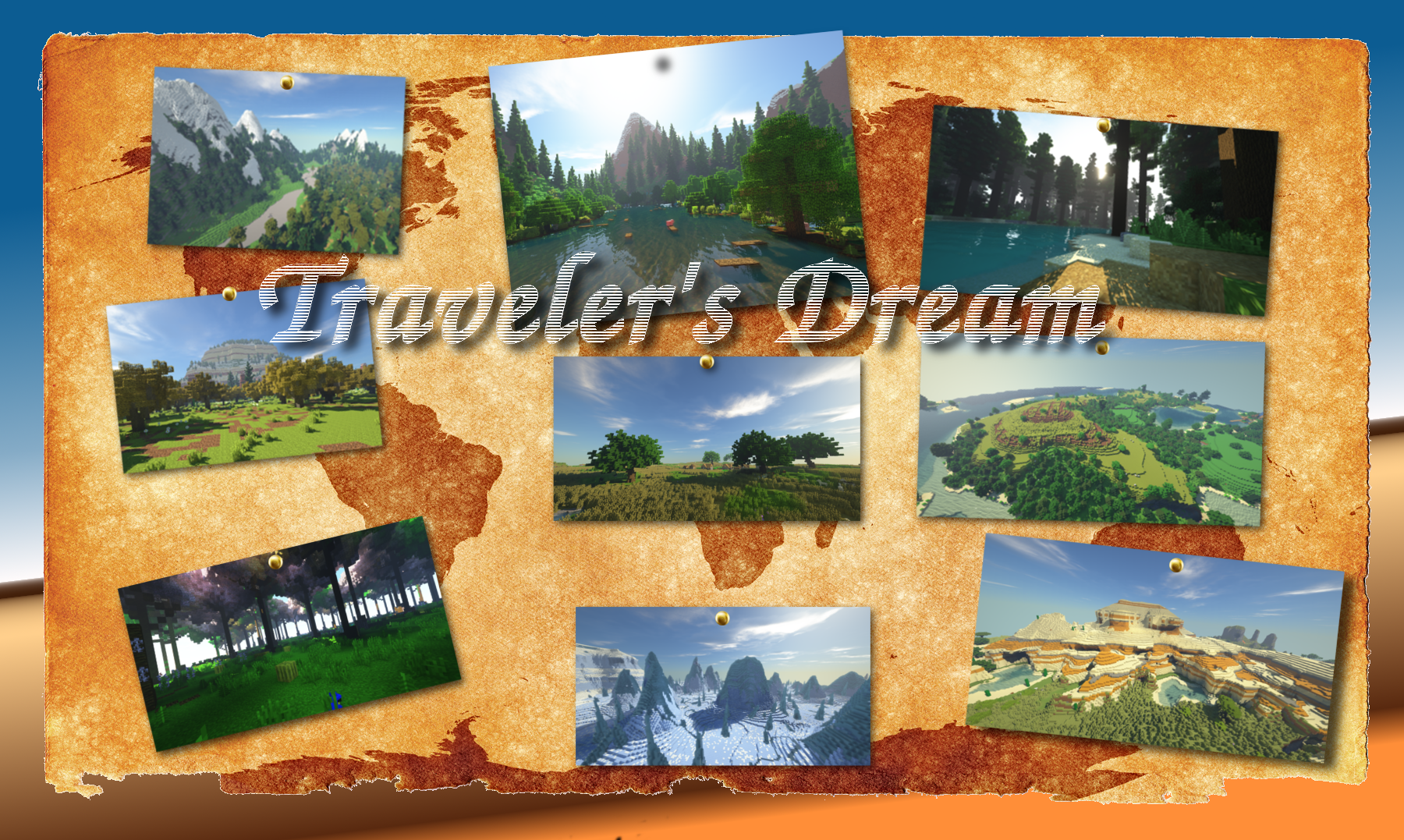
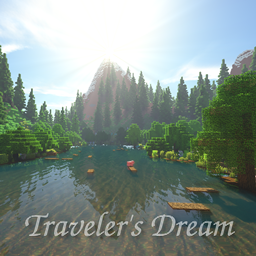
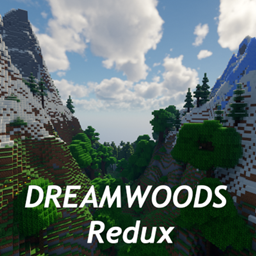
Smooth and contrasting landscape, very realistic, but still minecrafty features-all is here to delight your eyes! Are you ready to explore the world of traveler's dreams?
Traveler's Dream (I will call it TD for convenience) is a preset for random world generation, made using Open Terrain Generator mod.OTG mod is required.If you decide to use OTG v8+, install Biome Colorizer mod as well to make biomes look as intended!
*Traveler's Dream was made using Open Terrain Generator v6 , it isn't looking as intended with newest OTG v8+ without Biome Colorizer mod.It's better to use OTG v6 if it is possible.
Compact Version with much more free ids!
There were a lot of complaints about too few free biome ids, so I decided to make a compact edition of the preset.I did my best to save the visual part of biomes and free as much ids as possible.
99% biomes are still here! Changes mostly affected their names and ids, and colors (just a bit).
The preset looks almost the same.All important biomes with forge dictionary tags were saved for better compatibility with mods.
At about 40 biome ids were made free!
Now you can have at about 80 free ids for other mods, which is enough for several big mods at once that add biomes to other dimensions!
Remember, that biomes from other mods will not spawn in the overworld!
Try not to use overworld biome mods,if you don't 100% need blocks from them.
Also:
JEID is not working with OTG!
(I'm not 100% sure, but it doesn't work for me and some other people at all)
Now finding biomes with Nature Compass is harder.Much more biomes are virtual.
I'm not going to make any more biomes virtual, this will ruin visual climate differences, tags system, biome colors completely!
However in the future there will be a crossover version of Traveler's Dream and my work-in-progress mod,that will add tons of saplings,wood,planks,flowers,herbs,decorations etc. This will help to free new large portion of ids!
I hope you will enjoy the game;)
Installation
Client:
Place the downloaded .jar files of Traveler's Dream and OTG into the "mods" folder.
Server:
Place the downloaded .jar files of Traveler's Dream and OTG into the server "mods" folder.
Delete old "world"s folders if they exist.
In server.properties file edit lines:
level-type=OTG
level-name=TravelersDream(since v1.5)
compact version:
level-name=TravelersDreamCompact
before v1.5-
level-name=Traveler'sDream
How to add biomes from other mods into the OTG world?
(for OTG v8.3)
P.S. Every particular mod will require some knowledge about that mod biome properties, mobs spawning etc.
Every mod acts a bit different when it comes to worldgen.
This guide is an example and contains information about basic steps.
Firstly, it's better to install TellMe mod.It is a very useful mod, that will help to get registry names and other needed information.
This guide explains how to add Vampire Forest from Vampirism mod into the Traveler's Dream Preset.
Firstly:
Start a world with TD, TellMe and Vampirism installed.
Execute commands:
/tellme dump biomes
and
/tellme dump entities.
Data dumps will be in the Tellme folder inside the config folder.
1) Go to \mods\OpenTerrainGenerator\worlds\TravelersDreamCompact\ (or ThaumicTravelersDreamCompact if you use it). Open WorldConfig.ini with Notepad++/Kate in Linux (or other good text program).
Find biome groups and write the name of our future biome in some groups (where you want it to appear):
name: Vampire Forest

This will add our future biome to the worldgen.
2) Go to \mods\OpenTerrainGenerator\worlds\TravelersDreamCompact\WorldBiomes (or ThaumicTravelersDreamCompact if you use it).Choose the biome you want to see as terrain base, e.g. Forest.
Make a copy of this .bc file and name it "Vampire Forest".
Open the "Vampire Forest.bc".
Place selected lines here and there:
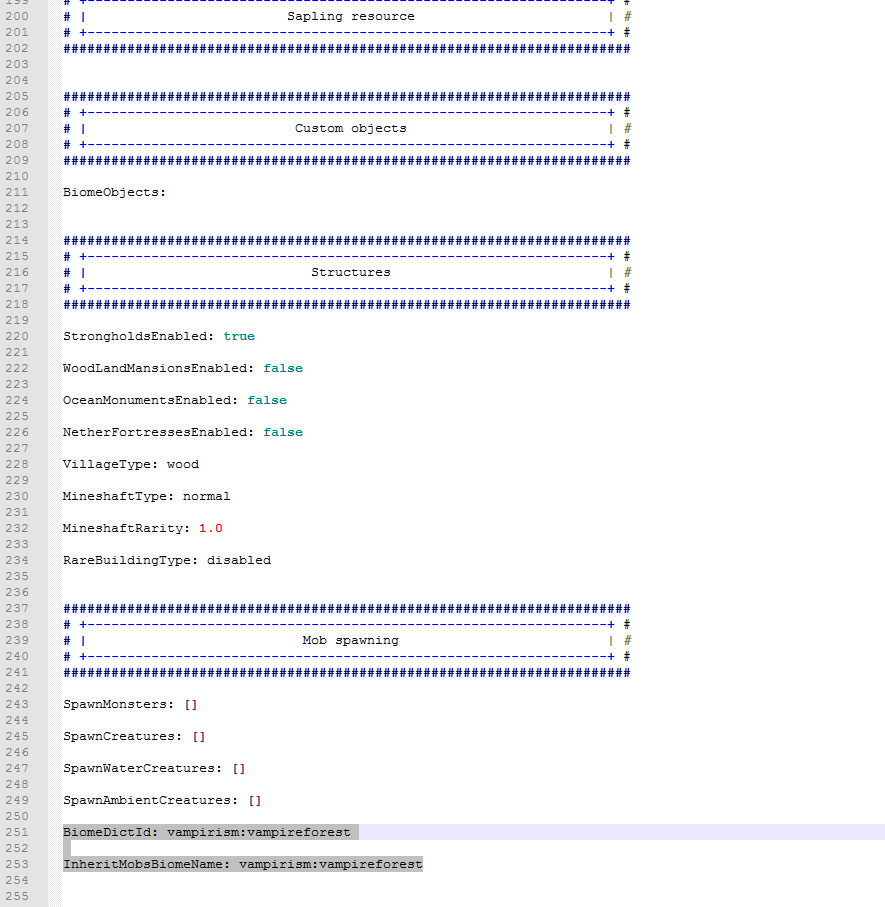
lines :
ReplaceToBiomeName: vampirism:vampireforest
BiomeDictId: vampirism:vampireforest
InheritMobsBiomeName: vampirism:vampireforest
NOTE: this is a registry name for Vampirism biome.To find the needed biome registry name, look at the Tellme biome dump.

This will make OTG Vampire Forest to use Vampirism name and some features.
NOTE: Some mods may spawn their own terrain decoration features like trees by themselves, like Biomes O'Plenty does.Others will not, that's why we need to use a biome from TD as a template with premade trees etc.If you want to change some terrain features, you can use other TD biome, e.g. Old Coniferous Forest or another. Decoration ot terrain features can be changed manually in biome .bc file , info about that can be found on the OTG wiki.
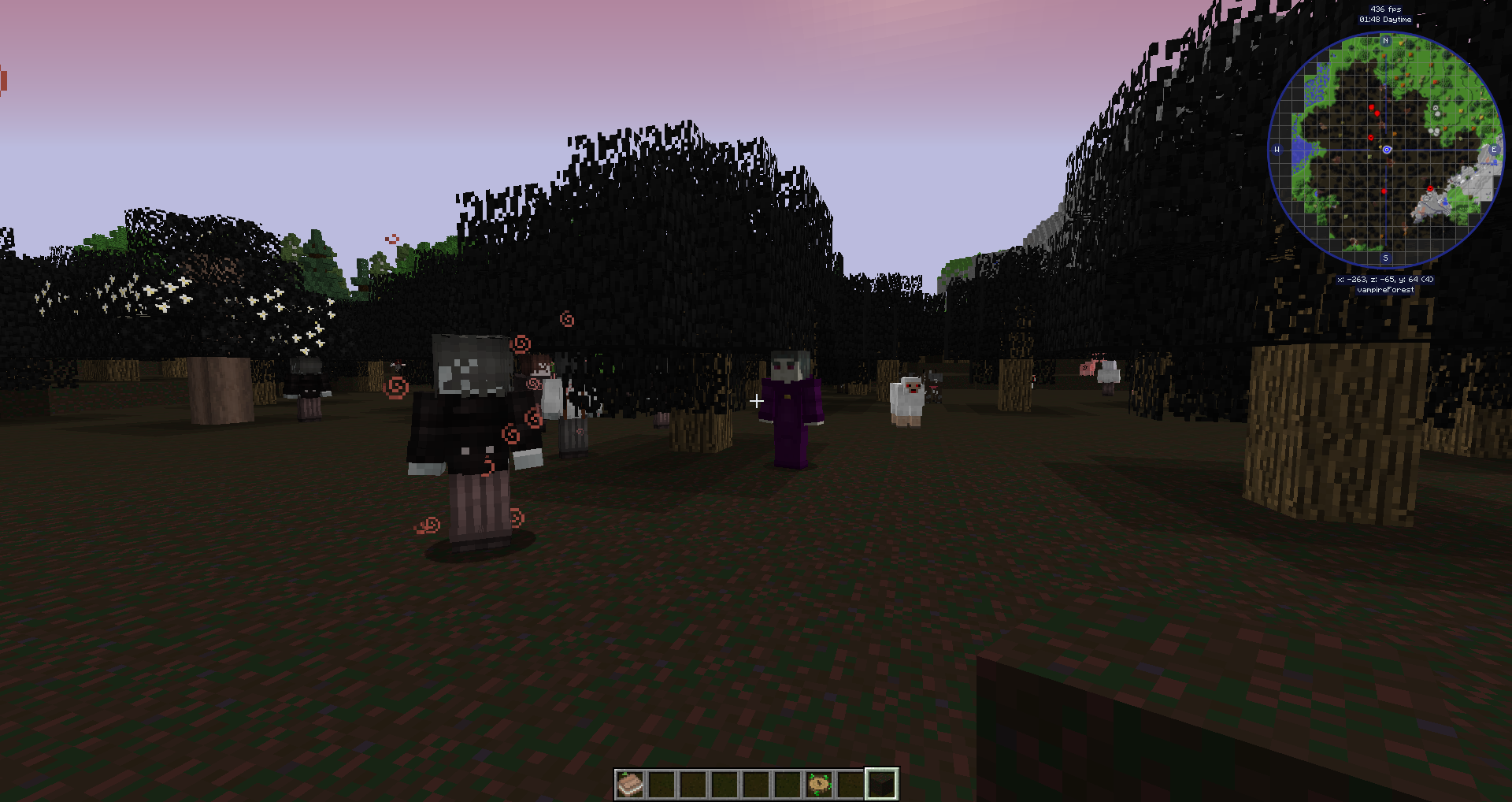
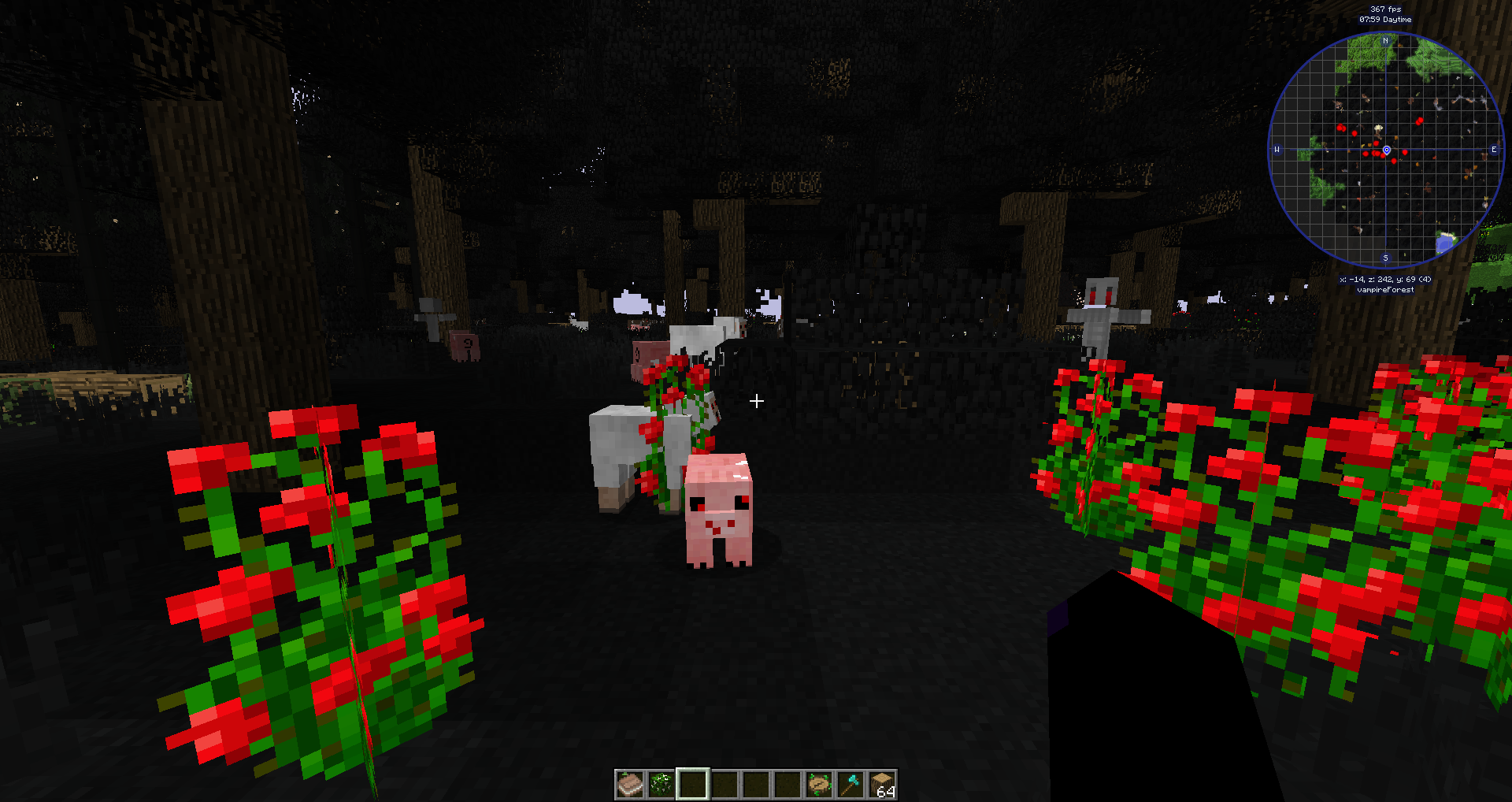
This will spawn such pretty guys in our forest:
Now all mobs from Vampirism are shown with OTG command /otg biome -m :

That's may be enough for some mods.But, Vampirism surprises us: vampires in the Vampire Forest need special block, Cursed Earth, as a surface block (instead of grass) to spawn.
To adjust that, we'll need to change some lines in the Vampire Forest.bc again:
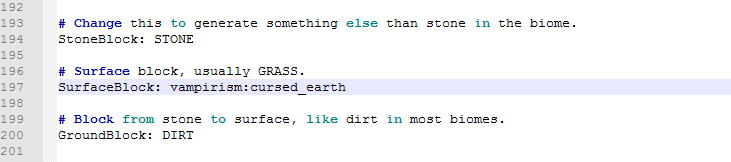
(again registry name, this time for a block)
And adjust trees in the biome resources section:
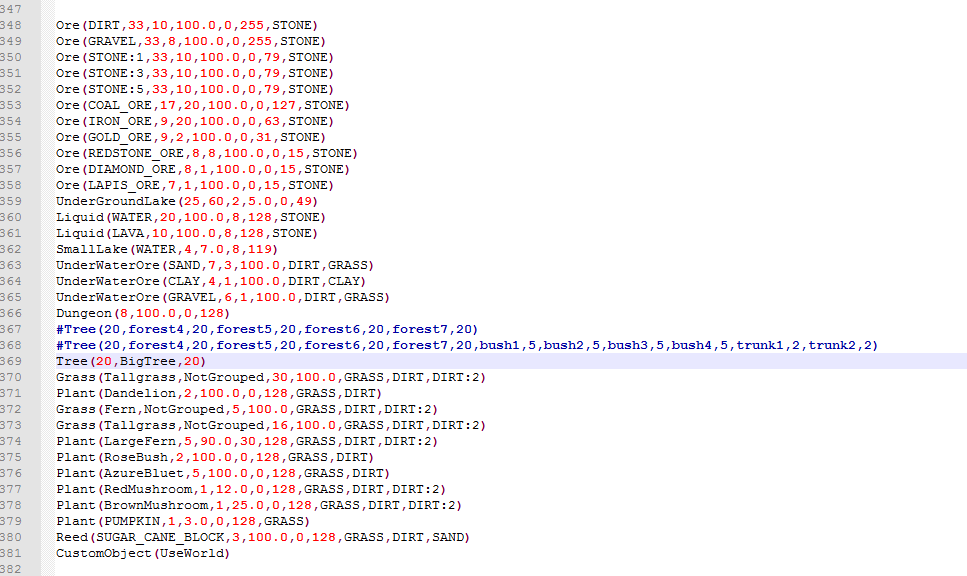
Unfortunately,this leads to only small vanilla oak in our forest, as it was designed by mod author.But now Vampires spawn correctly.
We can try to add Cursed Earth to the permitted blocks to TD forest trees to have them, but that will require all these BO3 objects above(forest4,forest5,etc) to be edited.You can look into OTG wiki to find, how it could be done.Look into the BO3 section.
NOTE: if monsters from another mod will not spawn, you can :
* mess with setting of biome dictionary: set DENSE, FOREST, MAGICAL, SPOOKY in the line BiomeDictId: (the end of the .bc biome file)
NOTE: these tags can be found in TellMe biome dump for any biome.
* manually set all needed monsters in the mob config (the end of the biome .bc file).Look at how it is done for Thaumcraft:

Values are found by experiments.
Names can be found by using TellMe Mod and executing /tellme dump entities in the entitties dump:
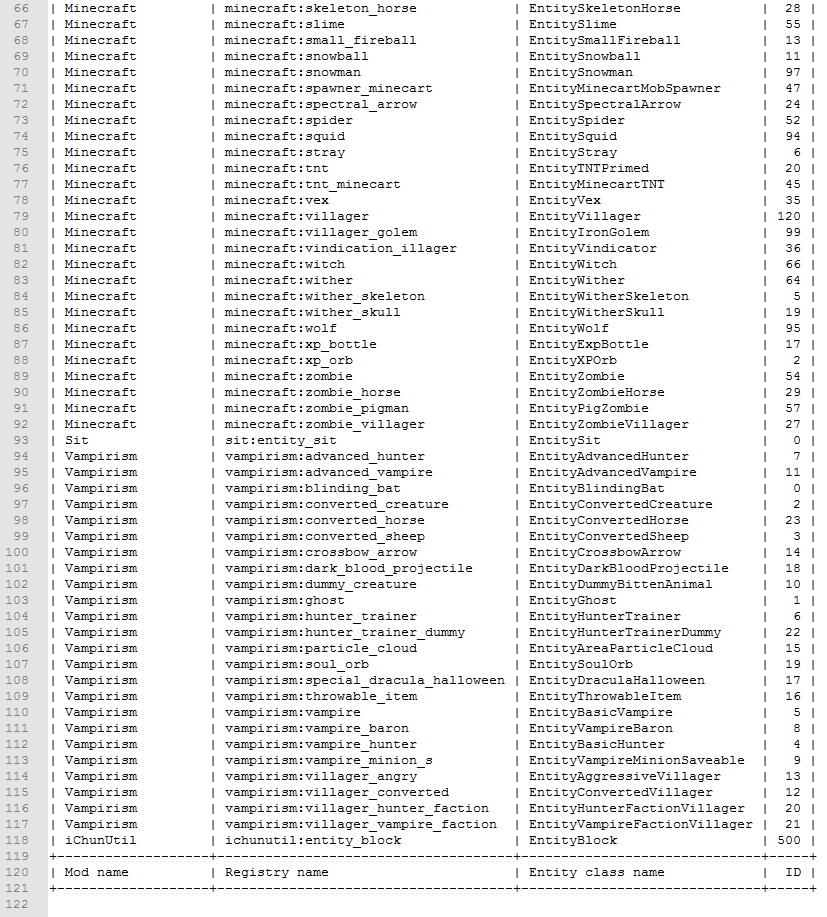
Choose the names after "vampirism:" prefix from the second column, like "ghost".
If this isn't working, choose from the second, but for Thaumcraft the first one was right.
3) When changing some terrain settings and checking them ingame, you will need to manually delete "region" folder from the test world save to force it regenerate it's features.
4) NOTE: This part is about some unique features that the mod can add in it's biome.Sometimes we will not be able to recreate them with OTG.
Terrafirmacraft for example doesn't allow it's climate features to be added into OTG biomes.
Sun protection.It seems to work by itself without issues, but if you will find some, it can be set manually in vampirism config:
you will need to write the biome registry name there. The name in this example will be
openterraingenerator:overworld_vampire_forest

DESCRIPTION
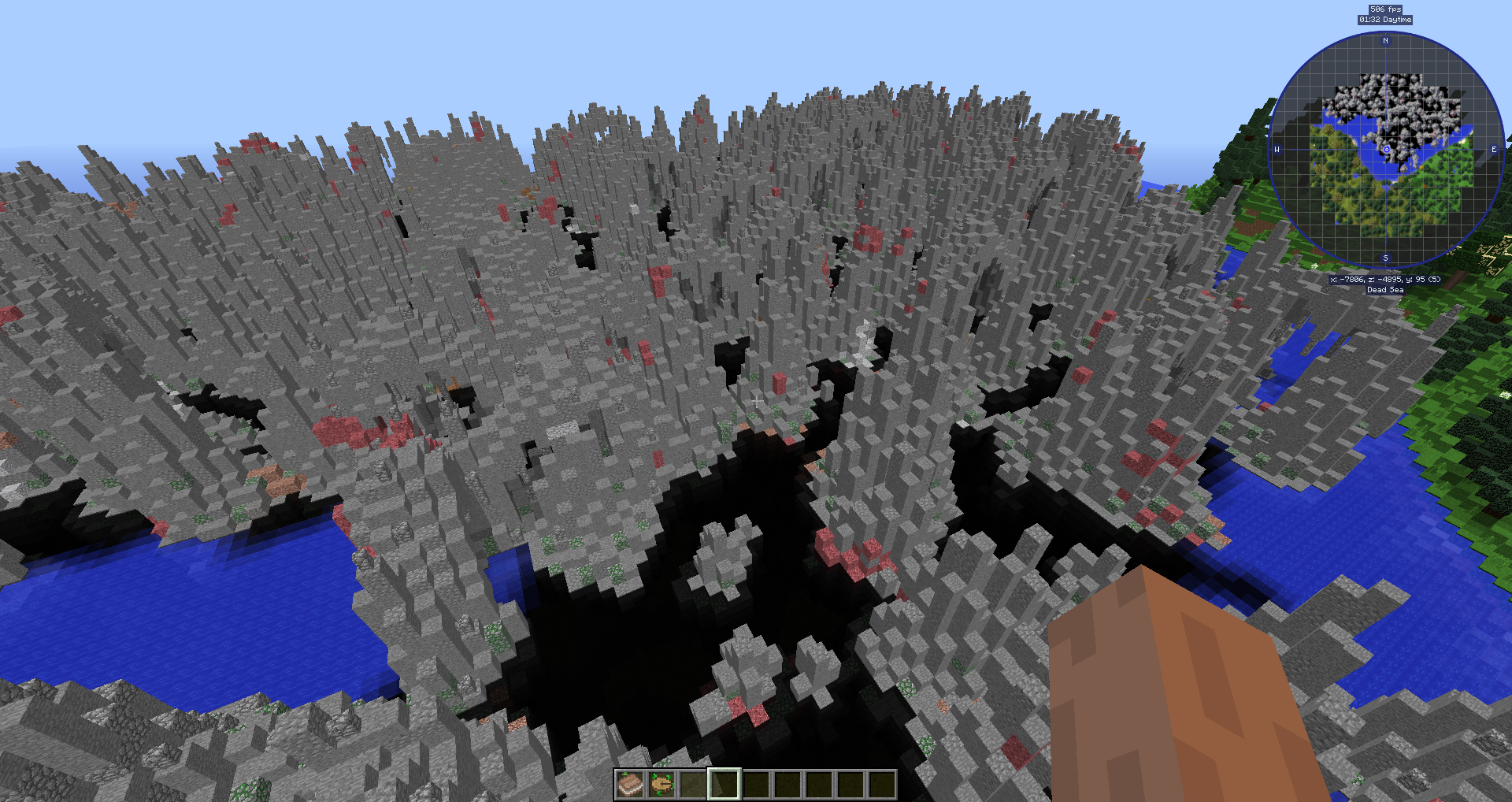
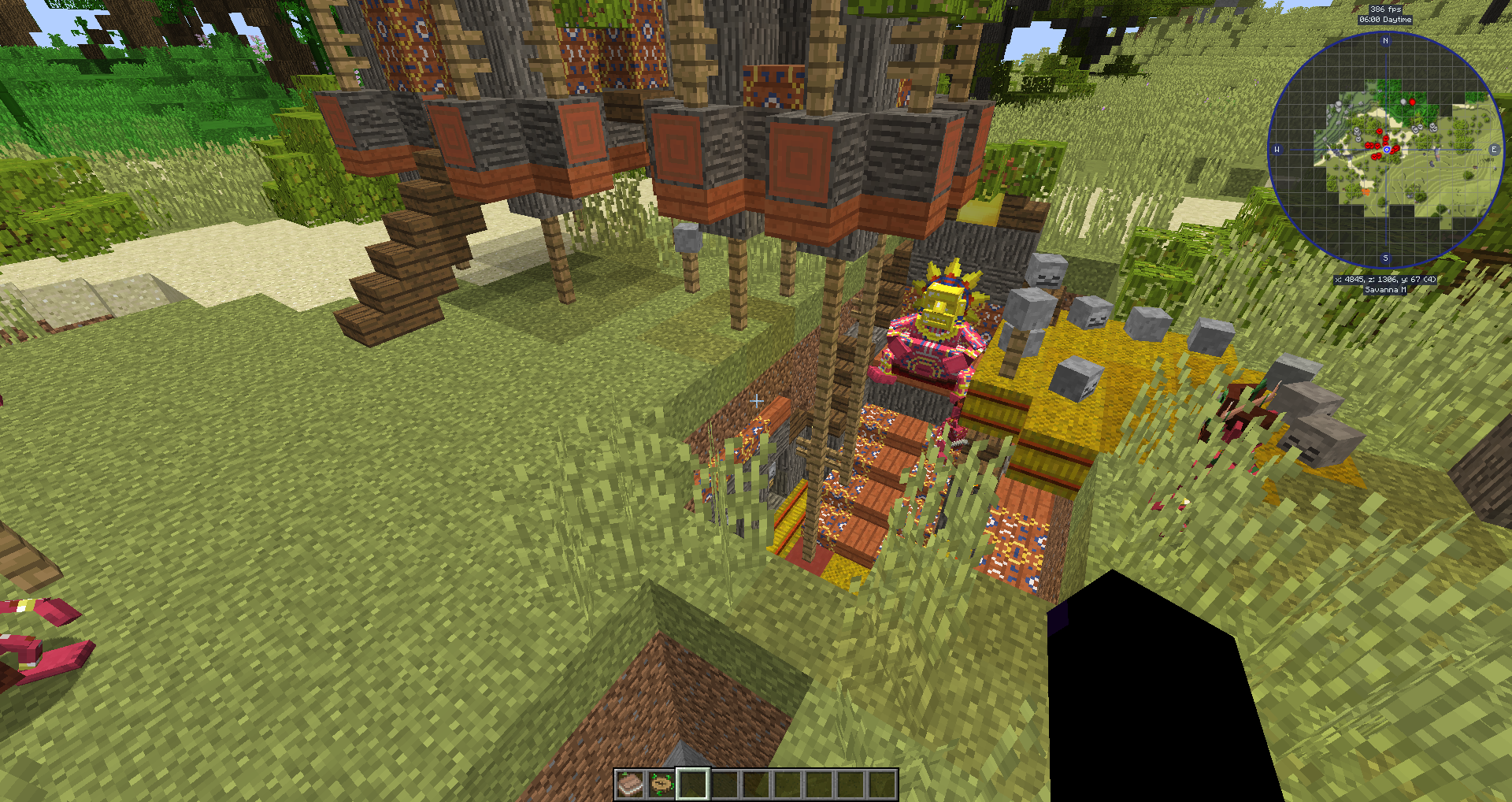
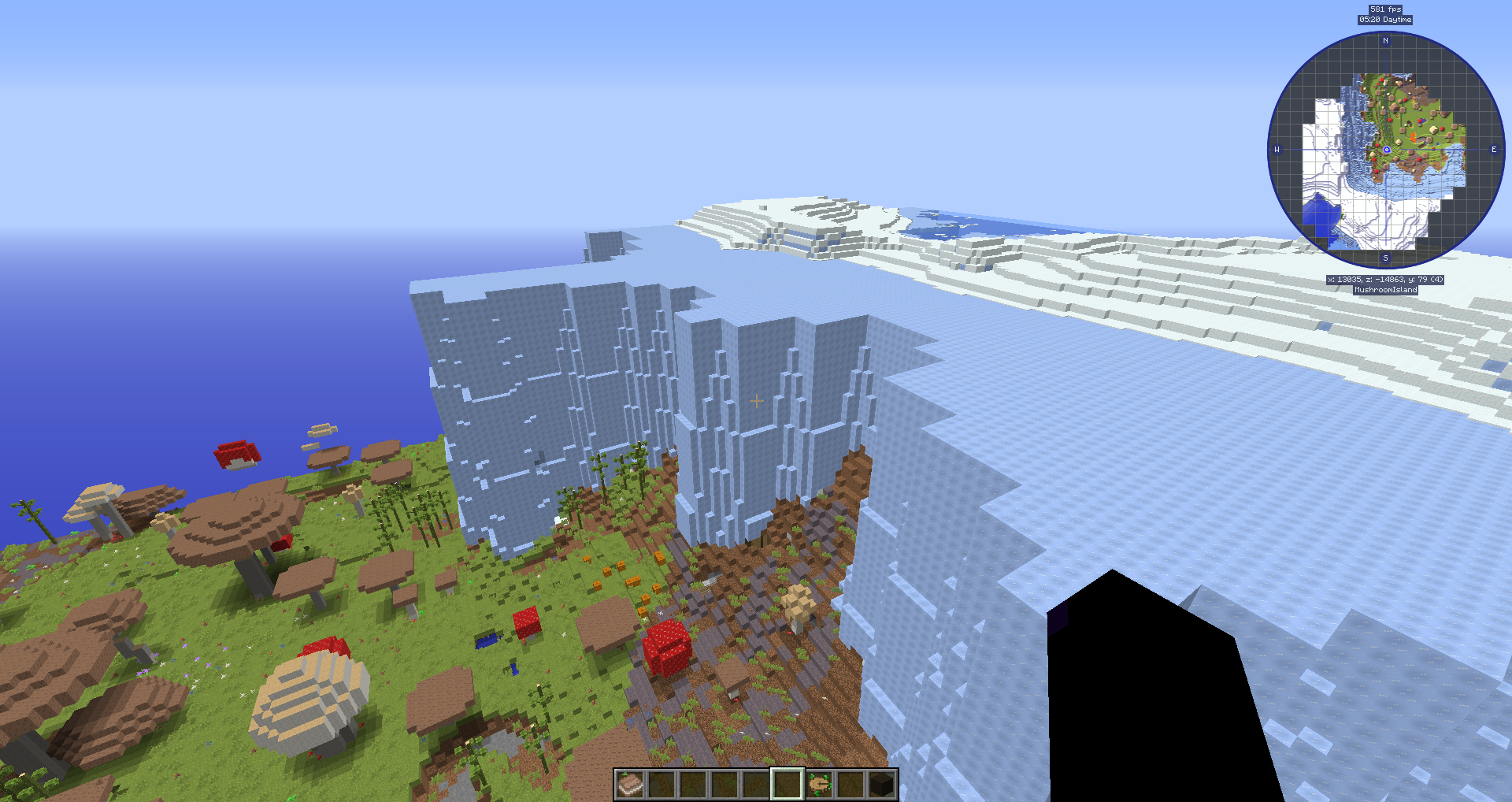
Traveler's Dream is a very detailed and realistic world generator, which represents amazing diversity of biomes, inspired by Earth magnificent landscapes with a pinch of fantasy.
There are also a few biomes to pay tribute to good old days Biome Mods, such as Highlands and elder versions of Biomes O'Plenty. These biomes are not copies, they just have been inspired by their prototypes, which I used to love a lot:)
If you want numbers, here they are:
There are 16 climate zones, each one has it's own unique flora, varying landscape from plains and forests to hills and mountains, often going high enough to have snow on their top, rivers, lakes, swampy biomes.
Let's look briefly on them:
Ice (a lot of fantastical things here to spice up this freezing land)
Snowy (winter is coming!)
Cold (meet the outstanding atmosphere of summertime Iceland!)
Boreal (taiga in it's full bloom to represent boreal zones, like in Scotland, Scandinavian countries, northern Russia, alpine zone)
Temperate (typical appearance for temperate zones of Earth, like in northern North America, southern Canada, northern Europe and most of Russia territories)
Classic (the most minecraft-style zone)
Normal (also minecrafty, but more unusual and chilly)
Lush (green and lush, quite warm and unique biomes)
Warm (mediterranean landscapes with absolutely charming atmosphere)
East (breathtaking landscapes of southern Asia, especially China)
West ("Wild West", mesa, steppe, arid North American forests and red deserts)
Arid (arid climate zone, like in Africa, some parts of Australia-savannas,tropical forests etc)
Desert (Desert biome, it was too big to fit into Arid zone...)
Jungle (tropical zone with dense jungle, rainforests etc)
Tropical (paradise with tropical islands, palms, sand and marine climate)
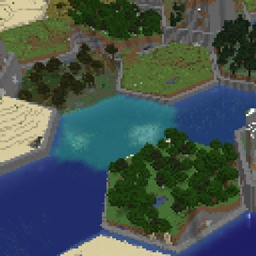
Ocean (just an Ocean...Deep and big Ocean. Survival Islands included)
There are also some changes about ore generation,check local zones below for more information.
IMPORTANT INFORMATION
Thaumcraft Special Edition!
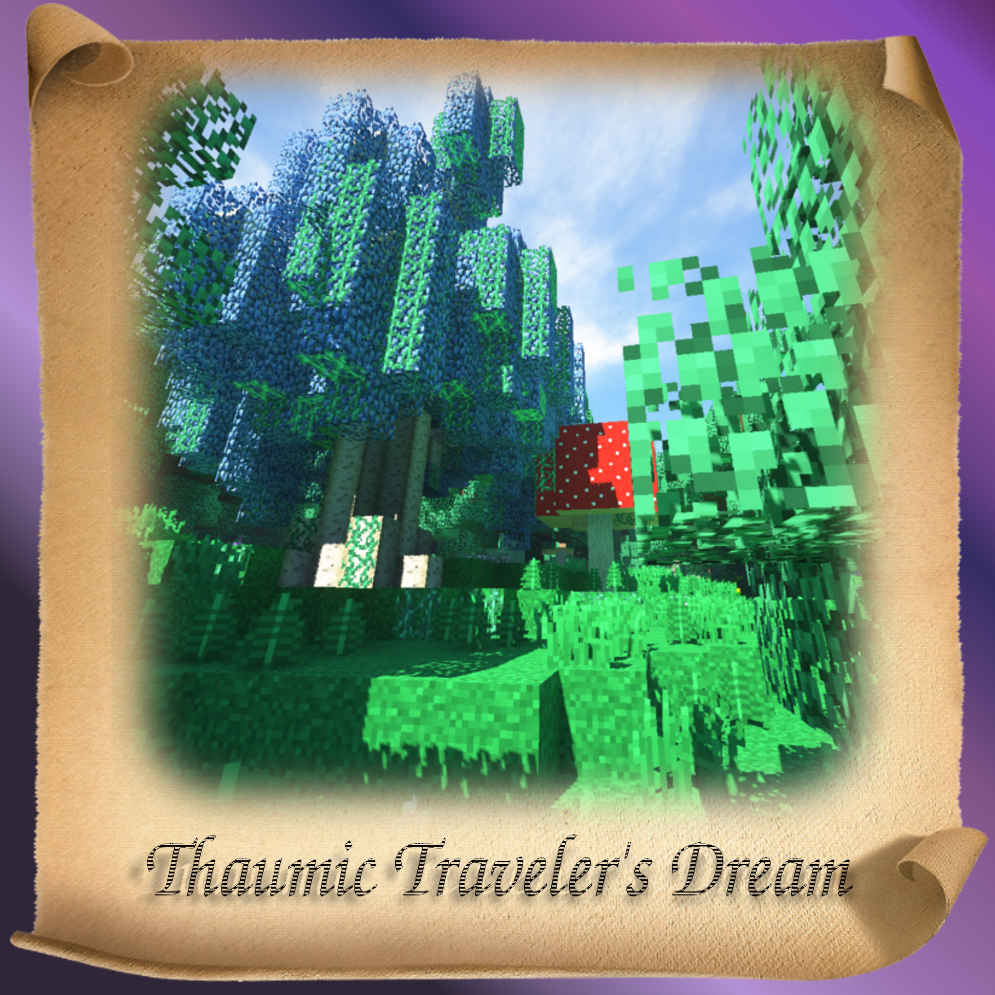
I made a special edition for better compatibility with Thaumcraft mod, which adds some Thaumcraft features and pretty Magical Forest biome to OTG preset, very similar to original, but with a touch of TD style:)
You can download Thaumic Traveller's Dream pack here:
Does not work for the new TD versions.
For the best experience I also made a small, lightweight resource pack to use with Traveler's Dream and Thaumic Traveler's Dream. There are just a few improvements, which make TD biomes more authentic to the real world prototypes.This resourcepack doesn't add any block textures (except jungle leaves texture), so it can be used easily with any other resource pack! Just place it above any desired resource pack in the appropriate menu, like that:
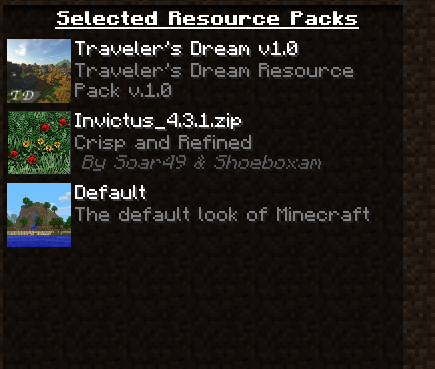
and you'll get something like this:
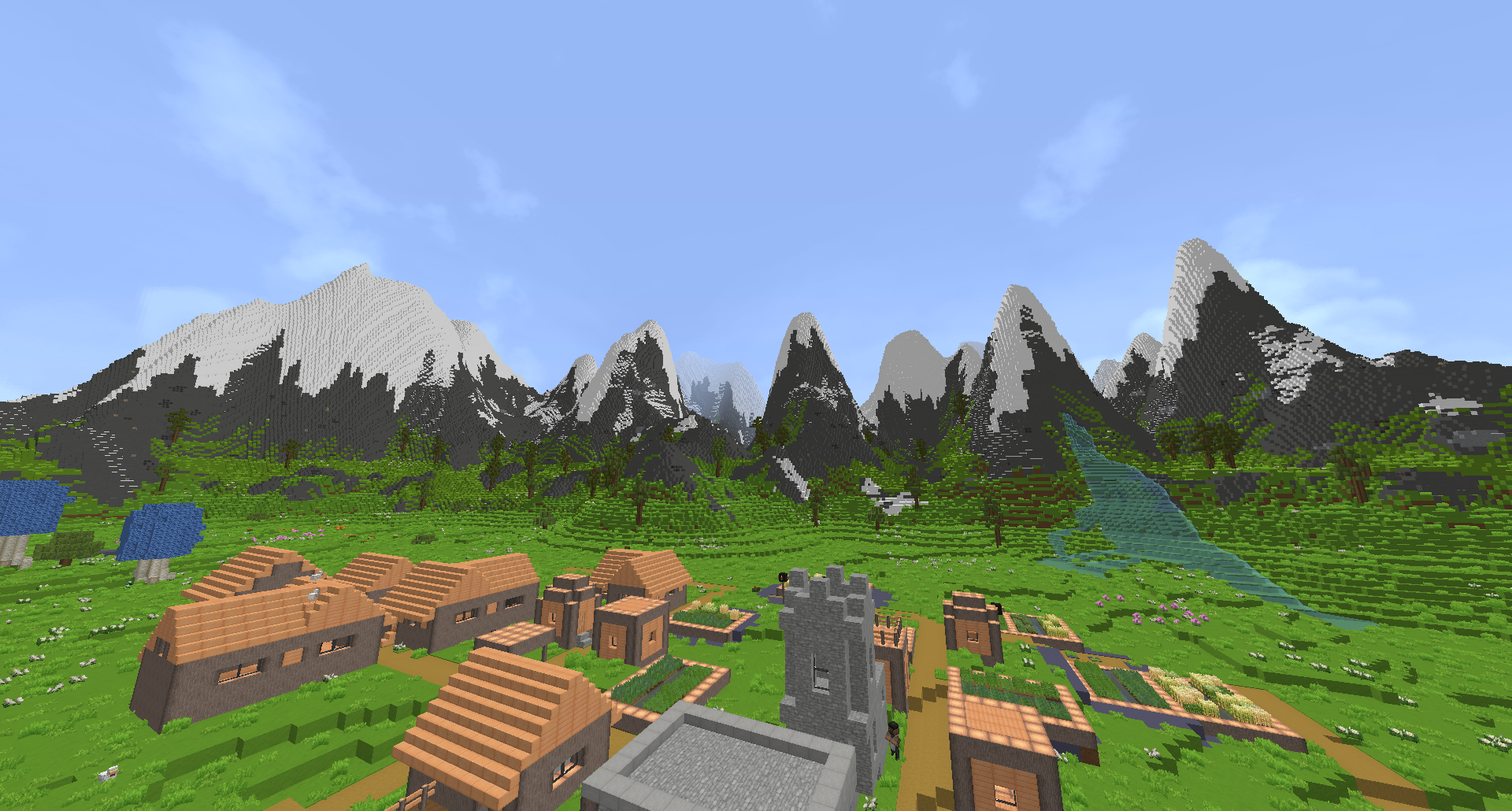
If you don't want to have vanilla-like jungle leaves with other resource pack installed, feel free to remove it texture, following this path inside resource pack .zip : /assets/minecraft/textures/blocks/leaves_jungle.png (you may unzip it and work with the folder).
Traveler's Dream resource pack changes:
v1.1
v1.0
Click here to download Traveler's Dream resourcepack:
Traveler's Dream resource pack
You will need Optifine (MCPatcher may work,but I'm not sure about it, I prefer Optifine) for the resource pack to function.
Download Optifine
Custom trees and Treecapitator
As this preset uses very complex, big and beautiful custom trees, and leaves are often non-decaying, you would need Treecapitator to cut them:
I tried to adapt Treecapitator configs for the size of most trees and also to make it work with some special trees.
However, it's not ideal. You can always change configs as you want.
My configuration file:
Download config file for "[1.12]TreeCapitator-client-1.43.0"
Text:
# Configuration file
~CONFIG_VERSION: 2.1
##########################################################################################################
# general_settings
#--------------------------------------------------------------------------------------------------------#
# ATTENTION: Editing this file manually is no longer necessary UNLESS YOU ARE ADDING NEW MODS/TREES.
# On the Mods list screen select the entry for Treecapitator, then click the Config button to modify these settings.
##########################################################################################################
general_settings {
# [Global] Set to true to enable Treecapitator, false to disable. [default: true]
B:enabled=true
miscellaneous_settings {
# [Global] Set to true if you want Treecapitator to log info about what it's doing, false to disable.
# If you are having an issue with the mod, set this option to true and post the resulting log to the
# Treecapitator Minecraftforum.net thread along with a detailed description of the issue. [default: false]
B:allowDebugLogging=false
# [Global] Flag to disable drops in Creative mode [default: false]
B:disableCreativeDrops=false
# [Global] Flag to disable tree chopping in Creative mode [default: false]
B:disableInCreative=false
# [Global] When true, Treecapitator will scan the Forge Ore Dictionary for blocks with an ore name matching
# one of the strings in oreDictionaryLogStrings and generate a generic tree definition for them on the fly.
# When false oreDictionaryLogStrings and oreDictionaryLeafStrings will be ignored. [default: false]
B:allowOreDictionaryLookup=true
# [Global] The list of log type values to check for in the Forge Ore Dictionary. Entries are comma (,) separated. [default: logWood, woodRubber,]
S:oreDictionaryLogStrings=logWood, woodRubber,
# [Global] The list of leaf type values to check for in the Forge Ore Dictionary. Entries are comma (,) separated. [default: treeLeaves,]
S:oreDictionaryLeafStrings=treeLeaves,
# [Global] Add unique block names to this list if you want to keep them from being registered as logs. This list will override
# the local user configuration, inter-mod communication (IMC) configuration, and the Ore Dictionary scanning feature.
# Use ',' to split block name from metadata and ';' to split entries.
# Refer to the UniqueNames.txt file in the config folder for a list of values. [default: ]
S:blockIDBlacklist=
# [Global] Add unique item names to this list if you want to keep them from being registered as axes. This list will override
# the local user configuration and inter-mod communication (IMC) configuration.
# Use ',' to split item name from metadata and ';' to split entries.
# Refer to the UniqueNames.txt file in the config folder for a list of values. [default: ]
S:itemIDBlacklist=
}
break_speed_settings {
# [Global, PerTree] When using an item that can chop trees, the break speed will by multiplied by this value
# THIS OPTION IS IGNORED WHEN treeHeightDecidesBreakSpeed=true [range: 0.01 ~ 1.0, default: 0.256]
S:breakSpeedModifier=0.256
# [Global] When true, the log break speed is equal to original break speed / (tree height * <treeHeightModifier>)
# When false, the original break speed is multiplied by the breakSpeedModifier value [default: true]
B:treeHeightDecidesBreakSpeed=true
# [Global] See description for treeHeightDecidesBreakSpeed [range: 0.25 ~ 10.0, default: 2.0]
S:treeHeightModifier=2.0
}
item_settings {
# [Global] This setting controls whether or not Treecapitator will automatically detect axe-type items. This is
# done by checking the effectiveness of the tool against logs.
# Set to true to enable this feature, false to disable. [default: true]
B:allowAutoAxeDetection=true
# [Global] Whether you need an item from the axeIDList to chop down a tree. Disabling will let you chop
# trees with any item. [default: true]
B:needItem=true
# [Global] Enable to cause item damage based on number of blocks destroyed [default: true]
B:allowItemDamage=true
# [Global] Axes and shears will take damage this many times for each log broken. Remaining damage is
# rounded and applied to tools when a tree is finished. [range: 0.1 ~ 50.0, default: 1.0]
S:damageMultiplier=1.0
# [Global] Enable to allow chopping down the entire tree even if your item does not have enough damage
# remaining to cover the number of blocks. [default: false]
B:allowMoreBlocksThanDamage=false
# [Global] Set to true to have the per-block item damage amount increase after every
# increaseDamageEveryXBlocks blocks are broken. [default: false]
B:useIncreasingItemDamage=false
# [Global] When useIncreasingItemDamage=true the damage applied per block broken will increase by this
# amount every increaseDamageEveryXBlocks blocks broken in a tree. [range: 0.1 ~ 100.0, default: 1.0]
S:damageIncreaseAmount=1.0
# [Global] When useIncreasingItemDamage=true the damage applied per block broken will increase each time
# this many blocks are broken in a tree. [range: 1 ~ 500, default: 8]
I:increaseDamageEveryXBlocks=8
}
tree_chop_behavior_settings {
# [Global] This setting controls whether or not Treecapitator will automatically detect new trees when they are
# chopped. This is done by first checking Block.isLog() for the block broken, finding the highest connected block
# of the same type above the block broken, and checking Block.isLeaves() for the blocks around the top log. If
# enough leaf blocks are found the structure is considered a tree and is added to the TreeRegistry. Trees will
# also be added to your local config file to allow for tweaking of settings if desired.
# Set to true to enable this feature, false to disable. [default: true]
B:allowAutoTreeDetection=true
# [Global, PerTree] Set to false to disable Treecapitator Smart Tree Detection.
# Smart Tree Detection counts the number of leaf blocks that are adjacent to the
# top-most connected log block at the x, z location of a log you've broken. If
# there are at least minLeavesToID leaf blocks within maxLeafIDDist blocks then
# Treecapitator considers it a tree and allows chopping.
# WARNING: Disabling Smart Tree Detection will remove the only safeguard against
# accidentally destroying a log structure. Make sure you know what you're doing! [default: true]
B:allowSmartTreeDetection=true
# [Global, PerTree] If a tree's top log is not close enough to leaf blocks, the tree will not be chopped.
# Increasing this value will search further. I would try to keep it at or below 3. [range: 1 ~ 8, default: 1]
I:maxLeafIDDist=1
# [Global, PerTree] The minimum number of leaves within maxLeafIDDist of the top log block required to identify a tree. [range: 0 ~ 8, default: 3]
I:minLeavesToID=0
# [Global, PerTree] Set to false to use the older "top log" algorithm for finding the top log of a tree.
# The old algorithm searches only the vertical column of blocks above the log you are chopping,
# the newer algorithm is able to branch out to find the true top log of a tree. [default: true]
B:useAdvancedTopLogLogic=true
# [Global] Set to true if you want only the log/leaf blocks listed with each log in a tree
# to break when that log type is chopped. When set to false it will break
# any log/leaf type blocks connected to the tree, not just the types for that tree. [default: true]
B:useStrictBlockPairing=true
# [Global] Enabling this will make leaves be destroyed when trees are chopped. [default: true]
B:destroyLeaves=true
# [Global, PerTree] When true Treecapitator will only instantly decay leaves that have actually been marked
# for decay. Set to false if you want leaves to be destroyed regardless of their decay status
# (hint: or for "leaf" blocks that are not really leaves). [default: true]
B:requireLeafDecayCheck=false
# [Global] Enabling this will cause destroyed leaves to be sheared when a shearing item is in the hotbar
# (ignored if destroyLeaves is false). [default: false]
B:shearLeaves=false
# [Global] Enabling this will shear /some/ of the vines on a tree when a shearing item is in the hotbar
# (ignored if destroyLeaves is false). [default: false]
B:shearVines=false
# [Gloabl] The maximum number of blocks allowed in a tree to be chopped. If a tree has more blocks than this
# chopping will be canceled. Set to -1 for no limit. [range: -1 ~ 2147483647, default: -1]
I:maxNumberOfBlocksInTree=-1
# [Global, PerTree] The maximum horizontal distance that the leaf breaking effect will travel from the tree (use -1 for no limit). [range: -1 ~ 100, default: 4]
I:maxHorLeafBreakDist=6
# [Global, PerTree] The maximum horizontal distance that the log breaking effect will travel (use -1 for no limit). [range: -1 ~ 100, default: 16]
I:maxHorLogBreakDist=20
# [Global, PerTree] The maximum vertical distance that the log breaking effect will travel (use -1 for no limit). [range: -1 ~ 255, default: -1]
I:maxVerLogBreakDist=-1
# [Global, PerTree] Setting this to false will allow the chopping to move downward as well as upward (and
# blocks below the one you break will be chopped) [default: true]
B:onlyDestroyUpwards=true
# [Global] Set sneakAction = "disable" to disable tree chopping while sneaking,
# set sneakAction = "enable" to only enable tree chopping while sneaking,
# set sneakAction = "none" to have tree chopping enabled regardless of sneaking. [default: disable]
S:sneakAction=disable
# [Global] Set to true to enable the stacking of dropped items, false to disable. [default: false]
B:stackDrops=true
# [Global] Set to true to have items drop in place, false to have them drop at the player's position. [default: true]
B:itemsDropInPlace=false
}
enchantment_mode_settings {
# [Global] Toggle for whether or not to use the Treecapitating enchantment as opposed to requiring an item
# to be in the axeIDList to chop a tree. [default: false]
B:enableEnchantmentMode=false
# [Global] The internal ID for the Treecapitating enchantment. Change this if the default ID is conflicting
# with another mod. [range: 0 ~ 255, default: 187]
I:enchantmentID=187
# [Global] Whether or not to check the axe ID list for an item when determining if a given item can be
# imbued with the Treecapitating enchantment.
# NOTE: when set to false, any ItemTool type item (pickaxes, shovels, etc) with a high enough
# enchantability level can get the enchantment, not just axes. [default: true]
B:requireItemInAxeListForEnchant=true
}
}
##########################################################################################################
# tree_and_mod_configs
#--------------------------------------------------------------------------------------------------------#
# This category is where all your settings live that are related to trees, items that can chop trees, and mods.
# NOTE: Using item or block number IDs WILL NOT WORK. Refer to the UniqueNames.txt file in the config folder for the list of block and item IDs.
#
# How to add new mods:
#
# Keep in mind that you can also include settings marked with [PerTree] on a per-tree basis to override the global default values.
#
# Format:
# <section_name> { (typically same as modID)
# S:modID=<modID> (this can be found on the Mods screen in game or in mcmod.info)
# S:axeIDList=<unique_item_identifier>,<optional metadata>; minecraft:wooden_axe; minecraft:stone_axe
# S:shearsIDList=<unique_item_identifier>,<optional metadata>
# B:overrideIMC=<optional, defaults to false) whether or not a mod's user config (this file) should override a mod's IMC config (IMC allows mods to send messages to each other for compatibility)
#
# <tree_name> { (the tree name is just for organization and clarity)
# # logs/leaves: list of unique block name values. "," separates name and metadata, ";" separates block entries
# S:logs=<unique block identifier>,<optional metadata>; <unique_block_identifier>,0; minecraft:log,0
# S:leaves=<unique block identifier>,<optional metadata>; <unique_block_identifier>,0; minecraft:leaves,0
# [optionally add per-tree settings here]
#
# }
# }
##########################################################################################################
tree_and_mod_configs {
# This setting controls whether or n