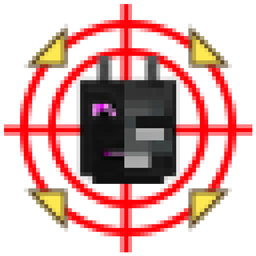
This mod provides multiple types of entity-tracking cursors (two available, one planned), assisting players in locating targets. It also serves as a specialized HUD library.
When you're facing mobs flying chaotically across the screen or clipping through walls, you'll need this. (Vex: huh?)
By default, the mod includes tracking cursors for the Ender Dragon and Wither, as well as boss pointers integrated with Confluence: Otherworld.
Do not load this mod together with Confluence: Otherworld, as it is already built into Confluence: Otherworld.
The mod is a submodule in Confluence: Otherworld, but it can also be played standalone as a util mod.
Users can configure the mod (via config file or in-game GUI) with the following options:
Currently, tracking is limited to the following range: x: ±64 blocks, y: +64 / -48 blocks, z: ±64 blocks
This completed mode creates HUD pointers circling the center to indicate entity direction.
Old version 0.0.3 (ignore Vpet): 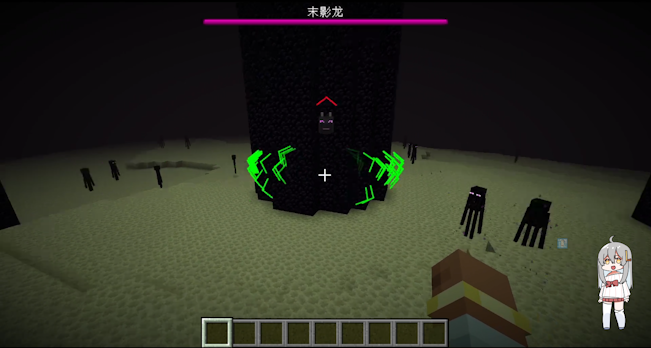
New version 0.2.5: 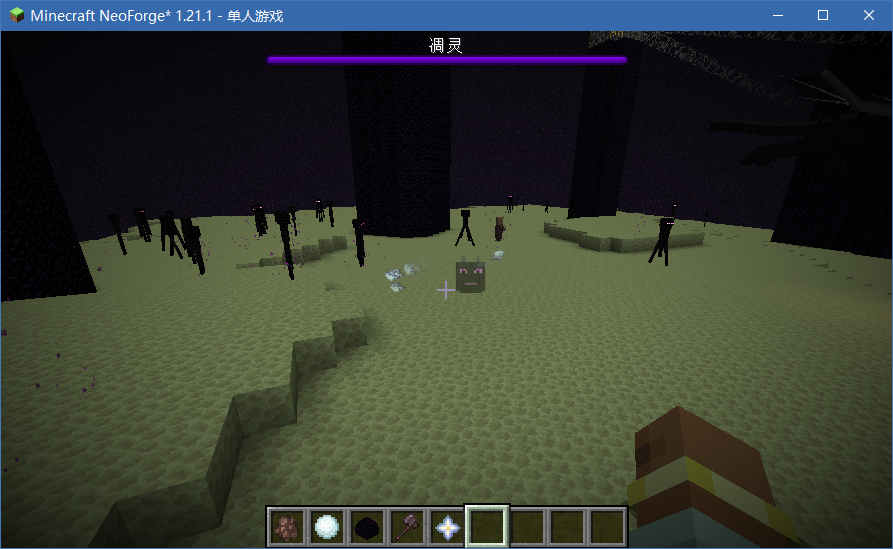
It’s clear that these pointers indicate "which way to turn to see the entity" rather than "where the entity is in the world."
The cursor's distance from the center reflects how much you need to rotate your view. When the entity's direction nearly overlaps with your view, the cursor fades out. (In the old image, the green pointer indicates a nearby Enderman.)
Three projection algorithms are available: Mercator, Aitoff, and Winkel Tripel. Tests show little visual difference, but Aitoff performs best, so the others are not recommended.
Some may wonder about using vanilla matrices for 2D-to-3D direction, but research suggests a slight curved offset produces a more useful effect.
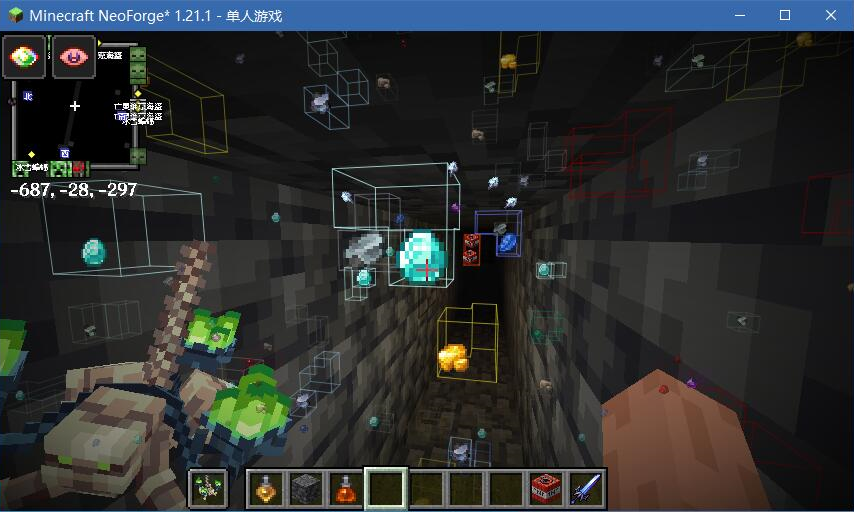
This screenshot was taken while developing Confluence: Otherworld's Mining Potion. The ore markers are implemented via this mod.
This mode directly overlays the cursor onto the target entity (not a world marker, but a true 2D overlay).
Variants include a single portrait-style marker and three icons circling the target. There are also Easter eggs!
In-game, you can create a central surround cursor with the following format:
<modid:entity_type>|<cursor_arrow_type>|<cursor_icon_type>
Example: the default Ender Dragon cursor is configured as:
minecraft:ender_dragon|normal|ender_dragon_head
For direct projection cursors, configuration is more complex and experimental. Format:
<modid:entity_type>|<cursor_type>:<cursor_icon_type>(|easter_eggs_type)
normal, normal_red, normal_green, normal_white
normal is the updated arrow shown in the new screenshots, artwork by LazyPillow.
ender_dragon_head, wither_head.king_slime, eye_of_cthulhu, brain_of_cthulhu, queen_bee, eater_of_worlds, skeletron, deerclops, wall_of_flesh.These icons can be used without requiring Confluence: Otherworld as a dependency.
If you set a field to none, that part of the cursor will not display.
You can also add new textures via resource packs, as long as they share the same directory as this mod’s assets. As long as names don’t conflict, they can be referenced directly.
Note: For visual optimization, entities derived from PartEntity (e.g., Ender Dragon’s wings and tail) will not be tracked.
Many tracking features are already complete and deployed in Confluence: Otherworld. However, configuration and usage may still have imperfections. Feedback is welcome!
Join the Confluence: Otherworld Discord to support the author.
If you are a mod developer, check the GitPage documentation for more details(Chinese only).